Content notice: Articles and other contributed content reflect the views and information provided by their individual authors or contributors. Publication by FITNI does not necessarily constitute endorsement of those views. Responsibility for the accuracy of contributed content remains with the original author or contributor.
📝 Article
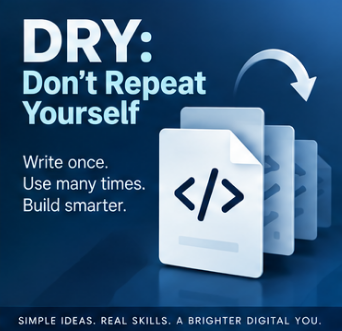
DRY: Don't Repeat Yourself
By Dave Milliken
There's a moment I've seen play out in a classroom more times than I can count. A student is debugging an assignment, they find the bug, they fix it, they run the program again... and the exact same bug is still there. Nine times out of ten, the reason is that the calculation they just "fixed" exists somewhere else in the code too, copied and pasted with pride, and they only fixed one of the copies. Welcome to the problem that DRY exists to solve.
DRY stands for Don't Repeat Yourself, and it might be the single most useful habit you can build as a programmer, right up there with "save your work" and "read the error message before panicking."
Let's start simple. Suppose we need to calculate the volume of a box:
volume = length x width x height
If we only need that calculation once in our program, fine, no harm done. But suppose we need it in three different places, and being efficient (or lazy, the line is thinner than we'd like to admit), we write it out three times. Everything works. Everyone's happy. Then, a week later, the requirement changes. Maybe we now need to add a tolerance of 2 units:
volume = (length x width x height) + 2
Now we have to go and find all three copies and update every single one. And here's where it goes wrong: we forget one. Or we update it slightly differently in one place than another. Or, best of all, one of the three copies already had a bug in it that nobody noticed, and now we've got three different versions of "correct," none of which agree with each other.
The fix is almost embarrassingly simple: write the calculation once, in a function, and have every part of the program call that one function. Change the calculation, and you change it in one place. That's it. That's the whole principle. Everything else is just working out the implications.
It's not just good manners, it's measurable
I could leave DRY there as a nice piece of programming folklore, the kind of thing a lecturer says and everyone nods along to. But it's worth knowing this isn't just an opinion dressed up as a rule. People have actually gone and measured it.
Researchers studying what's called "code cloning" (which is the polite technical term for what the rest of us call copy-paste programming) have found that duplicated code isn't rare. Depending on the study, somewhere between 5% and 20% of a typical large codebase turns out to be duplicated, and some individual systems come in a lot higher than that. More tellingly, several studies comparing duplicated code against original code have found that the duplicated stuff is more likely to contain bugs, and more likely to need fixing again later. Which, if you think about it for two seconds, makes complete sense: fix a bug in one copy, and every other copy is still quietly broken, just waiting for someone to notice.
And here's the part that should really get your attention if you're the type who likes a good return on investment. Across decades of research into software costs, estimates consistently put the maintenance phase, everything that happens after the software is first written and working, at somewhere between 60% and 90% of the total cost of that software over its lifetime. Not the fun part where you build the thing. The unglamorous bit afterwards, where someone has to go back in and change it. DRY is one of the more effective, and cheapest, ways of keeping that bill down, because it shrinks the number of places a future change has to be made correctly.
Constants deserve the same treatment
The same idea applies to values, not just calculations. If your code needs pi, don't type 3.14159 in six different places. Give it a name:
PI = 3.14159
Now use PI everywhere you need it. Same goes for anything else that shows up repeatedly, the golden ratio, a tax rate, a maximum file size, whatever it is. There are two payoffs here. First, PI or GOLDEN_RATIO tells the next person reading your code far more than a bare number ever could. Second, when that value inevitably needs to change, you're changing it once, not hunting through your entire project hoping you've caught every instance.
Why this matters more than it looks like it does
When we're first writing a program, we're focused on one thing: getting it to work. That's natural. But here's an uncomfortable truth: software spends far more of its life being maintained than it ever spends being written. Someone will need to fix a bug six months from now. Someone will need to bolt on a new feature. Someone will need to figure out why a particular decision was made in the first place, and that someone might well be you, except six-months-from-now you has absolutely no memory of what today-you was thinking. I've been that person. We've all been that person.
There's a piece of advice, only half a joke, that gets passed around in software circles: write your code as though the person who has to maintain it is a psychopath who knows where you live. It's funny because it's true. Clear code, sensible names, and a serious effort to avoid duplication all make software easier to read, easier to change, and easier to fix, and given that maintenance is where most of the time and money genuinely goes, that's not a small thing to get right.
A word of caution: don't take it too far
Like most good programming advice, DRY can be overdone. Two bits of code that happen to look similar are not automatically the same thing, and forcing them together just to avoid a bit of repetition can leave you with something far more tangled and confusing than the duplication ever was. Even the research on code cloning makes this point: not all duplication is equally harmful, and clumsy attempts to remove it can create new problems of their own.
A decent test to apply is this: if this rule, value, or calculation changes, would I expect every copy of it to change together? If yes, it probably belongs in one place. If no, if the two pieces of code just happen to look alike today but represent genuinely different ideas, leave them alone. Chasing an arbitrary "no duplication" score is a great way to make your code worse while feeling very virtuous about it.
The bottom line
DRY is really about having a single source of truth. One calculation, one place. One constant, one place. One rule, one place. Less duplication means fewer places for bugs to hide and less work every time something changes, and given that "something changes" describes most of what actually happens to software over its lifetime, that's not a minor convenience. It's the difference between a codebase you can work with in five years and one you're afraid to touch.
Further reading
Clean Code: A Handbook of Agile Software Craftsmanship, by Robert C. Martin, is worth your time if you want to go deeper into what separates code that merely works from code other people can actually maintain. You don't need to agree with every single rule in it, its real value is that it gets you thinking about the poor soul who has to read your code after you've moved on.
Scrum: The Art of Doing Twice the Work in Half the Time, by Jeff Sutherland and J. J. Sutherland, isn't a programming book at all, but its ideas about building things in small, testable stages rather than trying to design the perfect system upfront apply directly to why code needs to stay maintainable. Requirements change. People change their minds. DRY is one small but genuinely useful part of surviving that.
📝 Article
CRUD: The Four Operations Behind Most Applications
By Dave Milliken
Here's a fun bit of trivia before we even get started: the word "crud" has been in use since before computers existed in any form we'd recognise. Nuclear engineers working on the Manhattan Project used it in the 1940s to describe the radioactive gunk that built up inside reactor coolant systems. So when the acronym Create, Read, Update, Delete came along decades later, it wasn't invented to fit the word, the word already existed and the acronym just happened to land on top of it. Which feels about right, because CRUD is one of those ideas that sounds unglamorous and slightly grubby, right up until you realise it's quietly running almost everything you touch on a screen.
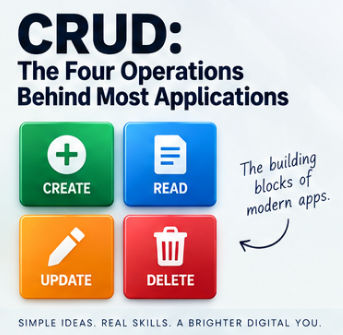
CRUD stands for Create, Read, Update, and Delete, four operations that, once you learn to spot them, you will start seeing absolutely everywhere. The term got popularised properly in 1983, in James Martin's book Managing the Data-base Environment, and it sounds like it belongs firmly in database-textbook territory. It does. But it also belongs in your phone, your game console, your banking app, and pretty much anything else with a save button.
Create: making something that didn't exist before
Create just means bringing something new into existence. A new customer record in a database. A new post on social media. A new product on a shop's website. A new save file the moment you start a game for the first time. Different contexts, same underlying move: before, it didn't exist; after, it does.
Read: getting information back out
Read means retrieving or viewing something that already exists, without changing it. Opening a customer's record to check their details. Scrolling past a friend's post. Loading a saved game so it picks up exactly where you left off. Even something as mundane as opening a settings screen is, underneath, a read operation: the software is fetching something it already stored and showing it to you.
Update: changing something that's already there
Update means altering something that already exists rather than creating something new. A customer changes their phone number, the record updates. You edit a post, it updates. You swap your profile picture, your profile updates. Games do this constantly and rather more dramatically. Start a game and your save file might read Health: 100, Level: 1, Gold: 20. Play for an hour, and it becomes Health: 75, Level: 2, Gold: 140. Same save file, same slot, completely different contents. That's an update: the record persists, but what's inside it has moved on.
Delete: taking something away
Delete means removing something that already exists. Delete a customer, and the record's gone. Delete a post, and it disappears from the feed. Delete a saved game, and that save no longer shows up when you go looking for it. Straightforward enough on the surface, though, as I'll come back to in a moment, "deleted" doesn't always mean what you'd assume it means.
Why this shows up literally everywhere
Take a game. You start a new game: that's a create. The next day you hit "continue" and it reads your saved progress. You play for an hour, pick up some gear, finish a mission, and the game updates your save behind the scenes without you giving it a second thought. Eventually you get bored of that character and delete the save to free up space. Four operations, and the player never sees a database, a table, or a single line of code.
Swap the game for social media and nothing about the underlying pattern changes. You create a post, read other people's posts, update your bio or edit a caption you regret, and delete something you posted at two in the morning that seemed funnier at the time. Swap it again for a booking system: create a booking, read it back to check the details, update the date when your plans change, delete it when you cancel. Swap it for a product catalogue, an employee database, a library system, a hospital's patient records, it doesn't matter. The subject changes. The four verbs underneath it do not.
Why this is actually useful, not just trivia
The reason CRUD earns its place in a lesson rather than staying a bit of pub-quiz etymology is that it gives you, the person about to build something, an instant checklist. Someone asks you to build a system for managing library books. Before you write a single line of code, you can ask: can I add a book, can I look one up, can I change its details, can I remove it? Answer those four questions and you've already sketched the skeleton of the whole system. Swap "book" for customer, invoice, appointment, vehicle, student record, or almost any noun your employer cares about, and the same four questions still do the job. That's a genuinely useful starting point, and it costs you nothing to ask.
Delete doesn't always mean destroyed
Here's the part that trips people up, including plenty of professionals who really ought to know better. The D in CRUD stands for delete, but real systems very often don't actually destroy the data. Instead, they mark it as inactive, archived, or hidden, while quietly keeping it in storage. This is usually called a soft delete, as opposed to a hard delete, which really does remove it.
There are good reasons for this. An employee who's left the company might still be linked to old payroll records, project history, or training records that the organisation is legally required to keep. A cancelled booking might still matter for financial reporting. A "deleted" social media post might need to survive somewhere for moderation or legal reasons even after it's vanished from public view.
This isn't just tidy database design, it's often a genuine legal requirement, and getting it wrong can be expensive. Under GDPR, for instance, organisations are generally required to properly erase someone's personal data on request, typically within a month, and the fines for getting this wrong are not symbolic: they can run into the tens of millions of euros. At the same time, the same regulations often require organisations to retain other records, invoices, fraud investigations, audit trails, for years afterwards. So the honest answer to "does delete mean it's actually gone?" is: it depends entirely on what's being deleted, and why, and that tension between erasing someone's data and being legally obliged to keep other data nearby is a real design problem, not an academic one.
The important part
CRUD isn't a programming language, a specific database, or a piece of software you can install. It's simply a name for four operations that keep reappearing across almost every kind of system humans have ever built to manage information: create something, read something, update something, delete something. Once you start looking for those four verbs, you'll find them in databases, websites, games, mobile apps, social media platforms, and business software, usually all four, usually all in the same afternoon. It might have an unglamorous, faintly nuclear-reactor-adjacent name, but CRUD describes one of the most genuinely useful patterns in the whole of software development.
Further reading
Clean Code: A Handbook of Agile Software Craftsmanship, by Robert C. Martin, isn't specifically about CRUD, but it's a strong guide to structuring software so that these everyday operations, creating, reading, updating, deleting, stay readable and easy to change rather than turning into a tangle six months down the line.
Database Design for Mere Mortals, by Michael J. Hernandez, is a solid starting point for thinking about how information should actually be organised before your software starts creating, reading, updating, and deleting it. The specific technology will keep changing. The four operations underneath it, so far, have not.
📝 Article
Variables Explained Without the Jargon
By Dave Milliken
Every programming course on earth seems to open the topic of variables with some version of "a variable is a named memory location," and every single time, a room full of beginners nods politely while understanding absolutely nothing. It's technically true. It's also about as useful as explaining what a car is by describing the metallurgy of the engine block. So let's start somewhere that actually helps.
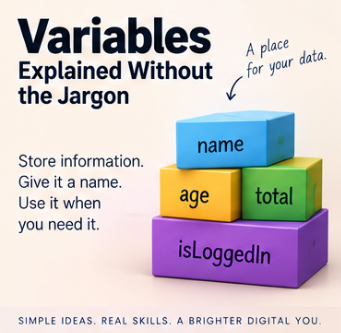
A variable is a way of giving a name to some information your program needs to remember. That's it. That's the whole idea, before anyone starts dressing it up.
age = 25
name = "Alex"
temperature = 18.5
logged_in = true
Here, age, name, temperature, and logged_in are just names, ways of referring to a piece of information without having to retype the information itself every time. Simple as that sounds, this one idea sits underneath almost everything a program ever does.
Think of a variable as a labelled box
The classic mental model, and it's classic because it works, is to picture a variable as a labelled box. Write score = 10, and you can imagine a box labelled score with the number 10 sitting inside it. Write score = 20 later on, and the label hasn't changed, but the contents have. The box now holds 20 instead.
+-------------+
| score |
| 20 |
+-------------+
It's not a perfect description of what's actually happening at the hardware level, but as a starting point, it will get you a very long way, and you can refine it later once you actually need to.
What's really going on: memory
Computers store information in memory, and memory is really just a huge number of locations that can each hold some data. When your program needs to remember something, that something has to live somewhere in memory, at some specific address. A variable is simply a convenient name the programmer gets to use instead of that address. Rather than saying "give me whatever's sitting at memory location 0x7A3F," we get to say customer_name, which is considerably friendlier on a Monday morning.
Exactly how a variable relates to memory underneath the hood depends on the language you're using. Sometimes the variable holds the value directly. Sometimes it holds a reference pointing to where the real value lives. Sometimes the compiler optimises things so thoroughly that the simple picture stops matching reality at all. For the vast majority of programming you'll ever do, though, this is enough: a variable gives you a meaningful way to refer to data your program is working with. Everything else is detail you can pick up as you need it.
Not all information is the same: data types
Here's where it gets interesting. The number 42 and the text "42" might look almost identical sitting on a page, but a computer treats them completely differently. The number can go straight into arithmetic: 42 + 10 = 52. The text can't, not without some conversion first. This distinction is what we call a data type: it tells the computer what kind of information a value represents, and therefore what you're allowed to do with it.
Characters and strings
A character is a single character, a letter, digit, punctuation mark, symbol, or space, anything from 'A' to '7' to '£'. A string is simply a sequence of characters strung together, which is exactly where the name comes from. "Hello" is conceptually just 'H', 'e', 'l', 'l', 'o' lined up in order, and strings can happily contain letters, numbers, spaces, and punctuation together, as in "Order #1047" or "£25.00". Worth flagging early: "25" and 25 are not the same thing. One is text that happens to look numeric. The other is a number you can do maths with. That distinction trips up more beginners than almost anything else on this list.
Integers
An integer is a whole number, with no fractional part: -100, -1, 0, 1, 42, a million, whatever. 12 is an integer. 12.5 is not. Integers are the natural fit for anything you count rather than measure: number of employees, quantity in stock, a score, an age in whole years. Computers typically set aside a fixed amount of space for storing an integer, which means there's usually a smallest and largest value it can hold. Modern languages generally shield you from thinking about this constantly, but the limit is still there, quietly, in the background.
Floating point, and the trouble it causes
This is where things stop being tidy. Fractional numbers like 3.14, 19.95, or -12.75 belong to what mathematicians would call the real numbers, and there are infinitely many of them between any two points on the number line. Computers, unfortunately, only have a finite number of bits to work with, so something has to give. The usual answer is a floating-point representation, which works a bit like scientific notation: 1.23 x 10 cubed represents 1230, with part of the available space used for the significant digits and part used for the scale.
This lets computers represent an enormous range of values efficiently. The catch is that not every decimal value can be stored exactly. Take 1 divided by 3. Mathematically that's 0.333333... going on forever, and a computer has to stop somewhere. Store 0.333333 and multiply it by three, and you get 0.999999, not exactly 1. Binary floating point creates the same kind of trouble even with numbers that look completely ordinary to us: the decimal value 0.1 cannot be represented exactly in standard binary floating point, which is why a calculation that looks like 0.1 + 0.2 in your head can quietly produce something extremely close to, but not precisely, 0.3.
Usually this tiny gap doesn't matter. Occasionally it matters an enormous amount. On the 25th of February 1991, during the Gulf War, a Patriot missile battery at Dhahran in Saudi Arabia failed to track and intercept an incoming Scud missile, which went on to hit an army barracks and kill 28 soldiers. The subsequent investigation traced the failure back to exactly this kind of error: the system tracked time using an integer counting tenths of a second, converted using a 24-bit approximation of 0.1 that wasn't quite exact. After the battery had been running continuously for around 100 hours, that tiny rounding error had accumulated enough to throw the tracking calculation off by roughly a third of a second, more than enough for the missile to slip past. It's an extreme example, most floating-point rounding errors cost you a wrong total on a spreadsheet rather than anything remotely that serious, but it's a genuinely sobering illustration of why "it's only a tiny rounding error" isn't always the reassurance it sounds like.
Which brings us to money
Never casually store money as an ordinary floating-point number. One transaction with an error of a fraction of a penny, nobody notices. A financial system running millions or billions of calculations, and those tiny errors start accumulating, comparisons stop behaving the way you'd expect, and totals quietly fail to reconcile. The standard fix is to use a data type designed for exact decimal arithmetic, or to store the smallest unit as a plain integer. Instead of storing £12.99 as a float, you store 1299 pence and only convert it for display. The right technique depends on your language, but the underlying lesson doesn't: choose your numeric type according to what the number actually represents, not just whatever happens to accept a decimal point. If you want to go deeper on this, Computerphile's video "Floating Point Numbers" covers the mechanics far better than a paragraph like this one ever could.
Boolean values
A Boolean holds one of exactly two states, true or false, and it's the natural fit for anything with a yes-or-no answer: logged_in, email_verified, account_active, payment_received. The name comes from the mathematician George Boole, whose work on logic in the nineteenth century turned out, rather unexpectedly for him, to become the foundation of every digital circuit and every if-statement ever written since.
Dates and times
Dates and times look simple and are, quietly, one of the most reliable sources of bugs in the entire industry. Storing a date as a plain string invites disaster the moment two systems disagree about format: does 03/04/2026 mean the 3rd of April or the 4th of March? A proper date type sidesteps the argument entirely by storing the value as an actual date rather than a collection of characters that merely looks like one. And that's before you've even got to time zones, daylight saving changes, and leap years, which are collectively responsible for more programmer humility than almost any other topic in computing. That's a subject that genuinely deserves its own article.
Null: the value that means "no value"
Null means there is no value here, and it's worth being precise about what that isn't. Null is not the same as 0. It's not the same as an empty string. It's not the same as false. If you're recording a customer's middle name and they don't have one, middle_name = null means "we have no value recorded," while middle_name = "" would mean "a value exists, and it happens to be empty." Those are genuinely different situations, and the distinction matters a lot once you start working with databases, where null-handling rules can vary in ways that catch experienced developers out, never mind beginners.
Mutable and immutable
Two words that sound far more intimidating than they are. Mutable means "can be changed." Immutable means "cannot be changed once it's been created." Write name = "David" and then name = "Dave", and it might look as though the string itself changed. In languages where strings are immutable, that's not actually what happened: "David" is untouched, a brand new string "Dave" was created, and the variable was simply pointed at the new one instead. There's no universal rule for what's mutable and what isn't, it depends entirely on the language and the type, but the concept becomes genuinely important once you start working with objects, arrays, and other structures where "changing something" can mean two quite different things.
A variable and its value aren't always the same thing
When a variable "changes," two different things might be happening. The variable might simply be pointed at a different value, as with score = 10 then score = 20. Or the object the variable refers to might itself be modified in place. This distinction becomes much more important once you get into objects and references, but for now it's enough to know that some of those labelled boxes actually contain directions to somewhere else entirely, rather than the value itself.
Stack and heap, briefly
You'll eventually run into the terms stack and heap, two different ways a running program can organise its memory. You might hear the simplified rule "simple variables go on the stack, objects go on the heap," which is a useful teaching shortcut but genuinely not a universal law, different languages and runtimes manage this differently. For now, knowing the terms exist is enough. They'll matter a great deal more once you start caring about performance and memory management.
Variables aren't just a programming thing
The same ideas turn up well outside programming languages. In code you might see age = 50, name = "Dave", price = 19.99. In a database table, the same concepts appear as column types: name TEXT, age INTEGER, price DECIMAL, active BOOLEAN, date_created DATE. In a spreadsheet, a cell might simply be formatted as Text, Number, Date, or Currency. The concepts transfer across all three. The exact implementation underneath usually doesn't: a spreadsheet's idea of a number, a database's DECIMAL, and a language's floating-point type can all behave slightly differently from one another, even when they look the same on the surface.
Choosing good variable names
A computer is perfectly happy with x = 1500. The person maintaining your code six months from now, quite possibly you, will not be. What does x mean? Compare it with monthly_salary = 1500, which actually tells you something. Swap n = "Dave" for customer_name = "Dave", and p = 29.99 for product_price = 29.99. There's a piece of advice, only half a joke, that gets passed around in software circles: write your code as though the person who has to maintain it is a psychopath who knows where you live. A meaningful variable name might one day save your life. At the very least, it'll save your afternoon.
Naming conventions
Different languages and teams settle on different conventions for names made of several words, and it's worth recognising the main four. camelCase starts lowercase and capitalises each subsequent word: customerName, dateOfBirth. PascalCase capitalises every word, including the first: CustomerName, DateOfBirth, and tends to show up for class names in languages that favour it. snake_case separates words with underscores: customer_name, date_of_birth. kebab-case separates words with hyphens: customer-name, date-of-birth, and turns up constantly in URLs, HTML attributes, and CSS, though most programming languages won't let you use it for an actual variable name, since the hyphen reads as subtraction. There's no universal winner here. The important thing is learning the convention of whatever language or project you're in, and then sticking to it.
A few practical rules
Variable names generally can't start with a number, so 2customers won't fly in most languages, but customer2 will. Some languages reserve particular symbols for particular jobs, PHP variables all start with a dollar sign, for instance, and every language reserves certain words for its own use: if, else, class, return, and while typically can't be reused as variable names because the language already needs them for something else. Always check the specific rules of whatever you're working in.
Good variable names tend to share a few qualities: descriptive enough to explain their purpose, consistent with whatever convention the project already uses, short enough to stay readable, long enough to avoid ambiguity, free of unnecessary abbreviations, and appropriate to the kind of information they hold. a = 47.50 tells you nothing. invoice_total = 47.50 tells you plenty. And the_total_amount_of_the_invoice_before_we_send_it_to_the_customer = 47.50, while technically valid in most languages, is enthusiasm taken slightly too far. Clarity is the actual goal, not length.
Constants: the variables that shouldn't vary
A constant is a named value that isn't meant to change during normal execution: PI = 3.14159265, VAT_RATE = 0.20, MAX_LOGIN_ATTEMPTS = 5. Rather than scattering the same important value across your codebase and hoping you remember every location when it eventually needs updating, you define it once, give it a sensible name, and use that name everywhere. If the value changes, you know exactly where to go.
Choose the type that matches the meaning
Here's the lesson that actually matters most, once you strip away the syntax: choosing a data type isn't just about finding something that can technically hold the value. It's about describing what the value means. Take 07812345678. It's made entirely of digits, but that doesn't make it a number in any useful sense. If it's a phone number, you're never going to add 10 to it, divide it by 2, or calculate its average, so treating it as a number gains you nothing and loses you the leading zero the moment some helpful piece of software decides to "clean it up." The same logic applies to postcodes, account numbers, reference numbers, and most product codes: they might be made of digits, but they're identifiers, not quantities, and they belong in a text field. The question worth asking every time is simple: what am I actually going to do with this value? If the answer involves arithmetic, it's probably numeric. If the answer involves matching or displaying it, it's probably text, whatever it looks like.
Variables are simple, until they aren't
At the beginning, variables are just names attached to values: name = "Dave", age = 50, active = true. From that one small idea, you eventually work outward into memory, data types, references, objects, mutability, precision, the stack and the heap, databases, and type systems generally. You don't need any of that on day one. Start with NAME arrow VALUE, and let your understanding grow as you run into problems that actually require it. That's genuinely how most working programmers learned it, myself very much included.
The important part
Variables let programs remember information and give that information a name worth using. Different kinds of information need different representations: a character holds a single symbol, a string holds a sequence of them, an integer holds a whole number, a float holds an approximate fractional value, a decimal type holds a precise one, a Boolean holds true or false, a date holds a calendar date, and null represents the deliberate absence of a value altogether. The exact names, behaviour, and rules shift from language to language and system to system, which is really just programming's way of reminding you that almost every good answer in this field eventually starts with "it depends." Learn the underlying principle first. Then learn how your particular language happens to implement it.
Further reading
Code: The Hidden Language of Computer Hardware and Software, by Charles Petzold, builds up from genuinely simple ideas about representing information all the way to a real understanding of how computers work underneath. It's an excellent choice if you want to know what's actually happening beneath the syntax rather than just memorising it.
Computer Systems: A Programmer's Perspective, by Randal E. Bryant and David R. O'Hallaron, is considerably more technical, but it's a strong next step once you want to properly understand memory, data representation, and what's really going on with the stack.
Clean Code: A Handbook of Agile Software Craftsmanship, by Robert C. Martin, brings us back to the human side of all this. Its chapters on naming and readability are a good reminder that a variable's name isn't just storage bookkeeping, it's part of how programmers explain a system to each other, including the future version of themselves who's forgotten everything.
And for a short, clear walk through one of the trickier issues covered above, Computerphile's "Floating Point Numbers" is well worth ten minutes of your time.
📝 Article
What Is an Algorithm?
By Dave Milliken
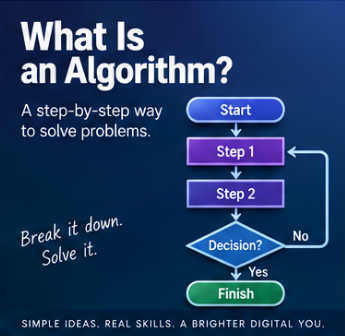
The word "algorithm" gets thrown around as though it belongs exclusively to Silicon Valley boardrooms and slightly ominous news articles. It doesn't. At its simplest, an algorithm is just a sequence of instructions designed to achieve a particular result. That result might be making a cup of tea. It might be working out an employee's wages. Or it might be deciding which video a few hundred million people see next. The scale changes enormously. The underlying idea does not change at all.
Let's start with the tea
The easiest way into this is, genuinely, a cup of tea. A first attempt at an algorithm for making one might look like this: boil the water, put a teabag in the cup, add the hot water, let it brew, remove the teabag, add milk, add sugar, stir, serve. That's already an algorithm, a set of steps that, followed in order, reliably produces a result.
The trouble is that not everyone wants the same cup of tea. Some people want it strong, some weak, some with two sugars, some with none, some drowning in milk and some barely touched by it. So we make the algorithm more flexible. Instead of hard-coding "add two teaspoons of sugar," we ask how many are wanted and add that amount instead. Instead of fixing the brewing time at exactly three minutes, we let it vary depending on how strong the drinker likes it. The algorithm can now produce a huge range of different cups of tea while following exactly the same underlying process.
Inputs are what make one algorithm produce many different results
This gets us to something genuinely important: inputs. Our tea algorithm might take in strength, amount of milk, number of sugars, and cup size, and use those to decide what actually happens. Feed it "no sugar, a splash of milk, strong," and you get one cup. Feed it "two sugars, a lot of milk, weak," and you get a completely different one, without the algorithm itself changing at all. Only the information going into it has changed. This is a large part of why algorithms are so useful in the first place: design the process once, and you can reuse it for an almost unlimited number of different situations just by varying what you feed it.
Algorithms make decisions too
An algorithm isn't limited to a fixed sequence of steps, it can also branch depending on circumstances. Our tea algorithm might contain a rule along the lines of "if sugar is required, add sugar, otherwise don't," or "if strong tea has been requested, brew for longer." None of this means the kettle is thinking. It just means we've given the process rules for what to do under different conditions, and those rules can be as simple as a sugar preference or as elaborate as an entire tax system.
A slightly more serious example: wages
Let's move somewhere with real consequences if it goes wrong: payroll. A very simple version might just be hours worked multiplied by hourly rate, so 35 hours at £15 an hour comes to £525. Real payroll almost never stays that simple for long, because standard hours, overtime, holiday pay, tax, pension contributions, other deductions, and bonuses all start piling on. The algorithm ends up containing rules such as "if hours worked exceed 40, pay the extra at the overtime rate," followed by whatever logic calculates deductions and allowances before landing on a final net figure. It's a lot more complicated than making tea, but it's exactly the same shape underneath: information goes in, rules get applied, a result comes out.
Input, process, output
A huge amount of software can be understood through exactly that three-part shape: input, process, output. For the tea, the input is strength, sugar, and milk preference, the process is boiling, brewing, adding, and stirring, and the output is one cup of tea. For payroll, the input is hours worked, hourly rate, and tax information, the process calculates pay and deductions, and the output is the net wage. Learning to spot these three stages is one of the quickest ways to make sense of what a piece of software is actually doing.
Algorithms didn't start with computers
None of this is unique to programming. A recipe is an algorithm. So are flat-pack furniture instructions, a pre-flight checklist, and directions from one place to another. What makes algorithms particularly important in computing is that computers need instructions they can follow with total consistency, because a computer doesn't know what you meant, only what you actually told it. That gap between "what I meant" and "what I wrote" is where an enormous share of bugs come from, and it's why the quality of the instructions matters so much.
The algorithms that decide what you see next
At the far end of the complexity scale sit the recommendation algorithms behind platforms like YouTube, TikTok, and Facebook. Underneath a genuinely enormous amount of engineering, the basic question they're trying to answer is disarmingly simple: what should we show this person next? To answer it, the system considers signals like what you've previously watched, what you clicked, what you scrolled straight past, how long you actually stayed on something, and what similar users engaged with. All of that gets processed, and out comes a decision: show this next. It might involve machine-learning models and vast amounts of data rather than a kettle and a teabag, but it's still, underneath everything, information going in, a process being applied, and a result coming out.
An algorithm is not magic
People talk about "the algorithm" the way earlier generations talked about fate: "the algorithm recommended it," "the algorithm decided what I'd see," as though some autonomous force had made a judgement call. It hadn't. An algorithm is a process built by people. Someone chose what information it should consider. Someone decided what it was actually trying to achieve, more watch time, more engagement, more accurate wage calculations, whatever the goal happens to be. Someone designed the rules or trained the model that turns inputs into outputs. Modern algorithms, especially the machine-learning kind, can get extraordinarily complex, but complexity isn't the same thing as mystery. There's still a process connecting what went in to what came out, even when that process is hard for a human to fully trace.
Good algorithms need good instructions, and bad ones can be very expensive
An algorithm is only as good as the thinking behind it, and when that thinking is wrong, or a safeguard is missing, the consequences can be immediate and severe. On the 1st of August 2012, Knight Capital, at the time one of the largest trading firms on Wall Street, deployed new trading software to seven of its eight production servers. The eighth server still had an old, dormant piece of code left over from a feature retired years earlier, and a reused flag accidentally reactivated it the moment markets opened. That old algorithm started firing off orders into the market at enormous speed, and because there was no safeguard in place to automatically halt it, nobody caught the problem in time to stop it manually. In about 45 minutes, Knight Capital had executed millions of unintended trades and lost roughly 440 million dollars, close to bankrupting a company that had taken 17 years to build. Nobody hacked them. No market crashed around them. It was simply an algorithm doing exactly what it was told, on a system nobody had properly checked, with no failsafe to catch the mistake before it became catastrophic. It's a genuinely useful reminder that "the algorithm did it" is never really the full story. Somebody wrote it, somebody deployed it, and somebody was responsible for checking it actually worked.
The important part
An algorithm is simply a method for getting from a starting point to a result, whether that's something as modest as making tea, as moderately involved as calculating wages, or as extraordinarily complex as deciding what a billion people see on their phones next. The underlying shape barely changes: input flows into instructions and decisions, which produce an output. Once you start thinking about software as a process rather than as some mysterious black box, algorithms stop being intimidating and start being, frankly, quite ordinary. Computers are extremely good at following instructions. The hard part, now and always, is making sure we're giving them the right ones.
Further reading
Grokking Algorithms, by Aditya Bhargava, introduces common algorithms through diagrams and plain explanations rather than dense mathematical notation, which makes it a good way in if you want to understand the ideas before getting buried in formal proofs.
Think Like a Programmer, by V. Anton Spraul, spends less time on memorising specific algorithms and more on the actual skill underneath all of this: breaking a problem into smaller pieces, spotting patterns, and building a solution up from there. That way of thinking clearly about a problem before writing a single line of code is arguably the most valuable thing any of this teaches you.
📝 Article
What Is a Database?
By Dave Milliken
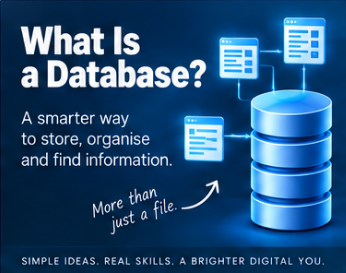
Split the word in two and it stops sounding technical almost immediately: data, base. A home for information. That's genuinely most of the idea. But the word doing the real work here isn't "storage," it's "structure." A shoebox stores receipts. A database organises data so it can be stored, found, changed, compared, filtered, and actually used, which turns out to be a considerably higher bar than just "keeping it somewhere."
From data to information
Before databases, it's worth pausing on the word "data" itself. A common teaching model runs data, through processing, into information. On its own, Dave, 50, Belfast, £25.00 doesn't tell you much, it's just a scatter of values. Give them labels, Name: Dave, Age: 50, Location: Belfast, Price: £25.00, and suddenly they mean something. That's the shift from data into information, and while the line between the two words gets blurry in everyday use, the underlying point holds: raw values become genuinely useful the moment you give them structure and context. That's a large part of what a database is for.
Structure is doing all the work
Hand someone a list like Dave, Belfast, 50, Anne, Lisburn, 42, Michael, Bangor, 37, and they'll eventually puzzle out what it means, but it takes effort. Arrange the exact same information into a table with Name, Location, and Age as columns, and it becomes instantly readable. Nothing about the data changed. What changed was its organisation, and that, more than anything else, is the fundamental job a database does.
Is a spreadsheet secretly a database?
Sort of, up to a point. A spreadsheet with columns for ID, Name, Email, and Active looks remarkably database-like, and you genuinely can add, view, edit, remove, sort, filter, and search rows in it. A table in a Word document can even hold structured data at a basic level. The difference is that a proper database management system is purpose-built around managing data reliably, handling many users at once, protecting it, and keeping it consistent, whereas a spreadsheet is built primarily for calculation and analysis, and a Word table is built primarily for presentation. A spreadsheet can behave like a simple database. A dedicated database gives you a great deal more control than "behaving like" one.
The four things every database spends its life doing
Whatever else a database gets used for, almost all of its daily work boils down to four operations, often shortened to the acronym CRUD: Create, Read, Update, and Delete. A new customer, Sarah Jones, registers, and a record gets created. A staff member searches for her, and the system reads her record back. She changes her email, and the record updates. Eventually her record might be deleted outright, or quietly archived instead, marked as inactive rather than actually removed, which is common practice when other records still depend on it. Whatever a database looks like on the surface, underneath it's almost always some combination of those four things happening, over and over, thousands of times a day.
Records and fields
Most databases organise information into fields and records. A field is one specific piece of information, First Name, Date of Birth, Email Address. A record is a full set of those fields belonging to one particular thing, Sarah, Jones, 14/06/1984, sarah@example.com. Lay several records out in a table and the pattern becomes visual: each column is a field, each row is a record. It's a simple idea, and an enormous amount of real-world software is built directly on top of it.
Why bother with a proper database at all
A spreadsheet is genuinely fine for ten customers. It starts creaking at a thousand, and it falls apart completely somewhere around a hundred thousand, especially the moment more than one person needs to use it at the same time. At real scale you need to search quickly, control who can access what, stop accidental duplication, maintain relationships between different pieces of data, validate what's coming in, support many simultaneous users, back everything up, recover cleanly when something goes wrong, keep everything consistent, and produce actual reports on demand. That entire list is what a proper database system is built to handle, and it's precisely the list a spreadsheet was never designed for.
Asking the data questions
One of the genuinely powerful things a database gives you is the ability to query it, to ask it a question and get an answer back. Show me every customer from Belfast. Show me every order over £500. Show me which employees haven't completed mandatory training yet. How many bookings came in this month. The database searches through everything it holds and hands back exactly the records that match. That's a meaningfully bigger thing than just storing information, it's the difference between a filing cabinet and a filing cabinet that can answer questions.
And that querying ability turns into genuine insight once you start asking the right questions of it: what's our best-selling product, which day brings in the most revenue, which products tend to get bought together, when's the busiest time of day, which customers order most often. A database, used properly, stops being somewhere you put things and starts being something you learn from.
Flat files: the simplest starting point
The simplest approach going is a flat-file database, and a CSV file is the classic example: id,name,email, then one line per record, everything in a single file. For small, simple datasets, this works perfectly well. The trouble starts once you need to track customers, orders, products, payments, and addresses all at once. Cramming everything into one giant file quickly turns into a mess, which is exactly the problem relational databases exist to solve.
Relational databases: splitting things up properly
A relational database keeps related information in separate tables and connects them. A CUSTOMERS table holds CustomerID, Name, and Email. A separate ORDERS table holds OrderID, CustomerID, OrderDate, and Total, with that CustomerID acting as the thread connecting an order back to the person who placed it. Rather than repeating a customer's full details inside every single order, you store the customer once and link everything else to them. This one idea underpins an enormous share of business software, websites, banking systems, booking platforms, and stock management systems, and it's why names like MySQL, PostgreSQL, SQLite, Microsoft SQL Server, Oracle Database, and Microsoft Access come up constantly. They differ in size, cost, and features, but they're all working from broadly the same relational playbook.
Hierarchical databases
A hierarchical database arranges data as a tree, a company containing departments, containing teams, containing employees, each thing sitting beneath its parent. Your own file system works exactly this way, folders inside folders inside folders, which is probably the most familiar hierarchical structure most people interact with daily without ever calling it that.
NoSQL
NoSQL sounds like it should mean "no SQL allowed," and that's a slightly misleading way to think about it. A better read is that NoSQL databases simply don't force everything into the traditional table-and-row model. They might store information as documents, key-value pairs, graphs, or wide-column structures instead, something like a document database holding {"name": "Dave", "location": "Belfast", "active": true} rather than a row in a table. MongoDB is probably the best-known example. None of this makes NoSQL automatically better than a relational database, it solves a different shape of problem, and picking between them is about fit, not superiority.
Where SQL fits in
SQL, said either as the letters or as "sequel," stands for Structured Query Language, and it's the language most relational databases actually speak. Ask conceptually for "every customer from Belfast," and in SQL that becomes something like SELECT * FROM customers WHERE city = 'Belfast'. You don't need to understand the syntax yet, just what SQL is: a language for creating, retrieving, updating, deleting, filtering, joining, and analysing data in a relational database. SQL and CRUD, unsurprisingly, spend an enormous amount of time in each other's company.
The database and the program are not the same thing
Worth saying plainly, because it trips people up early: a programming language like PHP, Python, Java, JavaScript, or C# is not itself a database. The program talks to a separate database system, MySQL, PostgreSQL, SQLite, SQL Server, and the two do genuinely different jobs. A website's PHP handles the application logic, while MySQL stores and manages the actual data underneath it. They work as a pair, but they are not the same thing wearing different names, and that distinction only gets more important as a system grows.
Protecting relationships
Suppose a customer has placed ten orders, and someone deletes that customer without thinking it through. Do the orders vanish too? Do they stay, orphaned, with no record of who placed them? These are exactly the questions database design has to answer up front, and a well-designed database enforces rules that keep relationships like Customer, Order, and Order Item intact, rather than allowing contradictory or meaningless data to quietly pile up.
Why storing things twice always ends up costing you
If Sarah Jones has placed 200 orders, storing her name, email, and address inside every single one of them means that the moment she moves house, you're updating 200 separate records instead of one, and it only takes missing one of them for her deliveries to start going to the wrong address. Store her once, as Customer ID 42, and connect every order back to that single ID, and you're back to maintaining exactly one record. This habit, keeping one piece of information in exactly one place and connecting everything else to it rather than copying it around, is one of the most useful instincts you can build as a programmer or a database designer. Repeat a value in ten places, and you've created ten opportunities for it to quietly disagree with itself.
And the cost of getting this wrong is not small. Estimates vary and the underlying methodology isn't always made fully public, but IBM's widely cited 2016 figure put the annual cost of poor data quality to US businesses alone at somewhere around 3.1 trillion dollars, covering everything from duplicated customer records to staff quietly wasting hours chasing down which version of a record is actually correct. Whatever the exact number really is, the direction of it is not in doubt: badly organised, duplicated data is not a cosmetic problem, it's an expensive one.
More than just a box for storage
A text file can store data. So can a spreadsheet, so can a Word table. A proper database goes further, giving you structuring, searching, updating, connecting, validating, protecting, analysing, and sharing, all as first-class features rather than things you have to bolt on yourself. That's why databases sit quietly behind almost everything: your bank, your supermarket's till system, hospitals, schools, games, social media platforms, websites, mobile apps, even a small desktop tool running SQLite in the background without anyone noticing. You may never see the database directly. The application in front of you may depend on it completely.
The important part
At its simplest, a database is an organised collection of data, structured so it can be stored, retrieved, changed, and used efficiently. That structure is what lets software ask questions, maintain relationships, cut down on unnecessary duplication, and turn raw stored data into something genuinely useful. Different models suit different problems: flat files for simple data kept together, relational databases for data connected through tables, hierarchical databases for parent-and-child structures, and NoSQL for the cases that don't fit neatly into any of the above. You don't need to master every one of these technologies before you start. Start with the actual question that matters: what information do I need to store, and how does it relate to everything else? The specific technology is a decision you make afterwards, not before.
Further reading
Database Design for Mere Mortals, by Michael J. Hernandez, is a strong introduction to relational database design that focuses on understanding the information itself first, rather than diving straight into SQL syntax before you know what you're actually trying to store.
SQL Queries for Mere Mortals, by John L. Viescas and Michael J. Hernandez, is a natural follow-on once you're ready to start asking your relational database useful questions in its own language.
Designing Data-Intensive Applications, by Martin Kleppmann, is considerably more advanced, but it's an excellent read for understanding what happens once databases and data systems have to become large, distributed, and highly available. You don't need to start there. It's just a useful reminder of how far "a place to keep data" can eventually go.
📝 Article
What Makes a Good Password?
By Dave Milliken
Passwords are everywhere, email, banking, shopping, work systems, games, streaming, and their entire job is disarmingly simple: a password is a secret used to help prove you are who you claim to be. Knowing someone's email address doesn't prove you're them. The password is meant to be the extra piece of information that only you actually have. That's the theory, anyway. In practice, passwords are also one of the most consistently misunderstood parts of computer security, and a good chunk of the advice people grew up with turns out to be actively unhelpful.
Something you know
Proving who you are, authentication, generally comes down to one of three categories: something you know, like a password or PIN, something you have, like a phone or a security key, or something you are, a fingerprint or your face. A password sits in the first category, a secret shared between you and whatever service you're using. Here's the bit that surprises people: a well-designed service shouldn't actually need to keep hold of your original password at all.
Why a website storing your actual password is a bad sign
Imagine a site simply kept a table reading dave@example.com, CorrectHorseBatteryStaple. If anyone ever got into that database, they'd walk away with everyone's password, in plain readable text, all at once. This is why properly built systems use hashing instead. A hash function takes an input and produces a scrambled output from it, so CorrectHorseBatteryStaple might turn into something resembling a4f92c8e... (not a real hash, just an illustration). The website stores that scrambled version, never the original. When you log in, it hashes whatever you just typed and checks whether the result matches what's on file.
Hashing is not the same thing as encryption, and the difference matters. Encryption is meant to be reversible if you have the right key. Hashing is meant to only go one way. A properly run website should never be able to tell you what your original password was, only whether what you just typed produces the same hash as before. That's exactly why a legitimate service makes you reset a forgotten password rather than emailing your old one back to you. If a website ever does email you your actual password in plain text, take that as a genuine warning sign about how seriously they're taking your data.
Good hashing also mixes in something called a salt, a random value combined with your password before it gets hashed, so that two people who happen to choose the exact same password still end up with completely different stored hashes. Modern systems deliberately make this hashing process slow as well, and it turns out the difference this makes is enormous. Benchmarks on a single high-end consumer graphics card show it can attempt roughly 164 billion guesses a second against a fast, outdated hash like MD5. Run the same kind of attack against a properly slow, modern hash like bcrypt, and even a rented cluster of sixteen top-tier GPUs working together only manages somewhere in the region of 140,000 guesses a second. That's not a small improvement, it's a difference of something like six orders of magnitude, entirely down to a choice the website made about how to store your password, not a choice you made about how to type it.
How attackers actually go about it
The image most people have of "cracking" a password is a computer grinding through every possible combination one at a time, aaaaaa, aaaaab, aaaaac, and so on, a brute-force attack. Real attackers are usually smarter than that. They know how people actually choose passwords, so they'll work through lists of the most common ones first, password, password1, Password1!, qwerty, football, letmein, 123456, long before resorting to anything random. This is often called a dictionary attack, though modern tools use far more sophisticated word lists and rules than an actual dictionary. Attackers also use whatever they can find out about you specifically, names, birthdays, football teams, pet names, places you've lived, because humans reliably lean on familiar things when they're expected to invent a secret from nothing.
The complexity rules everyone grew up with don't work the way people think
For years, the standard advice was: at least eight characters, one uppercase letter, one number, one special character. It sounds sensible. The problem is that people are extremely predictable when told to satisfy a rule. Ask for a capital, and most people capitalise the first letter. Ask for a number, most people add a 1. Ask for a symbol, most people bolt on an exclamation mark at the end. So password quietly becomes Password1!, which technically ticks every box on the list and is still a genuinely weak password, because an attacker who knows how people respond to these rules can bake exactly that pattern into their guessing strategy. Modern guidance, including the US National Institute of Standards and Technology's current recommendations, has moved firmly away from forcing everyone into the same predictable shape, and puts far more weight on length, uniqueness, and checking passwords against known breach lists instead.
Length does more work than people expect
Every extra character multiplies the number of possible passwords an attacker has to consider. Restrict yourself to lowercase letters only, and one character gives you 26 possibilities, two gives you 676, three gives you 17,576, and the number keeps climbing sharply from there. That's the actual reason a long password can beat a short, symbol-heavy one that looks more "secure" at a glance. Tr0ub4! is short and looks suitably cryptic. Something like purple telescope railway biscuit is considerably longer and arguably easier for an actual human to remember. Please don't use either of those as a real password, incidentally, the moment an example gets published in an article, it stops being a secret for anyone.
Passphrases: length you can actually remember
A passphrase is essentially a long password built from several words, something like river lantern coffee orbit window. Done well, this gives you an excellent trade-off between length and memorability. The word that matters most, though, is unpredictable. May the force be with you is plenty long, but it's also a phrase millions of people already know, and attackers absolutely try song lyrics, film quotes, and common sayings, not just single dictionary words. A stronger passphrase leans on words that have no natural business sitting next to each other, and most services are perfectly happy for you to include spaces if you want to.
None of this makes symbols and numbers pointless
To be clear, adding uppercase letters, digits, and punctuation genuinely does expand the pool of possible passwords an attacker has to search through, and a truly random password drawn from a large character set can be extremely strong. The catch is that humans are bad random-number generators. We reach for patterns without noticing we're doing it, which is exactly why Summer2026! looks complicated while being far more guessable than it appears. Length and genuine unpredictability matter more than dressing up a weak, familiar word with the substitutions everyone else is also making.
Never reuse an important password
This might be the single most important rule on the list: don't use the same password across different services. Suppose MyAmazingPassword protects your email, an online shop, a streaming account, and your bank. The moment that online shop suffers a breach, an attacker has your email and password pair in hand, and they will absolutely try it against your email, your social media, and everything else you might have reused it on. This is called credential stuffing, and the attacker doesn't need to crack anything at all, you've already handed them the working combination by reusing it somewhere less careful. And this isn't a hypothetical risk: in the most recent year of data from Verizon's long-running Data Breach Investigations Report, exploited software vulnerabilities only just overtook stolen or reused credentials as the single most common way attackers actually got into systems, a title credentials had held for essentially the entire nineteen years the report has existed.
Password managers solve the obvious follow-up problem
If you're meant to give a hundred different accounts a hundred different, genuinely unique, genuinely long passwords, nobody is realistically memorising all of that. This is exactly what password managers are for. They can generate something like g7$Px9!vrQ2#mL8@zT4 and remember it on your behalf, so the only password you actually need to memorise is one strong master password protecting the manager itself. Everything else can be long, random, and unique without costing you a single brain cell.
Be sceptical of "your password would take 5 trillion years to crack" tools
Password-strength websites can be genuinely educational, but their headline numbers rest on a pile of assumptions: what hardware the attacker has, which hashing algorithm is in play, whether the attack is happening online against a live website or offline against a stolen database, and crucially, whether the attacker already knows something about you specifically. A password like Dave1976! might score impressively on raw mathematical strength while being trivially guessable by someone who already knows your name and roughly when you were born. Strength isn't just arithmetic, predictability counts for just as much.
And be genuinely careful about which sites you test a password on. To check a password's strength, you generally have to type it in, and typing your real banking or email password into a random website that promises to grade it is asking for trouble. Use passwords that are similar in structure to your real ones rather than the real ones themselves, and stick to reputable services when you specifically want to check whether a password has already turned up in a known data breach, that's a genuinely useful and different question worth asking separately.
Online attacks versus offline attacks
There's a meaningful difference between an online attack, where someone repeatedly tries logging into a live website and can be slowed down by rate limiting, account lockouts, and multi-factor authentication, and an offline attack, where an attacker has stolen the actual database of password hashes and can throw as much of their own hardware at it as they like, entirely outside the website's control. That's exactly why hashing, salting, and sensible server-side security matter so much: password security isn't only the user's job, it's a shared responsibility between the person choosing the password and the organisation storing it.
Forcing regular password changes usually backfires
Another old rule was to change your password every 30, 60, or 90 days regardless of anything else. In practice, this tends to produce ElephantJanuary1!, then ElephantFebruary2!, then ElephantMarch3!, technically a new password every time, while the actual secret barely moves at all. Current security guidance has largely dropped routine forced changes in favour of changing a password specifically when there's a real reason to, evidence it's been compromised, discovering you've reused it somewhere risky, or a similar concrete trigger.
Passwords shouldn't have to work alone
Even an excellent password can be lost through no fault of the password itself: a convincing phishing site, malware quietly logging keystrokes, a breach at the service itself, someone glancing over your shoulder. This is why multi-factor authentication, usually shortened to MFA, matters so much: requiring a password plus a second factor, an authenticator app, a text code, a physical key, means that stealing the password alone often isn't enough to get in. A strong password is good. A strong password backed up by a second factor is considerably better, and increasingly, it's the difference between a stolen password being a minor inconvenience and it being a genuine disaster.
What actually makes a password good
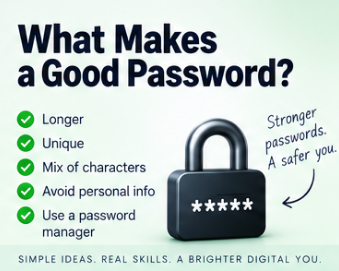
Pull all of this together and a good password is long, unique to that one account, unpredictable rather than a dressed-up common word, checked against lists of previously breached passwords, and manageable enough that you're not driven to insecure workarounds just to cope with it. A passphrase or a password manager can carry most of that weight for you without demanding much effort in return.
A better set of questions to ask yourself
Rather than "does it have a capital letter," ask whether it's actually long. Rather than "does it have an exclamation mark," ask whether it's genuinely predictable. Rather than "have I changed it this month," ask whether there's any evidence it's been compromised. And rather than "can I remember one clever password for everything," ask whether every account actually has its own. Those four questions map far more closely onto how password security really works than any checklist of required character types ever did.
The important part
A password's job is to help prove you are who you say you are, and looking complicated is not the same thing as being strong. Something like P@ssw0rd1! ticks every box on the traditional checklist, uppercase, lowercase, number, symbol, and remains a genuinely terrible password, because attackers already know that exact pattern by heart. Real password security rests on length, unpredictability, uniqueness, being stored properly on the website's end, resistance to repeated guessing, and additional authentication layered on top where it's available. You have a responsibility to pick something strong and unique. The service has a responsibility to store it properly. Neither side fully makes up for the other one doing a bad job.
Further reading
NIST's Digital Identity Guidelines, published by the US National Institute of Standards and Technology as Special Publication 800-63B, are genuinely worth a look if you want the source behind modern password advice. It's the document most directly responsible for the shift away from forced complexity rules and routine password expiry described above.
Security Engineering, by Ross Anderson, goes well beyond passwords into authentication, protocols, human behaviour, and the many ways security mechanisms fail once they meet real people using them in the real world.
The Art of Deception, by Kevin Mitnick and William L. Simon, tackles security from the human side rather than the technical one, and makes an uncomfortable point rather well: an extraordinarily strong password stops mattering the moment someone simply persuades you to hand it over.
And Verizon's annual Data Breach Investigations Report, freely available online, is worth a skim if you want to see, in genuinely large numbers gathered from thousands of real incidents each year, just how much of modern cybercrime still comes down to somebody's password.
📝 Article
Phishing: Five Warning Signs
By Dave Milliken
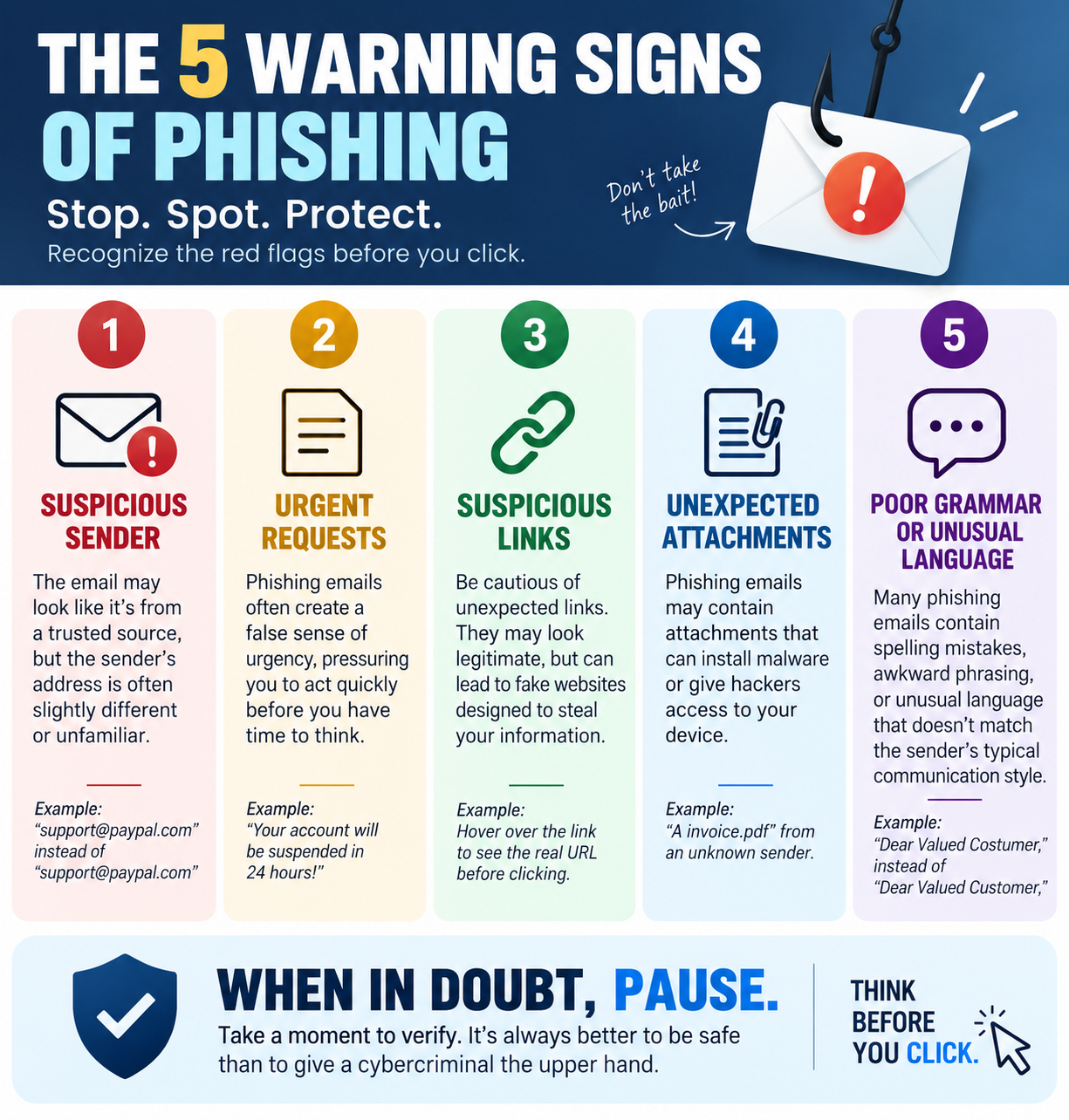
Say the word "phishing" to most people and they picture a badly written email from a mysterious prince offering several million pounds if you'll just send your bank details first. That version still exists, somewhere, but modern phishing has moved on considerably. It can arrive by email, text, social media, messaging apps, a phone call, an online advert, a QR code, a fake website, even an innocent-looking online quiz. The delivery method keeps changing. The underlying goal never really does: someone is trying to manipulate you into handing over something they shouldn't have, a password, bank details, a security code, money, access to your computer, or answers to security questions you'd forgotten you'd ever shared. Sometimes they want a click. Sometimes an install. Sometimes just a sentence typed into a reply. Here are five warning signs worth actually recognising, rather than the "bad spelling" test everyone learned a decade ago and never updated.
One: they want you to act before you have time to think
Urgency is one of the most reliable tools in a scammer's kit. Your account will be closed today. Payment is required immediately. Your parcel cannot be delivered. Suspicious activity has been detected. You have 30 minutes to confirm your details. The rush is the point, not a side effect of it: the moment you have time to stop, check the sender, visit the organisation's real website, or ask someone else what they think, the whole thing tends to fall apart. So phishing leans hard on provoking an emotional reaction, fear, panic, excitement, curiosity, greed, embarrassment, it genuinely doesn't matter which one, as long as it gets you responding before you've properly looked at what's actually happening.
A decent working rule: the more urgently somebody wants you to act, the more deliberately you should slow down. That doesn't mean every urgent message is fake, banks really do catch fraud, accounts really do get locked, parcels really do go missing, but urgency should trigger verification, never blind obedience. If your bank apparently contacts you about a problem, don't use the phone number or link sitting right there in the message. Use a number or address you already know is genuine.
Two: the sender is not quite who they appear to be
Phishing runs heavily on impersonation, your bank, your employer, Microsoft, Amazon, HMRC, a delivery firm, a friend, your own manager. The key phrase there is "appear to be." A message might display Amazon Customer Service as the name while the actual address behind it is something entirely unrelated. Attackers also lean on addresses that look almost right at a glance, microsoft.com becomes micros0ft.com with a zero standing in for the o, or a long address buries the genuine company name somewhere inside it purely for reassurance, while the part that actually matters, the domain that owns the address, is something else entirely.
Most email programs let you dig a little deeper if you look for an option like "show details," "view source," or "view headers," which can reveal where a message really originated and where a reply would actually go. You don't need to become a forensics expert, simply comparing the display name against the actual address catches a surprising amount on its own, and the Reply-To field is worth a specific glance, since a message can appear to come from one address while quietly routing any reply somewhere completely different. One important caveat, though: a believable sender address doesn't guarantee anything either. Addresses can be spoofed, and real accounts do get compromised. Sender information is evidence. It's not proof.
Three: the link does not take you where you think it does
A phishing message very often needs to move you somewhere the attacker controls, usually a convincing fake login page. The visible text might read "Review your Microsoft account" while the actual link underneath points somewhere else entirely. On a computer, hovering over a link before clicking it will usually reveal where it really goes. On a phone, pressing and holding often does the same job. Look specifically at the domain: https://login.microsoftonline.com/ and https://microsoft-login.example.com/ are not the same thing at all, even though the second one contains the word "microsoft" purely to reassure you.
Shortened links, redirects, buttons standing in for visible URLs, and look-alike characters all make this harder to spot at a glance, and QR codes deserve special caution for exactly this reason, a QR code is essentially a link you cannot inspect with your eyes before committing to it. An official-looking letter, poster, or document doesn't make whatever's behind the code trustworthy. The same caution applies to unexpected attachments, an invoice, a payslip, a delivery notice, a "shared document," especially when the message is also pushing you to open it immediately. The genuinely safest habit with an unexpected message is to skip the supplied link or attachment entirely. If Amazon supposedly needs something from you, open the Amazon app yourself. If it's your bank, use the number on the actual card in your wallet. Go to the organisation independently, on your own terms, every time.
Four: they are asking for something they should not need
Sometimes the clearest warning sign is simply the request itself. A legitimate organisation shouldn't need your password emailed to them. Your bank shouldn't need your full security information read aloud over the phone. Your own IT department shouldn't need your password to "fix" something on your account. Be suspicious of anyone asking for passwords, PINs, one-time codes, full card details, recovery codes, security-question answers, remote access to your machine, or unusual payment methods like gift cards or cryptocurrency.
One-time codes deserve particular attention. If you receive a message saying "your security code is 482193, do not share this with anyone," and shortly afterwards someone calls claiming to be from that same company asking you to "just read me the code we sent you," they may well be trying to log into your account using your own password, with that code standing as the only thing left in their way. If someone ever asks you to bypass, disable, or simply hand over a security control, treat the request itself as the warning sign, regardless of how they explain it.
And knowing things about you doesn't make someone legitimate either. An attacker might already know your name, employer, phone number, address, bank, job title, or the names of people in your family, some of it from social media, some from old data breaches, some just sitting in public records. Familiarity can make a scam far more convincing. It proves nothing about who's actually contacting you.
Five: they are collecting information that seems harmless
This one's subtler. You're scrolling social media and see one of those "how many points can you score" posts: a point if you were born before 1980, a point if your first car was a Ford, a point if you went to primary school in your home town, a point if you had a childhood pet, a point if your mother's maiden name starts with M. Harmless fun, on the face of it. Except first car, first school, first pet, and mother's maiden name have all, historically, doubled as security questions. The same problem hides inside "your superhero name is your first pet plus the street you grew up on" and every variation on that theme. Funny, maybe. Also, quite possibly, two genuine pieces of personal information broadcast in public for anyone paying attention.
None of these individual pieces needs to be an enormous secret on its own. Facebook reveals a first pet, LinkedIn reveals an employer and job title, a birthday post reveals a date of birth, an old school photo reveals which school, a public directory reveals an address. Individually, harmless-looking scraps. Assembled, a genuinely useful profile, and one that turns a generic "Dear Customer" into something considerably sharper: "Hello Dave, we're contacting you about your account following your recent work with Example Organisation." The more an attacker already knows, the more convincing everything that follows becomes. So before filling in a quiz, survey, or social-media challenge, it's worth asking who actually needs this answer, and more importantly, who you're actually handing it to.
Phishing doesn't always go for the prize on the first message
This matters more than people expect. The opening message often isn't asking for anything valuable at all, it's just building trust for what comes next. "Hello, is this Dave?" Then, "I'm trying to reach you about your organisation." Then, "could you confirm your work email?" Then, "thanks, I've sent over a document." Each individual step looks entirely harmless in isolation. Treated as a single sequence, it's a slow walk toward the actual objective, which is exactly why phishing is better understood as a process than as one obviously suspicious message. This pattern is common enough, and expensive enough, that regulators track it separately: business email compromise, essentially this exact slow-build impersonation technique aimed at getting someone to authorise a payment or hand over access, accounted for just over three billion dollars in reported losses in the US alone in a single recent year, and it typically involves no malicious link or attachment at all, just a convincing message and someone acting on trust.
What to actually do when something feels off
The safest response is almost always to verify through a route the message itself didn't give you. Open the official app yourself. Type the website address in rather than clicking through. Use a phone number you already trust, not one printed in the suspicious message. Contact the person through a completely different channel, or ask them face to face. Suppose an email lands claiming to be from your manager: "I'm in a meeting, I need you to urgently buy £500 of gift cards." Don't reply to that message asking "is this really you?" If an attacker controls or has spoofed that channel, they will simply say yes. Phone your manager instead. Message them on a platform you know is really theirs. Verification only works when you step outside the channel that might already be compromised.
Two things that no longer tell you anything useful
Poor spelling and grammar used to be one of the classic tells, and genuinely clumsy messages, "Dear Costumer, your acccount has been suspending, kindly click hear immediately," do still turn up and are still worth noticing. But good spelling proves precisely nothing any more. Translation tools, professional templates, copied genuine emails, and generative AI mean a phishing message can now be flawlessly written, correctly branded, and pitch-perfect in tone. Absence of typos is not evidence of legitimacy.
And be wary of anything that seems too good to be true. Congratulations, you've won £10,000, a new iPhone, a luxury holiday, a voucher for a competition you don't remember entering, and all you need to do is click here, complete a short survey, or pay a small delivery fee to release it. A useful question in that exact moment is simply "why me?" If you didn't enter, why would you win? If a phone is being given away for three quiz answers, why? Extraordinary offers deserve extraordinary scepticism, not extra excitement.
If you've already clicked
People click phishing links. People type passwords into convincing fake pages. People answer calls they shouldn't have. None of that means the moment has passed for doing something about it. Change the password immediately, and change it anywhere else you'd reused it too. If banking details were involved, contact your bank directly. If you installed something you shouldn't have, get technical help and have the device scanned properly. If it touched a work account or device, tell your organisation's IT or security team straight away. Trying to quietly hide a mistake like this just buys the attacker more time to use whatever they got. Reporting it quickly is usually the single most effective thing you can do after the fact.
Five questions worth keeping in your head
When something feels slightly off, run through five quick questions: Urgency, are they trying to stop me thinking? Identity, are they actually who they claim to be? Destination, where does this link, attachment, or QR code genuinely lead? Request, why do they need this information, code, payment, or access in the first place? And Information, am I about to reveal something personal that could be useful to someone later on? No single one of these proves anything on its own, and a sufficiently careful scam might dodge two or three of them, but together they force the one thing phishing depends on you not doing: thinking before acting.
The important part
Phishing isn't really a technology problem, it's a people problem that technology happens to make easier to scale. Email, social media, messaging apps, SMS, QR codes, fake websites, AI-written messages, phone calls, all just delivery mechanisms for the same underlying sequence: get attention, create an emotion, establish some trust, push for action, then extract information, money, or access. Technology keeps changing shape. Human psychology changes far more slowly than any of it. Which is exactly why the single most effective anti-phishing tool most people will ever use isn't a piece of software at all. It's a habit: stop, check, verify independently, then act.
Further reading
The UK's National Cyber Security Centre publishes practical, regularly updated guidance on recognising, reporting, and responding to suspicious emails, texts, calls, websites, and adverts, worth bookmarking specifically because phishing techniques shift constantly and this kind of guidance tends to keep pace with them.
The Art of Deception, by Kevin Mitnick and William L. Simon, looks at social engineering rather than the purely technical side of attacks, and makes the point that matters most here: the easiest way into a secure system is often not attacking the system at all, but persuading a person to simply open the door.
Social Engineering: The Science of Human Hacking, by Christopher Hadnagy, digs into the psychology, communication techniques, and information-gathering behind social engineering specifically. Understanding how people get influenced is arguably just as valuable as understanding whatever technology happens to be carrying the attack that day.
📝 Article
What Is Multi-Factor Authentication?
By Dave Milliken
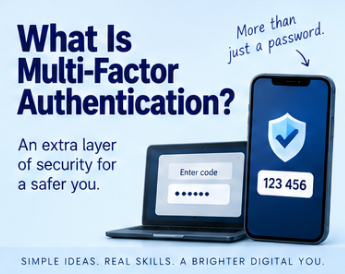
Imagine someone has your password. Normally that sounds like game over, they've got the one secret standing between them and your account, and as far as the login screen is concerned, they might as well be you. But what if the password alone genuinely isn't enough to get in? That's the entire idea behind multi-factor authentication, usually shortened to MFA: another layer of evidence is required before the system decides the person logging in really is who they claim to be.
A password only proves one thing
A password is, fundamentally, something you know. If someone else knows it too, the system has no obvious way of telling the difference between you and them. From the computer's point of view, it just sees email address correct, password correct, and that's the whole picture. MFA asks for more than that.
Authentication evidence is traditionally split into three broad categories: something you know, a password, PIN, or security phrase, something you have, a phone, an authenticator app, a security key, or a smart card, and something you are, a fingerprint, your face, or an iris scan. The strength of MFA comes specifically from mixing different kinds of evidence together. Two passwords isn't really two-factor authentication at all, both of them are still just something you know, and knowing two secrets is barely harder to steal than knowing one.
2FA and MFA
Two-factor authentication, or 2FA, means using exactly two different kinds of factor, a password plus an authenticator app, say. Multi-factor authentication is the broader umbrella term for using two or more independent factors of any kind. In everyday conversation people use 2FA and MFA almost interchangeably, and honestly the terminology matters far less than the underlying point: one piece of information is no longer enough, on its own, to get into the account.
Back to the stolen password
Suppose an attacker has actually got hold of your password, stolen in a breach, captured by malware, typed into a convincing fake website, guessed, or simply reused from some other account you signed up for years ago and forgot about. They try logging in. Email correct, password correct. Without MFA, that's often the whole story, they're in. With MFA switched on, the system now asks for something else entirely, perhaps a six-digit code generated fresh by an app on your phone. The attacker has your password. They don't have your phone. The login fails. That single extra step is the entire value of MFA in one sentence: a compromised password does not automatically mean a compromised account.
What MFA actually looks like day to day
You've probably already used several of these without thinking about it much. SMS codes text a short number straight to your phone, which you type in after your password. Authenticator apps generate a code that refreshes every thirty seconds or so, so even a code someone glimpses over your shoulder is useless within moments. Push notifications skip the typing entirely and just ask your phone directly, "are you trying to sign in?", with an approve or deny button waiting for your thumb. Biometrics use a fingerprint or face scan as the second factor rather than a code at all. And physical security keys are small hardware devices you plug in, tap, or hold near your phone or computer to prove you physically have them, generally the strongest option of the lot.
Not every method is equally strong, and that's fine
SMS codes have a real weakness: phone numbers can sometimes be hijacked or fraudulently transferred to another SIM card entirely, a trick usually called SIM-swapping, which lets an attacker intercept your codes without ever touching your actual phone. Authenticator apps and physical security keys are generally much harder to attack this way. None of that makes SMS-based MFA worthless, though, that would be entirely the wrong conclusion to draw. The real comparison isn't "SMS MFA versus a perfect method," it's "password only versus password plus SMS," and the second option is still a genuine obstacle an attacker has to clear. So the practical advice is simple: if MFA is available at all, turn it on, and where you have a choice, lean toward an authenticator app or a physical key over a text message.
And the effectiveness here isn't just marketing. A peer-reviewed study looking at real Microsoft account data found that switching on MFA cut the risk of an account being compromised by more than 99%, and Microsoft itself now publicly states that MFA blocks upwards of 99% of automated account-compromise attempts. Against the sheer scale of automated password-based attacks happening every single day across the internet, that single setting is doing an enormous amount of quiet, unglamorous work.
MFA is not magic, because people are still in the loop
MFA makes an account dramatically harder to break into. It does not make the human being using that account impossible to talk into a mistake. Say an attacker already has your email address, your password, and your phone number. They attempt to log in. The real website, doing exactly what it's supposed to do, sends a genuine MFA code to your actual phone. Then your phone rings, and the caller says something like: "Hello, this is Google Security, we've detected an attempted breach of your account, we've just sent you a code, could you read that back to us to confirm your identity?" It sounds entirely plausible. But that caller didn't send you anything. The attacker triggered the code by attempting to log in themselves, and they're now simply asking you to hand over the one piece of the puzzle they're missing. Read the code back, and the attacker now has your password and your MFA code both, and the system worked exactly as designed, right up until a person was talked into defeating it on the attacker's behalf.
The one rule worth remembering above all others
Never give an authentication code to someone who contacts you asking for it. That code exists for you to type into the actual service yourself, not to read aloud to a caller, forward in a text, or paste into a link someone else sent you. If anyone contacts you claiming to represent a company and asks for your code, stop, end the conversation, and go find the organisation yourself, through an app you already have installed or a number you already know is genuine, never through contact details the suspicious message just handed you.
Unexpected approval requests deserve the same suspicion
Push-notification MFA creates its own version of this problem. If your phone suddenly asks "approve this login?" and you weren't the one trying to log in, don't tap approve just to make the notification go away, that's very likely someone else who already has your password, sitting there waiting for you to hand them the last piece they need. If several of these requests start arriving in a row, treat that as a clear warning sign: deny them, check the account directly, and change the password if there's any doubt at all.
Why the extra step actually changes the attacker's problem
Without MFA, a stolen password often leads straight to a compromised account. With MFA in place, a stolen password just leads to a second requirement, and suddenly the attacker needs to steal your phone too, intercept a code somehow, compromise a second device, or talk you into approving something you shouldn't. None of that is impossible. All of it is considerably harder than just having a leaked password sitting in a spreadsheet somewhere. Good security tends to work this way, in layers, and MFA is simply one particularly effective layer.
MFA doesn't make a weak password acceptable
It's tempting to think "I've got MFA switched on, so my password doesn't really matter any more." That's not quite right. A strong, unique password and MFA are protecting against two different stages of the same problem: the password makes the first step of an attack harder, and MFA provides a second obstacle in case that first one fails anyway. Combine a genuinely strong password with MFA, and you're in a considerably better position than leaning entirely on either one alone.
The important part
Multi-factor authentication isn't perfect, no single security measure ever is, but it can make an account dramatically harder to compromise simply by making sure a password on its own is no longer enough. The practical advice barely needs qualifying: if MFA is available, use it, prefer an authenticator app or physical key over a text message where you reasonably can, and hold onto one rule above everything else, never give an authentication code to someone who contacts you asking for it. Security technology can build the wall. It's still entirely possible to be talked into opening the gate yourself.
Further reading
The UK's National Cyber Security Centre publishes clear, practical guidance on setting up and using multi-factor authentication across different services and account types, and it's kept reasonably current as methods and threats evolve.
Security Engineering, by Ross Anderson, covers authentication and security system design broadly, including the human-behaviour side of why security mechanisms succeed or fail once they meet real people in real situations.
The Art of Deception, by Kevin Mitnick and William L. Simon, focuses on social engineering specifically, and demonstrates precisely why a technically sound protection like MFA can still be undone the moment an attacker successfully manipulates the person standing behind it.
📝 Article
HTML, CSS, and JavaScript: Who Does What?
By Dave Milliken
Build modern web pages for any length of time and you'll run into the same three names constantly: HTML, CSS, and JavaScript. They work together so closely that plenty of beginners struggle to work out where one stops and the next one starts. A useful way to hold them apart in your head is this: HTML gives you structure, CSS gives you appearance, and JavaScript gives you behaviour. Between the three of them, that's most of the web you use every single day.
HTML: the structure of the page
HTML stands for HyperText Markup Language, and its job is to describe the structure and meaning of a page. It's how a browser knows that this bit is a heading, that bit is a paragraph, this is an image, that's a link, here's a button, there's a form. A genuinely tiny page might contain nothing more than a heading tag, a paragraph tag, and a button, and the browser already understands exactly what each one is meant to be before a single style or line of behaviour gets added.
HTML is doing more than just putting things on a screen, though. Elements like heading, navigation, article, section, footer, form, table, and list all describe what a piece of content actually is, not just where it sits. That distinction matters far more than it looks like it should, because browsers, search engines, and accessibility tools all lean on that structure to make sense of the page. And plenty of real websites get this wrong: the most recent audit of a million homepages found that just over half were missing proper alt text on their images, meaning anyone relying on a screen reader simply doesn't get told what those images are. Good HTML isn't only about making something appear correctly, it's about honestly describing what the content is, and a lot of the web is still quietly failing at that.
CSS: making it look the way you want
HTML on its own can produce a perfectly usable page. It's unlikely to produce a particularly attractive one. That's where CSS, Cascading Style Sheets, comes in, controlling colours, fonts, spacing, borders, sizing, positioning, layout, animation, and how the page reshapes itself for different screens. HTML might say "this is a heading." CSS decides how big it is, what colour it is, and whether it sits centred on the page. That's a genuinely important distinction: one technology says what something is, the other says how it should look, and the two are deliberately kept separate rather than tangled together.
Picture a page with a title, a menu, a main article, a sidebar, and a footer. HTML describes those pieces existing. CSS decides the menu runs across the top, the article sits on the left, the sidebar sits on the right, the footer spans the full width, and the whole arrangement collapses into something sensible on a phone screen. None of the actual information has changed in any of that, only its presentation, and keeping that separation clean is a large part of why some websites stay maintainable for years while others rot within months.
Responsive design: one of CSS's biggest jobs today
A layout that looks great on a 27-inch monitor can be genuinely unusable squeezed onto a phone screen, and adapting to that is one of CSS's most important modern responsibilities. The same underlying HTML, article and sidebar sitting side by side on a desktop screen, can be rearranged by CSS into article stacked above sidebar on a smaller one, without a single line of the actual content changing. That adaptive behaviour is what "responsive design" actually refers to, and it's the reason the same website works reasonably well whether you're looking at it on a laptop or a phone balanced on your knee.
JavaScript: making the page behave
HTML gives structure. CSS gives appearance. JavaScript gives behaviour, and it's a genuine programming language running inside the browser itself, reacting to whatever the person on the page actually does. Click a button, and JavaScript can respond: validate a form, open a menu, show or hide something, run a calculation, update part of the page, pull fresh information from a server, throw up a notification, animate something, or react to a keypress. Strip JavaScript out entirely and a huge amount of the modern web goes flat and static almost immediately.
Put it together, and you get all three technologies doing their own job on the same element: HTML creates a button, CSS makes that button look like something worth clicking, and JavaScript actually makes something happen the moment it's clicked. Three different jobs, one small piece of a page.
A useful, if imperfect, analogy
People often compare a website to a house. HTML is the structure, walls, doors, rooms, windows, stairs. CSS is the decoration, paint, wallpaper, furniture, lighting, carpets. JavaScript is the behaviour, light switches, automatic doors, heating controls, an alarm system, remote controls for things around the house. The analogy isn't perfect, houses don't have event listeners, but it captures the basic split reasonably well: HTML says what exists, CSS says what it looks like, JavaScript says what happens.
You genuinely can build a website without JavaScript
Worth saying plainly: JavaScript isn't mandatory for every website. A simple site made of text, images, links, contact details, and a handful of static pages can work perfectly well on HTML and CSS alone, and there's a real case for keeping things that simple when a site doesn't actually need animations, pop-ups, or constantly shifting content. That said, the practical reality of the modern web has moved a long way in one direction: current measurements put JavaScript on close to 99% of all websites that browsers actually detect running some client-side language. JavaScript being optional in theory and JavaScript being everywhere in practice are, apparently, two very different things.
Why JavaScript makes modern websites feel faster
Older websites tended to work like this: click something, browser sends a request, the entire page reloads, a new page appears. That pattern is still common today. But JavaScript lets a page update only the specific part that actually needs to change, click "add to basket," and JavaScript can update the running total without reloading the whole page around it. Nothing about the rest of the page needs to refresh, and that's a large part of why modern sites feel noticeably snappier than the click-and-wait web of twenty years ago.
Loading data without reloading the page
This is where terms like AJAX, fetch, and API tend to show up. They all describe roughly the same idea: a page quietly asking a server for fresh information in the background, without loading an entirely new page to get it. Type "lap" into a search box and watch suggestions like Laptop, Laptop Bag, and Laptop Stand appear as you type, and that's very likely JavaScript firing off requests behind the scenes as each keystroke lands, then updating just the suggestion list with whatever comes back.
What's actually happening inside the browser
Visit a website, and your browser downloads a bundle of files, HTML, CSS, JavaScript, images, fonts, whatever else the page needs, then interprets them together. Conceptually, HTML builds the page's structure, CSS applies the visual design on top of that structure, and JavaScript adds behaviour and interaction on top of both. The browser weaves all three together into the page you actually see and click around on.
The DOM, briefly
You'll eventually run into the term DOM, the Document Object Model, which is essentially the browser's own internal representation of the HTML page it's just built. JavaScript interacts directly with that representation rather than the raw HTML file itself, finding a specific button, changing a heading, hiding a paragraph, adding a row, removing a message. You don't need to understand the DOM in any real depth to get started with JavaScript. The one idea worth holding onto is simply that JavaScript can find pieces of the page and change them after the page has already loaded.
HTML and CSS aren't quite programming languages, and that's fine
People routinely say web developers need to "know three languages," HTML, CSS, and JavaScript, and that's a perfectly reasonable way to talk about it. Technically, though, they're different kinds of language entirely: HTML is a markup language, CSS is a style-sheet language, and JavaScript is the only one of the three that's genuinely a programming language, containing actual logic. HTML describes content, CSS describes presentation, JavaScript contains the logic. The technical distinction matters if you're being precise, but it's not something a beginner needs to lose sleep over. All three sit firmly in the toolkit either way.
The same page, three genuinely different jobs
Take an online shop. HTML holds the product name, image, price, description, and an "add to basket" button. CSS decides the product card's layout, colours, font sizes, button design, spacing, and how all of it rearranges on a phone. JavaScript handles adding the item to the basket, changing the quantity, updating the running total, showing product options, checking stock, and updating a delivery estimate. It's a single page on screen, but underneath it, three technologies are quietly doing three genuinely separate jobs.
Why keeping those jobs separate matters
A well-built website tries to keep those responsibilities apart on purpose: HTML answers "what is this," CSS answers "how should this look," JavaScript answers "what should this do." Keep that separation clean, and a site stays easier to understand, debug, maintain, change, and reuse down the line. Blur all three together carelessly, and even a genuinely small website can turn into something nobody wants to touch within a year.
Frameworks don't remove the need for the fundamentals
Modern web development leans heavily on frameworks and libraries, React, Vue, Angular, Bootstrap, Tailwind, and plenty more, which can speed things up considerably and add features you'd otherwise build by hand. None of that makes HTML, CSS, and JavaScript irrelevant, though, these tools are all built directly on top of the same underlying web technologies. A framework might generate the HTML for you. A CSS framework might hand you ready-made styles. A JavaScript framework might organise your interactions more cleanly. Underneath every layer of convenience, the browser still only understands HTML, CSS, and JavaScript, which is exactly why learning the fundamentals underneath the frameworks stays so valuable.
Do you actually need all three?
Depends entirely on what you're building. A simple informational site can genuinely get by on HTML and CSS alone. A modern interactive web application will almost always need all three working together somewhere. Either way, a competent web developer needs at least a working understanding of all three, though nobody expects mastery of all of them on day one, understanding what each one is actually responsible for is what makes the rest of learning web development click into place.
The important part
The relationship really does boil down to something this simple: HTML is what's on the page, CSS is what it looks like, JavaScript is what it does. They're separate technologies that happen to work extremely well together. HTML on its own can still communicate real information. HTML and CSS together, with no JavaScript at all, can still produce a genuinely excellent website. JavaScript adds the interaction, the dynamic behaviour, and the ability to update part of a page without dragging the whole thing through a reload. Used well, together, the three of them produce sites that are structured, attractive, responsive, and interactive, which is really just another way of describing most of the web you use without thinking about it every day.
Further reading
HTML and CSS: Design and Build Websites, by Jon Duckett, is a visually approachable introduction that suits anyone who learns best through examples and diagrams rather than dense text.
JavaScript and JQuery: Interactive Front-End Web Development, also by Jon Duckett, carries that same accessible visual style into JavaScript and interaction. Some of the library-specific material has aged since it was written, jQuery isn't nearly as central to new projects as it once was, but the explanations of core JavaScript concepts and browser interaction hold up well regardless.
Eloquent JavaScript, by Marijn Haverbeke, goes considerably deeper into JavaScript and programming concepts generally, and makes a solid next step once you're ready to move past understanding what JavaScript does and start writing it properly yourself.
📝 Article
Five Excel Skills Everyone Should Know
By Dave Milliken
Open Excel for the first time and it can genuinely feel like you've wandered into the cockpit of a small aircraft, rows, columns, ribbons, tabs, formulas, charts, tables, and more buttons than any one person needs. The good news is that the vast majority of everyday Excel work rests on a surprisingly small set of ideas. Get comfortable with how a spreadsheet is actually structured, how to organise data properly, how formulas and functions work, and how Excel talks to the rest of Microsoft 365, and you already have a genuinely solid foundation. Here are five skills worth building first.
One: understand how Excel is actually structured
Before formulas, charts, or any of the clever tricks, it helps enormously to know what you're actually looking at. Excel organises itself in layers. At the top sits the workbook, the Excel file itself, SalesReport.xlsx, say. Inside that workbook live one or more worksheets, January, February, March, Summary, however you've split things up. Each worksheet is made of rows, numbered downward, and columns, lettered across, and wherever a row and a column meet, you get a cell, D12, A1, B4. So the whole hierarchy runs workbook, down to worksheet, down to rows and columns, down to individual cells. That sounds almost too basic to mention, but once it clicks, a sentence like "the total's in cell D12 on the Summary sheet" stops being jargon and starts being an address you can go straight to.
Cells are where the actual work happens, and they can hold text, numbers, dates, times, formulas, or functions, which is exactly why understanding cell references matters so much early on, formulas lean on them constantly. Worth knowing, too, that Excel makes its own guesses about what type of thing you've just typed into a cell, and those guesses aren't always welcome. This isn't a hypothetical concern either: researchers eventually noticed that Excel's default settings were quietly converting certain gene names, like MARCH1 or SEPT1, into calendar dates the moment they were typed or opened in a spreadsheet, since "1-Mar" looks exactly like a date to Excel even when it's actually meant as a gene name. A 2016 study found this had corrupted data in roughly one in five published genetics papers that shared their data as Excel files, and the problem got bad enough that the official body responsible for naming human genes permanently renamed around thirty of them specifically to stop Excel misreading them. It's a genuinely striking example of why knowing what type of information you're actually putting into a cell, and checking what Excel decided it was, matters well beyond the spreadsheet itself.
Two: learn how to use tables
One of the most useful habits in Excel is turning a plain block of data into an actual table. A list of names, departments, and salaries sitting in ordinary cells is data. Convert it into an Excel table specifically, and Excel starts treating it as a structured set of records rather than just some cells that happen to be sitting next to each other. That shift buys you automatic filtering, sorting, consistent formatting, ranges that expand automatically as you add rows, and formulas that fill themselves down without being asked.
Here's where it actually pays off: build a chart from an ordinary range of cells, and adding new rows later often doesn't extend the chart automatically, you're stuck manually adjusting the range every time new data arrives. Base that same chart on a properly configured table, and new rows tend to flow straight in without any extra effort. The underlying difference is that a table tells Excel "this is one dataset," rather than leaving Excel to guess, and that distinction only gets more valuable as a spreadsheet grows past the size where you can eyeball it and just tell.
Good tables also nudge you toward good structure in the first place. First Name, Last Name, Department, and Salary sitting in their own columns beats a single "Employee Details" column with everything mashed together into one blob of text. Each column should generally represent one type of information, and each row one record, employee one in row two, employee two in row three, and so on. If that sounds familiar, it's because it's essentially the same structure a database uses, and that's not a coincidence, it's the same underlying idea solving the same underlying problem.
Three: understand formulas
A formula is simply an instruction telling Excel to calculate something, and every single one starts with an equals sign. =A1+B1 adds two cells together. =C2*D2 multiplies them. =(B2+C2)/2 averages them. But thinking of formulas as pure arithmetic undersells what they're actually for. A formula is really how you tell Excel "take what I've given you and do something useful with it," whether that's a total, a percentage, a comparison, a conditional result, a lookup somewhere else in the workbook, a date calculation, or joining two bits of text together.
The real power sits in cell references rather than raw numbers. Write =B2+C2 where B2 holds 10 and C2 holds 5, and you get 15, but crucially, the formula never actually says "10+5," it says "whatever's currently in B2 plus whatever's currently in C2." Change those values to 20 and 8 later, and the formula quietly recalculates to 28 on its own. That live connection between the calculation and the underlying data is the entire point of a spreadsheet, and it's what separates Excel from a calculator that happens to have more buttons.
As you get more confident, you'll bump into reference styles like A1, $A$1, A$1, and $A1, which control what happens to a reference when a formula gets copied elsewhere. You don't need to master all of that immediately, just knowing that references can behave differently when copied is enough for now, and it's exactly what lets one formula get reused cleanly across hundreds or thousands of rows instead of being retyped by hand.
Four: understand functions
A function is a task Excel already knows how to do, built in and ready to use, so you don't have to write every calculation from scratch. =SUM(A1:A10) means "add up everything from A1 to A10." You could write out =A1+A2+A3+A4+A5+A6+A7+A8+A9+A10 instead, but SUM is shorter, easier to read at a glance, easier to maintain, and considerably less likely to hide a typo somewhere in the middle.
Think of each function as a small, pre-built tool for one specific job: SUM adds, AVERAGE averages, MAX and MIN find the largest and smallest values, COUNT counts, IF makes a decision based on a condition. Excel ships with hundreds of these, and nobody memorises them all, in practice, most day-to-day work leans on a fairly small recurring set.
Functions get genuinely powerful once you start combining them. =IF(A1>100,"High","Low") tells Excel to return "High" if A1 is over 100, and "Low" otherwise, a small piece of decision-making logic sitting inside one cell. It's worth being clear on the difference between a formula and a function here: the formula is the overall instruction, the function is one of the tools used inside it. =SUM(A1:A10)*1.2 is the formula. SUM is simply the function doing part of the work within it.
Five: link Excel charts into Word and PowerPoint
One of Excel's most useful features barely has anything to do with Excel in isolation, it's about how well it plays with the rest of Microsoft 365. Say you're building a monthly report in Word and a presentation in PowerPoint, both needing the same sales chart. The obvious approach is building the chart in Excel, screenshotting it, pasting it into Word, screenshotting again, pasting into PowerPoint. That works fine, right up until the figures change, at which point you're rebuilding the chart and replacing it in two other documents by hand, hoping you haven't missed a copy somewhere.
There's a cleaner way. Copy a chart out of Excel and paste it into Word or PowerPoint as a linked object rather than a static image, and the chart keeps drawing its data from the original workbook. Update the numbers in Excel, and the linked chart can update to match wherever it's been pasted. That means you can build out the structure of a report or deck early, headings, explanatory text, chart placeholders, slide layout, and keep feeding the underlying spreadsheet as new figures come in throughout the month. By the time the reporting period closes, updating the workbook alone can ripple the changes through to both the Word report and the PowerPoint deck without you rebuilding either one from scratch, which saves a genuinely large amount of repetitive, error-prone busywork.
It's worth knowing that linking and embedding aren't the same thing. An embedded object drops a static copy of the Excel content directly into the other file. A linked object keeps an active connection back to the original workbook, which is exactly what makes automatic updating possible in the first place. The trade-off is that links can break if the original file gets moved, renamed, or sent to someone who doesn't have access to it, so a linked document needs a bit of ongoing care. Once a report is genuinely finished and heading out the door, it's often sensible to break the link, or export a clean PDF instead, rather than leave a live connection dangling in something you're no longer actively updating.
Excel is not just a big calculator
One of the most common mistakes beginners make is treating Excel as an oversized calculator with better formatting. It does calculate, obviously, but it's just as capable of organising data, analysing it, spotting patterns, building reports, producing charts, tracking information over time, automating repetitive calculations, supporting real decisions, and feeding information straight into other applications. The actual skill worth building isn't memorising where every button lives. It's understanding how structure, tables, formulas, and functions all work together to do something useful with whatever data you've been handed.
The five skills, side by side
Structure runs from workbook, to worksheet, to rows and columns, down to individual cells. Tables turn a loose block of data into something Excel actually understands as one dataset. Formulas tell Excel what calculation or process to actually run. Functions are the built-in tools you reach for inside those formulas instead of writing everything by hand. And linking connects Excel's charts and data through to Word and PowerPoint, so updating one thing doesn't mean manually rebuilding three.
The important part
You don't need hundreds of functions memorised, you don't need to know every menu, and you certainly don't need to become an overnight Excel wizard. Start with understanding the structure. Organise your data properly. Get comfortable with how formulas actually work. Learn a small, genuinely useful set of functions. And learn how Excel can work alongside the rest of Microsoft 365 rather than sitting in isolation. Once those foundations are in place, Excel stops feeling like an enormous grid of intimidating little boxes and starts feeling like a tool you're actually driving, rather than one you're just hoping not to break.
Further reading
Excel Bible, by Michael Alexander, Dick Kusleika, and John Walkenbach, is a substantial reference covering everything from basic worksheet use through formulas, charts, and more advanced data analysis. It's built to be dipped into as needed rather than read cover to cover.
Microsoft Excel Step by Step, from Microsoft Press, offers a more structured, exercise-based introduction, useful if you learn best by actually doing something rather than reading about it first.
Microsoft's own Support and Microsoft Learn sites are genuinely worth bookmarking too, particularly because Microsoft 365 features shift fairly often. With Excel specifically, knowing how to quickly find the current answer tends to matter more than trying to memorise everything up front.
📝 Article
Operators: The Symbols That Make Things Happen
By Dave Milliken
Programming languages lean on a small set of symbols to tell the computer what to do with values, and those symbols are called operators. Some of them will already feel familiar from maths class, plus, minus, times, divide. Others look familiar but quietly behave differently once you're programming rather than doing arithmetic on paper, equals signs especially. And a few vary considerably depending on which language you happen to be writing in. Operators let you calculate, assign, compare, decide, and combine conditions, and despite being some of the smallest characters you'll ever type, they end up doing an enormous share of the actual work in any program.
What an operator actually is
An operator is a symbol, occasionally a word, that tells the computer to perform an operation on one or more values. In 5 + 3, the 5 and the 3 are values, and the plus sign is the operator telling the computer to add them, producing 8. The values being acted on are sometimes called operands, so in 5 + 3 you've got an operand, an operator, and another operand. You don't need to use the word "operand" in everyday conversation, but it's useful to recognise when you see it turn up in documentation.
Arithmetic operators
Most of the arithmetic operators will look immediately familiar. Plus adds, so 10 + 5 gives 15. Minus subtracts, 10 - 5 gives 5. Multiplication uses an asterisk rather than the times symbol from school, so 10 * 5 gives 50. Division uses a forward slash, 10 / 5 gives 2, though exactly what kind of result you get can depend on the language and the types involved, some languages carefully distinguish between dividing two whole numbers and dividing numbers with decimal points.
Then there's the modulus operator, a percent sign, which gives you the remainder left over after division rather than the result of the division itself. 10 % 3 gives 1, because ten divided by three is three with one left over. This turns out to be genuinely useful in places you wouldn't necessarily expect, checking whether a number is even, for instance, just tests whether number % 2 comes out to zero.
Comparison operators
Comparison operators compare two values and generally hand back a Boolean result, true or false, rather than another number, which makes them essential the moment a program needs to make a decision. Greater than and less than work exactly as you'd expect, 10 > 5 is true, 3 < 5 is true. Greater-than-or-equal-to and less-than-or-equal-to extend that slightly, age >= 18 asks whether someone's old enough, and both 18 >= 18 and 25 >= 18 come back true, while temperature <= 0 asks whether it's freezing or below.
Assignment is not the same thing as comparison
This is genuinely one of the most important distinctions a new programmer needs to internalise, because it trips up almost everyone at some point. In most languages, a single equals sign doesn't mean "is this equal to," it means "assign this value." Write age = 50, and you're telling the computer to put the value 50 into the variable called age, or more precisely, to make age refer to 50 from that point onward. That's an assignment operator, changing or establishing what a variable points to.
Equality comparison is usually written differently, most commonly with a double equals sign, so age == 50 asks "is age currently equal to 50," and returns true or false rather than changing anything. age = 50 assigns. age == 50 compares. That single extra character carries a genuinely enormous amount of meaning, and mixing the two up is one of the most common early mistakes in programming, precisely because they look so similar on the page while meaning completely different things.
Not equal, and a small variation worth knowing
!= generally means "not equal to," so age != 50 asks whether age is anything other than 50. The exclamation mark shows up across programming as a general symbol for "not," which is exactly why != reads naturally as "not equal." You'll also occasionally run into <> meaning the same thing, particularly in SQL, Visual Basic, and VBA, where WHERE age <> 50 means "find records where age isn't 50." Plenty of other languages, Python included, use != instead. It's a small, useful reminder that programming languages frequently share the same underlying idea while writing it with entirely different symbols.
When values look the same but aren't
Things get more interesting once values that look identical to a human turn out to be genuinely different things to a computer. Take 5 and "5", one's likely an integer, the other a string of text, and while they look equivalent to us, a computer may treat them very differently depending on the operator you use to compare them.
JavaScript has a double-equals operator that will happily convert values before comparing them, so 5 == "5" can evaluate to true, because JavaScript quietly converts one side to match the other first. JavaScript also offers a triple-equals operator, strict equality, where 5 === "5" is false, because one side is a number, the other a string, and strict equality refuses to paper over that difference. This is exactly why JavaScript developers tend to reach for === by default, to avoid the kind of silent, automatic conversion that can produce results nobody actually intended.
Don't assume this behaves identically everywhere, though. Python doesn't use ===, it just uses == for equality and follows its own separate rules for comparing types. PHP has both == and ===, with the second one doing the stricter comparison, similar in spirit to JavaScript but with its own particular rules underneath.
This isn't just a theoretical gotcha, either, it has caused genuinely serious real-world security problems. PHP's loose == comparison has a well-documented quirk: a text string that happens to start with "0e" followed only by digits gets treated as scientific notation, meaning PHP reads it as zero. Password hashes occasionally happen to look exactly like this by chance, and more than one real website has ended up with an authentication bypass because its login code compared password hashes using == instead of ===, meaning two completely different passwords could both evaluate as "equal to zero" and let an attacker straight through the door without ever knowing the actual password. It's been serious enough to earn its own name, the "magic hash" attack, and it's been responsible for real, published vulnerabilities in real software. All from one extra equals sign being left out.
Logical operators
Logical operators let you combine several conditions into one. Wanting to check whether someone is old enough and has a valid ticket might conceptually read as age >= 18 AND has_ticket == true, where both conditions need to hold. Python spells this out with the actual word and, so age >= 18 and has_ticket == True, while JavaScript, Java, PHP, and C# generally use &&, age >= 18 && hasTicket === true. Either way, it means the same thing: this condition and that condition both need to be true.
OR works the same way but only needs one condition to hold, is_admin OR is_manager allows access if either one is true. Python spells it out as or, other languages commonly use ||. And NOT simply flips a Boolean the other way, if logged_in is true, then NOT logged_in is false. Python uses the word not, plenty of other languages use an exclamation mark, !loggedIn meaning "not logged in," which is also exactly where the exclamation mark in != gets its meaning from.
Assignment operators can do a bit more than plain assignment
Suppose score currently holds 10, and you want to add five to it. You could write score = score + 5, and plenty of languages also let you shorten that to score += 5, both meaning "take the current value and add five to it." The same shorthand exists for subtraction, multiplication, and division, -=, *=, /=, so balance -= 10 subtracts ten from whatever balance currently holds. These are usually called compound assignment operators, and they're mostly just a convenient shorthand for a pattern you'd otherwise be typing out in full constantly.
The same operator can mean different things depending on what it's touching
Take the plus sign again. With numbers, 5 + 5 means addition, no surprises there. But in several languages, applying plus to text instead of numbers, "Hello " + "Dave", joins the two strings together into "Hello Dave" rather than attempting arithmetic. This is called concatenation, and different languages handle it differently: PHP traditionally uses a dot for joining strings together, "Hello " . "Dave", while JavaScript commonly reuses the plus sign for the same job. The symbol looks identical either way. What it actually does depends entirely on the type of thing sitting either side of it.
Order matters
Just as in maths, programming languages follow rules about which operators get evaluated first. 2 + 3 * 4 normally comes out to 14, not 20, because multiplication happens before addition regardless of the order you wrote them in. Wrap the addition in parentheses instead, (2 + 3) * 4, and you force it to happen first, giving you 20. This is called operator precedence, and while you don't need every rule memorised on day one, parentheses are always available to make your actual intention completely unambiguous whenever you're not sure.
Same idea, different spelling
Programming languages constantly express identical concepts using different symbols. Equal to might be == in Python, == or === in JavaScript, and a single = in SQL. Not equal might be != in Python, != or !== in JavaScript, and <> in SQL. AND, OR, and NOT might be spelled-out words in one language and symbols like &&, ||, and ! in another. Notice something genuinely confusing buried in that: in most programming languages, a single equals sign means assignment, but in SQL, that same single equals sign is normally used for comparison inside a query, WHERE city = 'Belfast' means "find rows where city equals Belfast," not "assign Belfast to city." Context decides what a symbol means, which is exactly why learning to program is never just memorising symbols. You need to understand what a given symbol means in the specific language sitting in front of you.
Operators make decisions possible
Operators become genuinely useful the moment they're paired with decision-making. if age >= 18: print("Adult") relies entirely on that >= operator producing a true or false answer that the program can then act on. That's exactly why operators sit right at the heart of if statements, loops, functions, and algorithms generally, they're the mechanism by which a program actually asks a question of its own data.
Small symbols, genuinely large consequences
balance >= cost might be the single line deciding whether someone's purchase goes through. password_attempts >= 5 might decide whether an account gets temporarily locked out. temperature < 0 might trigger a weather warning. stock == 0 might mark a product as unavailable to buy. Every one of these is a tiny, almost forgettable-looking expression, and every one of them can be the exact line controlling a meaningful chunk of a real system's behaviour, sometimes, as the PHP example above shows, in ways that genuinely matter for security rather than just correctness.
The important part
Operators tell a programming language what to actually do with values. Arithmetic operators calculate: add, subtract, multiply, divide, find a remainder. Comparison operators ask questions and hand back true or false: greater than, less than, equal to, not equal to. Assignment operators set or update what a variable holds, with compound versions like += doing the update in one step. Logical operators combine multiple conditions together, AND, OR, NOT, spelled as words in some languages and symbols like &&, ||, and ! in others. The idea behind any given operator is usually straightforward. The exact symbol used to write that idea down varies from language to language, sometimes with real consequences if you get it wrong. So whenever you're picking up a new language: learn the concept first, then learn how that particular language happens to spell it. Once that clicks, a page that initially looks like a wall of cryptic punctuation starts reading as a genuinely coherent language in its own right.
Further reading
Python Crash Course, by Eric Matthes, offers a practical, approachable introduction to Python that covers operators, variables, comparisons, conditions, loops, and functions without ever feeling dense.
Eloquent JavaScript, by Marijn Haverbeke, is particularly good for seeing how JavaScript specifically handles operators, comparisons, type conversion, strict equality, and Boolean logic, all the areas where JavaScript's particular quirks show up most clearly.
Code: The Hidden Language of Computer Hardware and Software, by Charles Petzold, goes considerably deeper into the logic underneath all of this, and helps explain why ideas like Boolean operations, comparisons, and binary logic sit so fundamentally beneath everything else in computing.
📝 Article
What Is Social Engineering?
By Dave Milliken
Ask people to picture a cybersecurity attack and most will imagine someone attacking a computer, malware, password cracking, viruses, exploited vulnerabilities, that sort of thing. But often the easiest way into a genuinely secure system isn't to attack the computer at all. It's to convince a person to help you. That's the entire idea behind social engineering: using manipulation, persuasion, deception, or trust to get someone to reveal information or take an action that benefits the attacker. Put as simply as possible, instead of hacking the computer, you hack the person operating it.
Why attack the system when you can just ask the user?
Imagine an organisation with strong passwords, multi-factor authentication, firewalls, encrypted devices, and proper access controls, a genuinely difficult technical target. Now imagine an attacker just telephones an employee and says, "Hello, this is IT, we're fixing a problem with your account, I just need you to confirm the security code that's just appeared on your phone." The employee reads it out. The attacker logs straight in. No firewall was breached. No encryption was cracked. No password algorithm was defeated. Every technical control worked exactly as designed. The attacker simply persuaded a person to bypass all of it voluntarily. That's social engineering in one sentence.
It works by leaning on ordinary human instincts
People rely on mental shortcuts constantly when deciding who and what to trust, authority, urgency, fear, curiosity, a desire to be helpful, familiarity, scarcity, a sense of owing someone something, and plain social pressure. A social engineer deliberately leans on exactly these instincts. Authority sounds like "I'm calling from your bank." Urgency sounds like "your account will be suspended in 30 minutes." Fear sounds like "we've detected suspicious activity on your account." Curiosity sounds like "have you seen this photo of you?" Helpfulness sounds like "I'm locked out, could you hold the door?" Scarcity sounds like "this offer expires in ten minutes." None of these tactics are exotic. They're just ordinary persuasion, deliberately aimed at getting an emotional reaction before you've had time to properly think about what's actually being asked of you.
Social engineering is bigger than phishing
Phishing is one specific form of social engineering, but the underlying manipulation can travel through almost any channel, email, phone calls, text messages, social media, messaging apps, fake websites, face-to-face conversation, or simply walking through a door someone's holding open. The technology carrying the attack barely matters. The manipulation is the actual attack.
Vishing and smishing
Vishing means voice phishing, generally a phone call where the attacker pretends to be a bank, the police, a government department, technical support, a colleague, or a manager, something like "this is your bank's fraud team, we need to move your money into a safe account," where the safe account naturally belongs to the attacker rather than the bank. Smishing is the same idea delivered by text message, "your parcel couldn't be delivered, pay £1.50 to rearrange," where the trivial-sounding payment is really just an excuse to extract card details, login credentials, or other personal information.
Pretexting: the invented story that makes the request feel reasonable
A pretext is simply a made-up scenario built to justify whatever the attacker's actually asking for. "I'm from IT." "I'm your new accountant." "I'm conducting a security audit." "I'm calling from the fraud department." Build a believable enough story first, and the actual request stops feeling unusual, it starts feeling like exactly what you'd expect given the situation you've just been told you're in.
Baiting and tailgating
Baiting relies on curiosity or the promise of a reward rather than a story. Picture a USB drive turning up in a car park, labelled "Salary Information," and someone plugging it into a work computer purely out of curiosity, at which point whatever's on that drive is now running on the network. The bait doesn't need to be physical either, free software, films, competition prizes, and exclusive-looking documents all work the same way.
Tailgating happens in the physical world instead. An employee badges into a secure office, and someone right behind them says "thanks, I've forgotten my pass," and gets waved through out of simple politeness. No access card required, no alarm triggered, just an entirely ordinary, well-meaning human reaction to someone else's minor inconvenience.
The research often happens long before any contact is made
A genuinely good social-engineering attack often starts well before the target ever hears from the attacker, gathering information from LinkedIn, Facebook, company websites, public directories, press releases, job adverts, and old data breaches. Learn someone's name, employer, manager's name, job title, suppliers, and colleagues, and you can construct something far more convincing than a generic approach. "Dear Customer" persuades almost nobody. "Hi Sarah, John in Finance asked me to follow up about yesterday's supplier payment" persuades quite a lot of people, purely because personalisation reads as trustworthiness, even when every detail in it was scraped together from public sources.
Why small, harmless-looking details still matter
It's tempting to think a single piece of personal information, a pet's name, say, is harmless on its own. Maybe it is, in isolation. But social engineering usually works by collecting many small pieces, a pet's name, a date of birth, an employer, a home town, a school, a mother's maiden name, a phone number, and stitching them together. None of those individual facts looks dangerous sitting on its own. Combined, they can help guess a password, answer a security question, impersonate someone convincingly, or simply make a phone call sound far more credible than it has any right to. Before posting something personal online, it's worth asking who actually needs to know it, and how it might combine with everything else about you that's already sitting out there in public.
Authority and urgency are the two workhorses
People are naturally reluctant to challenge someone who sounds like they have authority, a senior manager, the police, a doctor, a bank employee, IT support, a government official, and that reluctance can make an unusual request feel entirely reasonable. "The director needs these files immediately" or "I'm from IT, I need remote access to your machine" both lean on exactly this instinct. The sensible response isn't blanket refusal, it's independent verification: a genuine request survives being double-checked. Urgency plays a similar trick from a different angle, "do this now," "don't tell anyone," "the payment must go through today," all designed to narrow your attention down to solving the attacker's manufactured problem rather than questioning whether the problem is even real. A decent rule of thumb: urgency should make you verify more, never less.
It's often a process, not a single message
Not every attack opens with an obvious demand. Some build gradually, a friendly exchange one day, a harmless question a few days later, some genuinely useful information offered afterwards, a small favour asked once trust has built up, and only then the real request, by which point it may not register as suspicious at all. This staged, patient approach is exactly what made Twitter's major 2020 account-takeover incident work. Attackers didn't go straight for the accounts they actually wanted, they first used a phone-based social-engineering attack to trick a small number of employees into handing over credentials for internal support tools. That initial access wasn't the real prize, it was simply the information and trust needed to convincingly target other employees who did have access to the tools that mattered. Working through that chain eventually let the attackers take over more than a hundred high-profile accounts and run a cryptocurrency scam through them, all without ever needing to break Twitter's actual technical defences. The people involved were exactly the vulnerability, one convincing step at a time.
The password often isn't the actual goal
Passwords are valuable, but they're rarely the whole story. A social engineer might really want you to transfer money, change stored bank details, approve an MFA request you didn't initiate, install something, open an attachment, grant remote access, hand over confidential information, let them physically inside a building, or simply look the other way while a normal procedure gets skipped. Sometimes you're not even the actual target, you're just one step closer to someone else who is, and the Twitter case is a clean example of exactly that pattern: junior staff weren't the prize, they were the route to the staff who were.
Business email compromise
One particularly costly variety involves impersonating senior staff or trusted suppliers directly. "I'm travelling and can't access the banking system, please transfer £18,500 to this account urgently," or "we've changed our bank details, please use the new ones for future invoices." Both can look completely routine on the surface. Changing payment instructions is precisely the kind of request that deserves independent verification every time, phone the supplier on a number you already had on file, speak to the manager directly, and never rely solely on the message that's asking for the change.
AI is making "does this sound like them" a weaker test
Hearing someone's actual voice, or seeing their face on a video call, used to be reasonably reassuring. That's becoming less dependable by the year. AI tools can now produce convincing emails, voice recordings, images, video, and imitations of someone's writing style, which means a manager's or family member's voice on the phone is no longer the confirmation it once was. Independent verification, through a channel the attacker doesn't control, matters more now than it ever has.
Security procedures exist for exactly these awkward moments
A lot of social engineering succeeds simply because following the correct procedure feels socially uncomfortable in the moment. "I'm sorry, I can't let you through without your own access card" feels rude to say. "I understand you say you're the director, but I still need to verify this payment" feels awkward to insist on. But that discomfort is precisely why the procedure exists, a genuine colleague is mildly inconvenienced for thirty seconds, an attacker is stopped entirely. A small moment of awkwardness is always a better outcome than a large security incident.
What actually helps
There's no single technical fix for any of this, the real defence is a mix of awareness, verification, solid procedures, ordinary technical security, and a healthy dose of scepticism. A few habits do most of the heavy lifting: verify anything involving money, passwords, security codes, bank details, or access permissions through a separate channel. Use contact details you already trust rather than ones supplied in the message itself. Never hand over an MFA code just because someone asks for it. Treat insistence on urgency as a reason to slow down and verify, not speed up and comply. And share less personal information publicly than you might otherwise, since the less an attacker can gather, the harder it becomes to build a genuinely convincing, personalised approach.
This targets good qualities, not just careless ones
It's easy to assume only careless people fall for this. That's simply not true. Social engineering specifically exploits qualities most people would consider genuinely admirable, being helpful, trusting, polite, efficient, loyal, curious, and eager to solve a problem someone's just brought to you. "I'm locked out and I've got an important meeting in five minutes, can you help?" works precisely because helping a colleague is a good instinct, and the attacker is deliberately weaponising that instinct against you. The goal isn't to become suspicious of everyone you meet. It's learning to recognise the specific moments where verifying matters more than being convenient.
One question that cuts through most of it
When something feels slightly off, ask plainly: what is this person actually trying to make me do? Click something? Reveal something? Pay something? Approve something? Download or open something? Ignore a rule? Let them physically inside somewhere? The surrounding story can be as elaborate as the attacker likes. The actual requested action underneath it is usually remarkably simple, and asking that one question tends to cut straight through whatever narrative has been built around it.
The important part
Social engineering is the manipulation of people to obtain information, money, access, or some other advantage, and it can arrive through email, phone, text, social media, a website, or a face-to-face conversation. It leans on authority, urgency, fear, curiosity, trust, and helpfulness, ordinary human responses turned against the person having them. The delivery method keeps changing. The underlying shape barely does: gather information, build credibility, create emotion or urgency, make a request, get the target to act. Computers are only part of any security system. The people using those computers are the other part, and it's the part social engineering is specifically designed to go around. The strongest defence isn't paranoia. It's a simple habit, applied consistently: stop, verify, then act.
Further reading
The Art of Deception, by Kevin Mitnick and William L. Simon, is one of the best-known books on this subject, exploring how attackers manipulate trust, authority, routine, and ordinary human behaviour to get past security that looks solid on paper.
Social Engineering: The Science of Human Hacking, by Christopher Hadnagy, goes deeper into the psychology, communication techniques, and information-gathering methods that sit behind social-engineering attacks specifically.
Security Engineering, by Ross Anderson, takes a considerably wider view of security systems generally, and repeatedly makes the point that effective security has to account for people, procedures, incentives, and real human behaviour together, not technology in isolation.
📝 Article
Arrays
By Dave Milliken
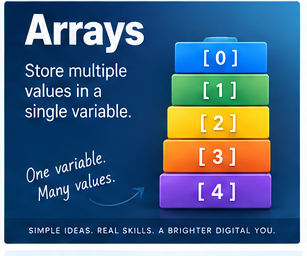
A single variable is genuinely useful when you've got one piece of information to store, name = "Dave", age = 50. The trouble starts the moment you've got several related values sitting in a row: Dave, Anne, Michael, Sarah, John. You could create name1, name2, name3, name4, name5, and it would technically work, right up until it becomes obviously unmanageable the moment the list grows past a handful of entries. The better approach is an array.
What an array actually is
An array is simply a collection of values stored together under one name. Instead of five separate variables, you get one collection, names = ["Dave", "Anne", "Michael", "Sarah", "John"], holding all five values at once. Picture it as a row of labelled boxes sitting side by side, each one holding a single value, all of them sharing the one name out front.
Arrays have positions
Most languages let you reach into an array by its position, names[0] giving you Dave, names[1] giving you Anne, and so on. This introduces one of programming's first mildly irritating traditions: a huge number of languages start counting array positions from zero rather than one. So position 0 holds Dave, position 1 holds Anne, position 2 holds Michael, and the actual first item in the list sits at index zero, not index one. To a human, the first item feels like item number one. To a computer, historically, it was often more convenient to treat the index as an offset from the very start of the array, zero steps from the beginning gets you the first item, one step gets you the second, and so on. Not every language does this, but enough of them do that it's worth getting used to early.
Reading and updating values
Given scores = [10, 20, 30, 40, 50], you can pull out individual values directly, scores[0] gives 10, scores[4] gives 50. You can also change one entry without disturbing the rest, scores[2] = 35 turns the array into [10, 20, 35, 40, 50], the collection stays the same collection, just with one element updated.
Why arrays earn their keep
Arrays really prove their worth once you need to do the same thing to a whole batch of related values. Averaging five separate variables individually named score1 through score5 is clumsy. Averaging scores = [10, 20, 30, 40, 50] as a single collection means a program can read every score, add them up, count how many there are, and divide, all without you writing five near-identical instructions by hand. This pairs naturally with loops: given names = ["Dave", "Anne", "Michael"], a loop can process each one in turn, displaying Dave, then Anne, then Michael, with a single instruction rather than three separate ones. Treating a group of values as one thing you can act on collectively is arguably the entire reason arrays exist.
Good arrays hold things that actually belong together
temperatures = [12.5, 13.1, 11.8, 14.0], employee_ids = [101, 102, 103, 104], colours = ["Red", "Green", "Blue"], all of these make sense as a group because the values genuinely relate to each other. Something like ["Dave", 47.5, true, "Belfast", 999] might technically be allowed in some languages, but it's usually a hint that a different data structure, one with named fields rather than bare positions, would serve you better.
Types, fixed sizes, and dynamic growth
Some languages insist every element in an array be the same type, [10, 20, 30, 40] holding only integers, for instance. Others are happy to mix types freely, ["Dave", 50, true]. Whether that's wise depends entirely on the language and what you're actually doing. Some arrays are fixed at a set size the moment they're created. Others, often called lists, vectors, or collections depending on the language, can grow and shrink freely, ["Dave", "Anne"] becoming ["Dave", "Anne", "Michael"] and then picking up a fourth name later without any fuss. The names and precise rules shift from language to language, Python favours lists, JavaScript and Java use arrays more literally, PHP's arrays are notably flexible, but the underlying idea stays constant: store several related values together under one name.
Two-dimensional arrays
Arrays can hold other arrays, which gives you a way to represent rows and columns, essentially a grid:
[
[10, 20, 30],
[40, 50, 60],
[70, 80, 90]
]
Something like grid[1][2] then means "second row, third column," landing on 60, depending on the language's exact indexing rules. This turns out to be exactly the structure you need for game boards, simple matrices, tables, and maps, effectively a small spreadsheet living inside your program.
Arrays turn up constantly in real software
A game's inventory system might just be inventory = ["Sword", "Shield", "Health Potion", "Key"], letting the game display everything the player's carrying, add new items, remove used ones, check whether a specific item exists, and count the total. A list of enemies on screen can be processed the exact same way, one array, one loop, no need to write separate code for enemy one, two, and three. A website might hold products = ["Keyboard", "Mouse", "Monitor", "Webcam"] purely to display the whole range on a page. Arrays and databases aren't the same thing, though they often work together, a database holds information long-term, while a program might pull a hundred customer records out of it and hold them briefly in an array while it actually works through them.
Adding, removing, and searching
Dynamic collections generally let you add new values, names = ["Dave", "Anne"] becoming ["Dave", "Anne", "Michael"] through a method that different languages call append, push, or add, same idea, different word. Removing works the same way in reverse. And programs constantly need to ask whether a value exists at all, does inventory contain "Key"? If yes, open the door. If no, tell the player they need one first. This is exactly where arrays start working hand in hand with decision-making rather than sitting there as passive storage.
Sorting, and why it matters more than it looks
[40, 10, 30, 20] can be sorted into [10, 20, 30, 40], and ["Michael", "Anne", "Dave"] into ["Anne", "Dave", "Michael"]. Sorting turns out to be such a fundamental problem in computing that entire families of famous algorithms exist purely to solve it efficiently, which is a decent hint that "just put things in order" is a considerably deeper problem than it first appears.
Underneath it all: memory
At a lower level, a traditional array is often stored as a run of values sitting right next to each other in memory, which is exactly why arrays tend to be efficient, the computer can calculate precisely where any given element lives just from knowing where the array starts and which position you're asking for. Modern languages layer plenty of abstraction, references, automatic resizing, and memory management on top of that, but the underlying idea holds: an array gives you an organised way to store and reach multiple related values quickly.
The index trap, and what happens when nobody catches it
One of the most common beginner mistakes is forgetting that an array starting at zero means three items occupy positions 0, 1, and 2, not 1, 2, and 3. Reach for names[3] on a three-item array and you'll typically get an error, because there's no fourth item to return, generally called an out-of-bounds error. Every programmer hits this at some point, usually more than once, and it's normally just annoying rather than dangerous.
Except when the check that should catch it simply isn't there. In 2014, a genuinely enormous security flaw called Heartbleed was traced back to almost exactly this mistake, sitting inside OpenSSL, the encryption software running behind roughly two-thirds of the web's secure servers at the time. A small feature let one computer ask another "are you still there," attaching a short message and stating how long that message was. The bug was that the receiving server trusted the stated length without ever checking whether the actual message was really that long, so an attacker could claim their tiny one-byte message was actually 64 kilobytes, and the server would dutifully read 64 kilobytes back out of its own memory and hand the whole lot over, message included, plus whatever unrelated data happened to be sitting right after it. That leftover data occasionally included usernames, passwords, and the private encryption keys the server was supposed to be protecting entirely. Roughly half a million servers, around 17% of the internet's secure sites at the time, were affected before it was patched. It's essentially the exact same mistake as reaching for names[3] on a three-item array and getting back whatever garbage happens to be sitting in the next memory slot instead of a clean error, just occurring somewhere with catastrophically higher stakes than a beginner's practice exercise. A missing bounds check is a missing bounds check, whether it crashes a student's first program or leaks the private keys of half the web.
Order is part of what makes arrays useful
Arrays generally preserve the order you put things in, ["Red", "Green", "Blue"] is not treated as identical to ["Blue", "Green", "Red"], position genuinely matters. That's what lets you meaningfully ask for the first item, the last item, or the third item specifically, on top of just searching by value.
When an array isn't actually the right tool
Arrays aren't the answer to everything. Trying to store a single customer's name, email, date of birth, and account status as ["Dave", "d@example.com", "12/05/1976", true] technically works in plenty of languages, but now customer[2] means "date of birth" purely because you remember it does, with nothing in the code itself making that obvious to anyone else reading it later. A structure with genuinely named fields, name, email, date_of_birth, active, is usually the better fit here. Programming offers a whole range of different data structures precisely because different problems call for different tools, and arrays, fundamental as they are, remain just one of them.
The important part
A variable stores one value. An array stores several related ones under a single name, letting you store a collection, reach individual items directly, update them, search for a specific value, sort the whole lot, and process every item with a loop rather than writing repetitive code by hand. Arrays can be fixed in size or free to grow, restricted to one type of value or happy to mix several depending on the language, and they can even hold other arrays inside them. The exact syntax shifts from language to language. The underlying idea holds steady everywhere: an array lets you treat a group of related values as one organised collection, and getting the boundaries of that collection wrong, as Heartbleed showed rather dramatically, is a mistake worth taking seriously no matter how small the program.
Further reading
Grokking Algorithms, by Aditya Bhargava, is genuinely useful here because arrays show up constantly across searching, sorting, and algorithm design generally, explained visually and without unnecessary mathematical intimidation.
Python Crash Course, by Eric Matthes, offers a practical, hands-on introduction to working with lists, loops, and indexes in Python specifically.
The Algorithm Design Manual, by Steven S. Skiena, is considerably more advanced, but it's a genuinely useful read for understanding why the choice of data structure, arrays included, can meaningfully affect how efficient a program actually turns out to be.
You don't need advanced algorithms to get comfortable with arrays. But once arrays genuinely click, a surprising number of algorithms suddenly start making a lot more sense.
📝 Article
SQL: How We Ask a Database Questions
By Dave Milliken
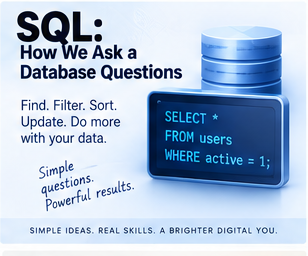
SQL: How We Ask a Database Questions
SQL stands for Structured Query Language, which is one of the rare technical names that actually describes what the thing does. SQL is a language for working with structured data, particularly the kind sitting in relational databases, and at its simplest, it lets you ask a database questions. SELECT * FROM customers; means, roughly, "show me all the customers." That's the basic idea, though SQL stretches well beyond retrieval alone, it can create data, read it, update it, delete it, build entire tables, reshape them, remove them, group information, sort results, and stitch related tables back together.
SQL isn't quite like other programming languages
Languages like Python, Java, C#, PHP, and JavaScript are built for general-purpose programs, logic, interfaces, files, calculations, communication, the whole spread. SQL has a considerably narrower job: working with data. And rather than spelling out every individual step needed to find something, SQL usually lets you describe what you want and leaves the how to the database itself. SELECT name FROM customers WHERE city = 'Belfast'; is really just saying "give me the names of customers whose city is Belfast." You're not telling the database to start at the first record, check the city, remember the name if it matches, move on, and repeat until the end, the database system works that part out on its own. You describe the result. It figures out the route.
Most of the time, SQL is working quietly behind something else
Very few people sit at a raw SQL prompt day to day. Usually SQL sits behind an application: a user interacts with a website, the website's code, PHP, Python, Java, whatever it's written in, generates a SQL query, that query goes to the database, and the result comes back to be displayed nicely on screen. Someone searching for "Sarah Jones" in a search box might trigger something like SELECT * FROM customers WHERE name = 'Sarah Jones'; behind the scenes, entirely invisibly. The user never sees a line of SQL. It's doing the actual work underneath the whole time.
SELECT and FROM: what you want, and where it lives
SELECT retrieves information. SELECT name FROM customers; returns just the name field from the customers table. Ask for several fields with SELECT name, email, city FROM customers;, or grab everything with SELECT * FROM customers;, where the asterisk simply means "everything." FROM tells SQL which table to pull that information from in the first place, so the two work as a pair: SELECT answers "what do I want," FROM answers "where do I want it from."
WHERE: filtering down to what actually matters
WHERE lets you filter results rather than pulling back an entire table every time. SELECT * FROM employees WHERE department = 'Training'; returns only employees in Training. You can use proper comparisons too, WHERE price > 100 or WHERE salary >= 30000. Given that real databases can hold genuinely enormous amounts of information, WHERE is one of the most consistently useful parts of SQL, because you almost never actually want everything, you want the specific slice that's relevant right now.
ORDER BY and GROUP BY
ORDER BY sorts results, SELECT name, salary FROM employees ORDER BY salary; typically returns employees from lowest salary to highest, and adding DESC reverses that into descending order, ASC (usually the default anyway) keeps it ascending. GROUP BY combines rows into groups so you can summarise them, SELECT department, COUNT(*) FROM sales GROUP BY department; might return Training with 14 sales, IT with 22, Finance with 9. GROUP BY becomes genuinely powerful paired with functions like COUNT, SUM, AVG, MIN, and MAX, letting you ask things like how many orders were placed, what the total value came to, what the average sale looked like, or what the highest and lowest figures were.
INSERT, UPDATE, and DELETE: changing what's actually stored
INSERT creates new records, INSERT INTO customers (name, city) VALUES ('Sarah Jones', 'Belfast'); adds exactly that row to the table. UPDATE changes something that already exists, UPDATE customers SET city = 'Lisburn' WHERE id = 42; finds customer 42 specifically and updates their city. That WHERE clause is doing genuinely critical work here, drop it entirely and UPDATE customers SET city = 'Lisburn'; changes the city for every single customer in the table, no exceptions. SQL does exactly what you tell it, with essentially no instinct for "are you sure that's really what you meant."
DELETE removes records the same way, DELETE FROM customers WHERE id = 42; removes just that one customer, while DELETE FROM customers; wipes the entire table clean. This is precisely the sort of command that makes regular backups feel less like good practice and more like basic self-preservation.
DELETE and DROP look similar and are absolutely not the same thing
DELETE removes rows, the table itself survives perfectly intact afterwards. DROP TABLE customers; removes the entire table, structure and all, gone completely. Confusing the two is an easy, understandable mistake, and the difference in consequence between them is genuinely enormous.
CREATE and ALTER: shaping the database itself
CREATE builds new structures, CREATE TABLE customers (id INTEGER, name VARCHAR(100), email VARCHAR(255)); sets up a table with three defined fields. You don't need the exact syntax memorised, the important idea is simply that SQL isn't only for retrieving information, it also defines how that information gets stored in the first place. ALTER changes an existing structure without rebuilding it from scratch, ALTER TABLE customers ADD phone VARCHAR(30); adds a new field to a table that already exists and is presumably already full of data. ALTER touches the design of the database itself, not just one customer's details.
JOIN: bringing related tables back together
Relational databases deliberately split related information across different tables rather than repeating it everywhere. A CUSTOMERS table might hold CustomerID, Name, and Email, while an ORDERS table holds OrderID, CustomerID, and Total, never repeating the customer's actual name or email in every single order. That's exactly where a JOIN earns its keep, when you want a report showing customer name, order number, and order total all together, even though that information genuinely lives in two separate tables.
An INNER JOIN returns rows only where a match exists in both tables, SELECT customers.name, orders.order_id, orders.total FROM customers INNER JOIN orders ON customers.customer_id = orders.customer_id; connects the two tables using matching customer IDs and returns exactly the combined rows where both sides line up. A LEFT JOIN is more generous: it returns everything from the table on the left even where there's no matching row on the right, so a customer with zero orders still shows up, just with an empty order column, which matters whenever the absence of a match is itself meaningful information, showing every customer including the ones who've never ordered anything, for instance. A RIGHT JOIN works the same way in reverse, and a FULL JOIN, where it's supported, returns everything from both sides regardless of whether a match exists, useful specifically when you're hunting for both matches and gaps at once.
Joins matter because without them, a database with 10,000 customers, 250,000 orders, and a million order line items would need customer and product details copied into every single transaction, a genuinely enormous amount of needless duplication. Storing things separately and joining them only when needed gets you both less duplication and considerably more flexible reporting.
Aliases keep longer queries readable
Once joins start piling up, queries can get long fast. Aliases let you shorten table names within a query, SELECT c.name, o.total FROM customers AS c INNER JOIN orders AS o ON c.customer_id = o.customer_id; uses c for customers and o for orders, which does nothing to the actual logic but makes a genuinely large query considerably easier to read at a glance.
A quick note on capitals, and on which flavour of SQL you're using
You'll see SELECT, FROM, WHERE, ORDER BY, GROUP BY, and the rest written in capitals constantly. Most database systems don't actually require this, select name from customers; will often work perfectly well written entirely in lowercase, the capitals are purely a readability convention that makes SQL keywords visually stand out from table names, field names, and actual values sitting inside the query. And while SQL is broadly standardised, MySQL, MariaDB, PostgreSQL, SQLite, Microsoft SQL Server, Oracle, and Microsoft Access don't all implement it identically, functions, data types, date handling, auto-numbering, and some syntax details can all differ slightly. The core ideas transfer cleanly between them. The fine print sometimes doesn't, which is exactly why code written for one database occasionally needs a bit of adjustment before it'll run cleanly on another.
SQL reads surprisingly close to plain English
Part of SQL's appeal is how readable a lot of it genuinely is. SELECT name, email FROM customers WHERE city = 'Belfast' ORDER BY name; reads almost exactly like the sentence "select the name and email from customers where the city is Belfast, ordered by name," because that is, essentially, exactly what it does. It gets more intricate as queries grow more complex, but the underlying language stays remarkably descriptive throughout.
Why the WHERE clause deserves genuine respect, not just care
There's a serious real-world reason SQL's filtering logic deserves more than casual attention, beyond just avoiding an accidental mass update. When an application builds a SQL query directly out of whatever a user has typed into a search box or a login form, without properly checking or cleaning that input first, an attacker can sometimes type something deliberately crafted to change what the query actually does, tricking the database into revealing or altering data it was never meant to hand over. This is called SQL injection, and it's not a hypothetical risk confined to textbooks. In October 2015, the UK broadband provider TalkTalk suffered exactly this kind of attack against some old, forgotten web pages left over from a company it had acquired years earlier, running database software with a known, unpatched flaw. Attackers used a SQL injection attack to pull out personal details for nearly 157,000 customers, including bank account numbers and sort codes for over 15,000 of them. The UK's data regulator handed TalkTalk a record fine at the time, and the total cost to the company, between compensation, security fixes, lost customers, and reputational damage, ran into the tens of millions of pounds. All of it traced back to queries that trusted user input a little too readily. It's a genuinely sobering reminder that WHERE isn't just a filtering convenience, it's a line where careless handling of outside input can turn into a very expensive lesson indeed.
SQL, sitting quietly behind ordinary buttons
In real applications, SQL is almost always working invisibly underneath completely ordinary interactions. Click "View Orders," and the application might quietly run SELECT * FROM orders WHERE customer_id = 42;. Click "Update Address," and it might run UPDATE customers SET address = '10 Main Street' WHERE customer_id = 42;. The person clicking never sees a line of it, they just see buttons, forms, and screens, while SQL handles the actual conversation with the database happening just out of view.
The important part
SQL is a language built for working with structured data. SELECT retrieves it, INSERT adds it, UPDATE changes it, DELETE removes it, CREATE builds new structures, ALTER reshapes existing ones, DROP removes them entirely, WHERE filters results down to what matters, ORDER BY sorts them, GROUP BY summarises them, and JOIN pulls related tables back together. You don't need every keyword memorised straight away. What matters is understanding what SQL genuinely lets you do, and at its core, that's expressing exactly what information you want, where it's stored, which records actually interest you, how they should be organised, and how different tables relate to each other. A database might hold millions of records. SQL gives you a structured, remarkably readable way to ask for precisely the slice you actually need, and, handled carelessly, exactly the kind of opening an attacker is hoping to find.
Further reading
SQL Queries for Mere Mortals, by John L. Viescas and Michael J. Hernandez, is an approachable introduction to querying relational databases, particularly useful for understanding how a SQL question actually gets built up piece by piece.
Learning SQL, by Alan Beaulieu, offers a practical, hands-on introduction covering filtering, grouping, joins, subqueries, and general database manipulation.
Database Design for Mere Mortals, by Michael J. Hernandez, makes the case that SQL becomes considerably easier once the database underneath it is actually well designed, and focuses specifically on getting that structure right before you start querying it.
The most valuable habit here was never memorising commands. It's learning to look at a pile of data and ask, plainly: what question am I actually trying to answer?
📝 Article
Functions: Why We Break Code Into Reusable Pieces
By Dave Milliken
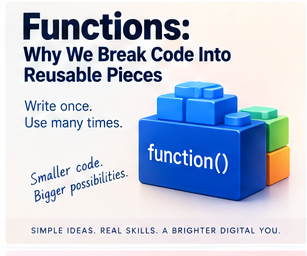
One of the most useful ideas in programming is also one of the simplest: if you need to do the same thing repeatedly, write it once and reuse it. This connects directly to DRY, Don't Repeat Yourself. Copy the same code into several places, and you've created several places a bug can hide, several places that need updating whenever the logic changes, and several genuine opportunities to forget one of those copies even exists. Functions are the main tool programming gives you for avoiding exactly that trap.
What a function actually is
A function is a named block of code built to perform one particular task. Say a program repeatedly needs to work out the volume of a box, length times width times height. You could write that calculation out everywhere it's needed, or you could build one reusable piece of code called something like calculate_volume, take the length, width, and height, multiply them, and return the answer, then simply call it wherever the calculation is actually required. The logic lives in exactly one place. The rest of the program just asks for the result whenever it needs it.
Why this matters beyond just tidiness
Functions help you avoid duplication, reuse working code, keep programs readable, make testing and maintenance genuinely manageable, and break an intimidatingly large problem down into smaller, comprehensible pieces. Rather than one enormous, unbroken slab of code running to thousands of lines, you end up with named pieces, login_user(), calculate_total(), save_order(), send_email(), print_receipt(), each one doing a single describable job, which makes the whole program considerably easier to follow at a glance.
One function, one job
A well-built function usually does one clearly defined thing. calculate_tax() should calculate tax, full stop, it shouldn't also quietly send an email, delete a customer record, print a report, or reset someone's password on the side. Keeping a function narrowly focused is exactly what makes it easy to understand, reuse elsewhere, test in isolation, replace later, and debug when something inevitably goes wrong.
Functions cut repetition down to size
Imagine a discount calculation, price - (price * 0.10), copied into five separate places across a program. Then the discount changes from 10% to 15%, and now you need to track down and correctly update all five copies, and if you miss even one, part of the program quietly starts behaving differently from the rest without anyone necessarily noticing straight away. Wrap that calculation in a single calculate_discount() function instead, and the rule changes exactly once, in exactly one place, and everything calling that function picks up the new behaviour automatically. That's DRY, working exactly as intended.
They make writing code easier too, not just maintaining it
Functions aren't only a favour to your future self doing maintenance, they make the original writing considerably easier as well. Once calculate_total() already exists and works, there's no reason to ever rewrite that calculation again, you just call it. That frees you to start thinking at a higher level: get the order, calculate the total, take payment, send the receipt, rather than getting bogged down re-deriving the details hidden inside each step every single time. That's the real payoff of abstraction: once a useful piece of code works properly, you can largely stop thinking about how it works internally every time you reach for it.
Calling a function
Using a function is usually described as calling it. calculate_total() means "run whatever code lives inside calculate_total." A function call temporarily hands control over to that block of code, and once it finishes, control returns to wherever the program was before, main program calls the function, the function runs and finishes, and the main program simply continues from where it left off.
Parameters and arguments aren't quite the same thing
Functions frequently need information to actually do their job. calculate_volume can't calculate anything meaningful without being told a length, width, and height, so you define the function with parameters, def calculate_volume(length, width, height): return length * width * height, where length, width, and height are the names the function uses internally to refer to whatever information it's expecting.
When you actually call the function, you supply real values instead, calculate_volume(10, 5, 3), and those specific numbers, 10, 5, and 3, are arguments. So the distinction, precisely, is: parameters are the names used in the function's own definition, arguments are the actual values handed over when you call it. In def greet(name): print("Hello", name), name is the parameter. In greet("Dave"), "Dave" is the argument. People blur the two terms constantly in everyday conversation, but that's the technically precise distinction between them.
Some functions hand a result back
Certain functions calculate something and return the result directly. def add(a, b): return a + b, called as add(5, 3), returns 8, which you can then store, total = add(5, 3). The function takes arguments in, does some processing, and returns a value out the other side. Not every function bothers with this, some, like print_report(), save_file(), or send_email(), simply perform an action and don't hand anything back that the rest of the program needs to use.
Function, procedure, method, or subroutine?
Programming has accumulated several overlapping words for "a reusable block of code," and the exact meaning shifts a little depending on the language. Function is the most broadly recognised general term, a callable block of code that performs a task, often capable of returning a value, calculate_total(). Procedure traditionally described a reusable block that performs an action without necessarily returning anything, print_receipt(), though this distinction isn't universal and plenty of programmers use the two words loosely and interchangeably regardless. Method specifically refers to a function tied to an object or class, an account object might have account.deposit(), account.withdraw(), and account.get_balance(), each one belonging to, or operating in the context of, that particular account. Subroutine is the oldest and broadest of the four, simply a callable section of code, a term you'll run into constantly in older languages and documentation. The terminology varies. The underlying idea holds steady across all of them: put a useful piece of work in one place, and call it whenever you actually need it.
A bit of history: GOTO, and the letter that changed programming
Older programming languages leaned heavily on a command called GOTO, which simply tells the program to jump straight to another numbered line elsewhere in the code. That can be useful in small doses. It can also turn into a genuine nightmare once a program is riddled with dozens of GOTO 200, GOTO 950, GOTO 40 instructions scattered everywhere, jumping unpredictably from place to place until following the actual flow of the program becomes close to impossible. Programs like this earned the memorable nickname spaghetti code, the idea being that if you tried to physically trace the path execution actually takes through the program, it would look exactly like a tangled bowl of spaghetti rather than anything resembling a clean, followable structure.
This isn't just an old programmer's grumble, it's a documented turning point in how the entire industry thinks about writing code. In 1968, the computer scientist Edsger Dijkstra submitted a short letter to the journal Communications of the ACM, originally titled "A Case against the GO TO Statement," arguing that heavy reliance on GOTO produced code that was genuinely difficult for a human being to reason about, however easy it was for the computer to execute. The journal's editor retitled it "Go To Statement Considered Harmful" before publishing it, and that single letter went on to become one of the most cited pieces of writing in the entire history of computer science, credited by many with kicking off the structured-programming movement that functions, procedures, loops, and conditional blocks all belong to. It also spawned an entire genre of essay titles, "X Considered Harmful," that programmers still use today, well over half a century later. A theorem published two years earlier, by Corrado Böhm and Giuseppe Jacopini, had already shown mathematically that literally any program could be built using only three basic structures, sequence, selection, and iteration, with no GOTO required at all. Between Böhm and Jacopini's proof and Dijkstra's argument, the industry had both the theoretical justification and the practical case it needed to move firmly away from unrestricted jumping and toward the named, callable, structured blocks of code, functions among them, that make up virtually all software written since.
GOSUB: a small step toward the modern function
BASIC, a hugely popular early language, introduced GOSUB specifically to soften this problem, meaning roughly "go to this subroutine, run the code sitting there, then come back to exactly where you left off." 10 GOSUB 100, followed later by 100 PRINT "RUNNING SUBROUTINE" and 110 RETURN, sends the program off to run that block and then returns control cleanly to the line right after the original GOSUB. That's conceptually much closer to how a modern function call actually behaves, deliberately calling a specific, reusable piece of code and returning afterwards, rather than jumping off somewhere and simply hoping you can find your way back.
Structured programming, and hiding complexity behind a name
As programming matured, developers increasingly reached for functions, procedures, loops, conditionals, and clearly bounded blocks rather than unrestricted jumps scattered through the code. The point was never really about keeping the computer happy, computers don't care either way, it was about keeping the program understandable to the actual human beings who'd have to read, fix, and extend it later. This is also where abstraction earns its keep: a single line reading process_payment() might be hiding dozens of operations underneath, validating an amount, checking an account, contacting a payment service, recording the transaction, and handling errors along the way, and the code calling it doesn't need to know any of those details. It only needs to know that calling process_payment() processes the payment. Necessary complexity hasn't vanished, it's simply been tucked safely behind a name simple enough to reason about.
Functions make testing and debugging genuinely tractable
Because calculate_tax() is isolated, you can test it entirely on its own terms, feed it £100 and expect £20 back, feed it £250 and expect £50, and if either test fails, you know exactly where to start looking. Without that isolation, a tax calculation scattered loosely across a much larger program becomes considerably harder to pin down. The same logic helps with debugging generally: if a program reads a customer, calculates an order, calculates tax, processes payment, and sends a receipt, and the receipt turns out wrong, you go straight to send_receipt() rather than combing through the entire program from top to bottom. Breaking a system into smaller, clearly bounded pieces is exactly what makes isolating a problem realistic in the first place.
Reuse can travel further than a single program
Sometimes a genuinely well-written function gets reused repeatedly within one application. Sometimes, if the logic is general enough, functions like validate_email(), format_currency(), calculate_age(), or generate_reference() end up reused across several different applications entirely, eventually finding a home in a shared library other developers rely on too. One carefully written, sufficiently general function can end up saving a genuinely enormous amount of duplicated effort, far beyond the program it was originally written for.
Don't turn this into a religion
Functions are useful, but no programming principle should be applied blindly. If you've got x = y + 1, you almost certainly don't need add_one_to_y_and_put_it_in_x() purely because functions are, in the abstract, a good idea. The actual goal is clarity: create a function when it genuinely makes a program easier to understand, reuse, test, or maintain, not simply to add another layer of abstraction for its own sake.
Names matter more than they look like they should
Compare doStuff() with calculate_monthly_pay(). The second one tells you plainly what it does before you've even opened it. Names like send_password_reset_email(), calculate_invoice_total(), archive_customer(), and load_saved_game() function almost like documentation in their own right, letting someone reading the code follow the overall shape of what's happening without needing to open every single function just to find out.
The important part
Functions let you take a block of code, give it a meaningful name, and reuse it wherever it's needed, cutting down repetition, breaking large problems into smaller ones, improving readability, easing maintenance, and making testing and debugging considerably more manageable. You'll encounter different names for essentially the same idea, function, procedure, method, subroutine, and the precise boundaries between them shift depending on the language. The underlying principle doesn't move: do the work once, name it clearly, and call it whenever you actually need it. And keep the one precise distinction straight, parameter is the name used in the function's own definition, argument is the actual value supplied when you call it. Once functions genuinely click, programming itself starts to feel different: instead of staring down one overwhelming problem, you start seeing a collection of smaller, individually solvable ones, which is one of the more important shifts in learning to design software well rather than just make it run.
Further reading
Clean Code: A Handbook of Agile Software Craftsmanship, by Robert C. Martin, treats functions as a major theme throughout, particularly the discipline of keeping them focused, naming them clearly, and writing them for the benefit of whoever has to read them later.
Code Complete, by Steve McConnell, offers a genuinely excellent, wide-ranging discussion of software construction generally, including routines, structure, naming, complexity, and maintainability.
The Pragmatic Programmer, by David Thomas and Andrew Hunt, digs into reuse, abstraction, duplication, and many of the broader habits that keep software genuinely easy to change as it grows and ages.
Functions are a simple idea on paper. Using them well, consistently, is one of the skills that separates code that merely runs from code that stays understandable years after it was written.
📝 Article
Loops: Doing the Same Thing Without Repeating Yourself
By Dave Milliken
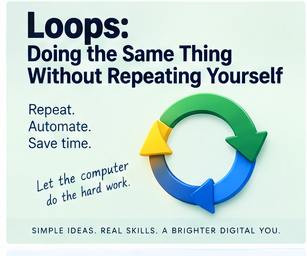
One of the central ideas in programming is simple to state: don't repeat yourself. If a computer needs to do the same task a hundred times, you shouldn't be writing the same instruction out a hundred times by hand. That's exactly the problem loops solve. A loop lets a program repeat a block of code automatically: do this, do it again, do it again, and keep going until some condition says stop. It sounds almost too simple to be important, and yet it's one of the genuinely foundational ideas in the whole discipline.
Why bother with a loop at all
Printing the numbers 1 to 5 is easy enough written out by hand, print(1), print(2), and so on. Printing 1 to 100 that way is tedious. Printing 1 to a million that way is absurd. A loop sidesteps all of it: start at 1, print the number, add 1, repeat until you hit 5, and the exact same block of code gets reused automatically as many times as needed. That's DRY in one of its purest, most literal forms.
Loops and functions solve different problems
Functions and loops both fight repetition, but from different angles. A function says "I've built this useful piece of code, run it whenever I call it." A loop says "run this block of code repeatedly until something changes." send_email() might be a function on its own. Needing to email a hundred different people is where a loop comes in, for each person, call send_email(). In practice, functions and loops constantly work together rather than replacing each other.
Every loop needs three things
Almost every loop is built from the same three ingredients: a starting point, a condition, and a change. Start with count = 1, keep going while count <= 5, and increase count by one on each pass. Conceptually, the program checks the condition, runs the code if it's still true, applies the change, then checks again, over and over, until the condition finally comes back false.
Pre-test loops: check first, run second
A pre-test loop, most commonly written as a WHILE loop, checks its condition before ever running the code inside it. WHILE age < 18: display "Too young" simply never runs if age is already 20 by the time the loop is reached, the condition's false from the very first check, so the body never executes at all. That gives pre-test loops a genuinely useful property: they might run zero times, which matters enormously whenever you're not certain the work even needs doing in the first place. WHILE there are messages in the queue, process the next one, if the queue's already empty, there's nothing to process, and a pre-test loop handles that gracefully without you needing a separate check beforehand. The same shape covers WHILE stock remains, WHILE the user is logged in, WHILE a file still has more data to read.
Post-test loops: run first, check second
A post-test loop, usually written as DO...WHILE or REPEAT...UNTIL, flips that order: the code runs first, and the condition only gets checked afterwards, which means a post-test loop is guaranteed to run at least once, no matter what. This fits naturally whenever you genuinely can't check something before it's happened at least once, asking for a password is the classic example: you can't validate an entry that hasn't been typed yet, so you ask for it, check it, and if it's wrong, ask again, DO ask for password WHILE password is incorrect. A menu works the same way, it has to be shown at least once before the user can possibly choose anything from it.
Choosing between the two
Pre-test checks first, then runs, and may run zero times. Post-test runs first, then checks, and always runs at least once. Neither is inherently better, the right choice depends entirely on the problem in front of you: if the code genuinely might need to run zero times, reach for a pre-test loop; if it absolutely must run at least once regardless, a post-test loop usually fits more naturally.
FOR loops: when you already know the count
Sometimes you know in advance exactly how many repetitions you need, and that's precisely what a FOR loop is built for. FOR number from 1 to 5: print number produces 1 through 5 cleanly, and the same shape suits repeating something ten times, working through numbers 1 to 100, visiting every position in an array, or generating twelve monthly reports, anywhere the number of repetitions is known or predictable ahead of time.
FOR EACH: processing a whole collection at once
FOR EACH, sometimes written FOR...IN depending on the language, is built specifically for working through every item in a collection. Given names = ["Dave", "Anne", "Michael"], FOR EACH name IN names: print name processes Dave, then Anne, then Michael, one at a time, without you ever having to manually ask "what's at position 0, position 1, position 2." You're simply saying "give me each item in this collection, in turn," which reads considerably more cleanly than juggling raw indexes by hand.
A rough guide for choosing
Use a FOR loop when you roughly know how many repetitions you need. Use a WHILE loop when repetition depends on some ongoing condition. Use DO...WHILE or REPEAT...UNTIL specifically when the body absolutely must run at least once. Use FOR EACH when you're processing every item in a collection. None of these are hard rules carved in stone, but they're a genuinely solid starting point for most everyday situations.
Leaving a loop early with break
Sometimes you want out of a loop before it would naturally finish. Most languages provide a break instruction for exactly this: searching through customers, FOR EACH customer: IF customer ID matches: display customer, break, once you've found the one you're after, there's no remaining reason to keep checking the rest. break means, quite plainly, "leave this loop right now," useful the moment an answer's already been found, an error's occurred, the user's asked to stop, or some other special condition has been hit.
Worth knowing that break isn't a trivial keyword to get wrong, even outside a loop context. On the 15th of January 1990, AT&T's entire long-distance telephone network collapsed for roughly nine hours, blocking an estimated sixty million calls, and the eventual cause traced back to a single misplaced break statement sitting inside a switch and an if clause in the network's switching software. When one switch hit a rare error and reset itself, that misplaced break caused the recovery code to exit early without finishing properly, which sent a signal that neighbouring switches misread as an error of their own, so they reset too, sent the same confusing signal onward, and the whole thing cascaded outward through all 114 of AT&T's switches, each one triggering the next in an unstoppable chain. The exact same software had passed testing and run fine through the entire Christmas period beforehand, right up until two messages happened to arrive close enough together to expose the flaw. It's a genuinely striking reminder that the small keywords governing exactly when and how a piece of code exits, break very much included, are never quite as trivial as they look on the page, whether they're sitting inside a simple classroom loop or embedded deep in the software running a national phone network.
Skipping just one turn with continue
continue is gentler than break, rather than leaving the loop entirely, it skips the rest of the current pass and moves straight on to the next one. Processing employees, FOR EACH employee: IF employee is archived: continue, calculate current salary, simply skips archived employees without breaking off the whole loop, everyone else keeps getting processed as normal. So break means leave completely, continue means skip this one and carry on.
Infinite loops: when the stopping condition never arrives
A loop needs some genuine way to eventually stop. If that stopping condition never actually turns false, the loop can run forever. WHILE count <= 5: print count will happily run indefinitely if you forget to include count = count + 1 somewhere inside it, because count never changes, the condition never becomes false, and the program just keeps printing 1 forever. That's an infinite loop. Sometimes this is genuinely intentional, servers, games, operating systems, and embedded devices often contain loops deliberately designed to run indefinitely by design, but an accidental infinite loop remains one of the most classic mistakes in programming, and it's exactly the kind of feedback loop the AT&T story above ended up demonstrating at a much larger, system-wide scale.
A good loop needs answers to three questions
Where does it start? Why does it keep going? And, critically, what eventually makes it stop? If you genuinely can't answer that third question with confidence, it's worth taking another look at the code, you may have accidentally written something considerably more enthusiastic than you intended.
Off-by-one errors
Repeating something once too many, or once too few, is called an off-by-one error, and it's extraordinarily common, particularly around indexes, arrays, ranges, and counters. A five-item array typically has valid indexes running 0 through 4, not 1 through 5, there are five items, but the final valid index is 4, precisely because so many languages start counting from zero. That single detail catches an enormous number of programmers, repeatedly, throughout their careers.
Nested loops
A loop can happily contain another loop, called a nested loop, useful for anything shaped like a grid: FOR each row: FOR each column: process cell, where the inner loop runs to completion for every single pass of the outer one. This fits tables, grids, game boards, and matrices naturally, though it's worth knowing that nested loops can get expensive quickly once the collections involved grow large, which edges into the broader subject of how efficiently an algorithm actually runs.
Loops and arrays: a natural pairing
Given scores = [72, 81, 66, 94, 88], a loop can display every score, add them all up, find the highest or lowest, count how many passed, or calculate an average, all through the same basic pattern: FOR EACH score: process score. Rather than writing separate, near-identical code for every single value, you process the whole collection systematically, one of the single most common patterns you'll encounter in real programming.
Loops driven by user behaviour
Loops are equally useful when you genuinely don't know in advance how many times something needs to happen. WHILE user has not chosen Exit: show menu, get choice, process choice, might run twice, might run two hundred times, entirely governed by what the person on the other end actually does, with no need to know the number in advance.
Loops enforcing a rule
A loop can also just be a way of insisting on valid input: DO ask for number WHILE number is less than 1 OR greater than 10 keeps asking until the input genuinely satisfies the rule, refusing to let bad data slip through and continue further into the program.
Sentinel-controlled loops
Sometimes a special value, called a sentinel, is used purely to signal "stop," rather than representing genuine data. Told to "enter numbers, enter -1 when finished," WHILE number != -1: process number treats -1 not as a number to be processed, but as an instruction to end the loop, genuinely useful whenever you don't know in advance how much input is actually coming.
Loops and decisions, working together
Combine a loop with an IF statement and you get something considerably more powerful than either alone: FOR EACH score: IF score >= 50: display "Pass" ELSE: display "Fail" applies the exact same decision to every single value in a collection, the loop handling the repetition, the IF statement handling the judgment call.
A quick word on recursion
There's another way to express repeated work entirely, called recursion, where a function calls itself: function countdown(number): display number, if number > 0: call countdown(number - 1), continuing to call itself with progressively smaller values until it reaches a natural stopping point. Recursion solves certain problems, particularly around tree structures, searching, sorting, and file systems, remarkably elegantly, but it isn't simply another way of spelling a loop, it introduces its own concepts entirely, call stacks, base cases, stack depth, that genuinely deserve separate, dedicated treatment.
A loop is only as readable as what's inside it
Saving hundreds of repeated lines doesn't automatically make a loop good code, a loop stuffed with three hundred lines of unrelated logic can still be a nightmare to follow. Good practice usually pairs loops with functions rather than crowding everything into the loop body itself: FOR EACH customer: process_customer(customer) reads far more cleanly than the same loop containing two hundred lines of raw logic. The loop explains that repetition is happening. The function explains what actually gets done. Keeping those two jobs separate makes the whole thing easier to follow at a glance.
Let the computer do the repeating
Processing 500 customers by writing out process customer 1, process customer 2, all the way to 500, is exactly the kind of task computers exist to take off your hands. FOR EACH customer: process customer achieves precisely the same result without the tedium. Computers are extremely good at repetition, endlessly, without complaint. People get bored, distracted, inconsistent, and tired doing the exact same thing enough times. So let the machine handle the part it's genuinely built for.
The important part
Loops let a program repeat a block of code, and different loop types suit different shapes of repetition. WHILE tests before running and may execute zero times. DO...WHILE or REPEAT...UNTIL tests afterwards and always runs at least once. FOR suits a known or predictable number of repetitions. FOR EACH suits processing every item in a collection. break leaves a loop early, continue skips just the current pass. Whatever loop you reach for, always be able to answer how it starts, why it keeps going, and how it eventually stops, and remember that even a single misplaced keyword governing that flow, as an entire national phone network once demonstrated rather dramatically, can matter considerably more than it looks like it should. The underlying idea stays simple throughout: if the computer needs to do the same thing repeatedly, describe that repetition once, clearly, and let the computer do what computers do best. Repeat it.
Further reading
Python Crash Course, by Eric Matthes, offers a practical introduction to loops, lists, conditions, and functions that suits beginners well.
Automate the Boring Stuff with Python, by Al Sweigart, is particularly good for understanding why loops matter in the first place, a great deal of real programming is simply asking a computer to handle repetitive work that would be tedious and error-prone for a person to do by hand.
Think Like a Programmer, by V. Anton Spraul, focuses on problem-solving generally, and helps build the habit of spotting patterns, repetition, and opportunities to break a large problem down into smaller, manageable pieces.
Loops themselves are straightforward to write. The more valuable skill is recognising exactly where genuine repetition exists in a problem, and choosing the clearest possible way to express it.
📝 Article
If Statements: Teaching a Program to Make Decisions
By Dave Milliken
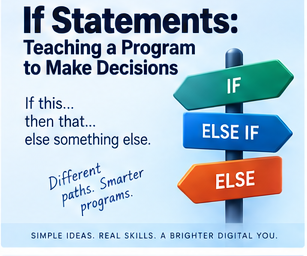
Computers are extremely good at following instructions, but a genuinely useful program needs to do more than blindly repeat the exact same sequence every single time. It needs to make decisions: if the password's correct, allow access; if the balance is too low, reject the payment; if the user's an administrator, show the extra options; if the temperature drops below zero, show a warning. This is called selection, the ability to choose between different paths depending on what's actually happening, and the IF statement is by far the best-known way of expressing it.
What selection actually means
Selection boils down to "choose what happens next based on a condition." IF something is true, do this, otherwise do something else. The program isn't thinking in any human sense, it's simply evaluating a condition that resolves to one of exactly two results, true or false, and following whichever path matches.
A simple IF statement
Given age = 20, IF age >= 18: display "Adult" asks a single, precise question, is age 18 or over, and if the answer's true, the message appears; if false, nothing happens at all. That's selection in its simplest possible form.
Operators are doing the actual asking
IF statements lean heavily on comparison operators to build their questions: == for equal to, != for not equal to, > and < for greater than and less than, >= and <= for greater-or-equal and less-or-equal. IF score >= 50 means "if the score is 50 or higher." IF password != stored_password means "if the password doesn't match what's on file." The operator builds the actual question. The IF statement decides what happens depending on the answer it gets back.
IF...ELSE: covering both outcomes
Often you want something to happen whichever way the condition goes. IF score >= 50: display "Pass" ELSE: display "Fail" gives you exactly two paths, and precisely one of them gets taken. Writing this as two separate IF statements, one checking score >= 50 and a second separately checking score < 50, technically works too, but it's asking two questions when one answer already tells you everything you need, once you know the first condition is false, you already know the alternative applies. ELSE simply says so directly.
ELSE IF: handling more than two possibilities
Assigning grades needs more than a straight yes-or-no split: IF score >= 70: grade = "A" ELSE IF score >= 60: grade = "B" ELSE IF score >= 50: grade = "C" ELSE: grade = "Fail" tests each condition in the order they're written, and stops at the very first one that matches. That makes order genuinely important. Flip the sequence so the smallest threshold comes first, IF score >= 50: grade = "C" ELSE IF score >= 60: grade = "B" ELSE IF score >= 70: grade = "A", and a score of 85 matches the very first condition, 85 is indeed >= 50, and walks away marked as a C. The program followed every instruction exactly as written. The instructions themselves were simply arranged in the wrong order.
The catch-all ELSE
A final ELSE with no condition attached acts as a genuine catch-all: IF colour == "red": do something ELSE IF colour == "blue": do something else ELSE: handle anything unexpected. That closing ELSE needs no condition of its own, it simply means "if none of the earlier options matched, do this instead," which makes it exactly the right tool for handling situations you didn't specifically plan for.
Nested IF statements
An IF statement can happily contain another IF statement inside it, called nesting: IF user_logged_in: IF user_is_admin: display admin tools only checks the second condition once the first has already passed. Nesting is useful, but stacking it five levels deep, IF this: IF that: IF something_else: IF another_thing: IF one_more_thing: do something, tends to leave you having genuinely forgotten why you went in there by the time you reach the bottom. That's often a fairly reliable sign the logic wants simplifying, or splitting into separate functions instead.
Logical operators make conditions considerably more expressive
Conditions combine naturally: IF age >= 18 AND has_ticket: allow_entry requires both to be true. IF is_admin OR is_manager: show_management_menu only needs one. IF NOT account_locked: allow_login_attempt flips a condition entirely. Logical operators let you build genuinely meaningful, layered conditions rather than being stuck with single, isolated checks.
IF isn't the only form of selection
A menu with five numbered options could absolutely be handled with a long chain of ELSE IFs, but there's often a cleaner tool for exactly this shape of problem.
SELECT CASE and SWITCH
Different languages call it different things, SELECT CASE, SWITCH, MATCH, but the idea's consistent: compare one single value against several distinct possibilities. SELECT CASE choice: CASE 1: add customer, CASE 2: view customer, CASE 3: update customer, and so on, reads considerably more cleanly than the equivalent chain of ELSE IFs once you're comparing one value, a menu choice, a day of the week, a user role, a status code, against a fixed set of known options.
Choosing between IF and CASE
CASE shines specifically when one value is being checked against several fixed, known possibilities, status = "pending", "approved", "rejected", "archived", say. IF stays the more flexible tool the moment you're dealing with ranges, comparisons, or combined conditions rather than a tidy list of fixed values, age >= 18, balance < payment, temperature > 30 AND humidity > 70, or checking a username and password together. A reasonable rule of thumb: reach for IF when the question is genuinely flexible, reach for CASE or SWITCH when you're choosing between several known alternatives for a single value.
A default case matters here too
CASE and SWITCH structures generally offer their own catch-all, called DEFAULT, CASE ELSE, or similar depending on the language, SELECT CASE choice: CASE 1: add customer, CASE 2: view customer, CASE 3: exit, CASE ELSE: display "Invalid choice". Same underlying principle as ELSE: if nothing else matched, handle the unexpected value gracefully rather than letting the program simply do nothing, or worse, something wrong.
Good selection accounts for what shouldn't happen too
A program that only handles the perfect, expected path isn't really finished. Ask for someone's age and get back "twenty-five" as text when a number was expected, or -400, which is technically numeric but not remotely a sensible human age, and a well-built program checks for exactly this kind of thing: IF input is not numeric: display "Please enter a number" ELSE IF age < 0: display "Age cannot be negative" ELSE: continue processing. That extra checking is what actually makes a program robust rather than merely functional on a good day.
Using IF to head off predictable errors
IF statements are genuinely useful for stopping predictable problems before they happen. Dividing total by quantity is dangerous the moment quantity might be zero, so check first: IF quantity != 0: result = total / quantity ELSE: display "Cannot divide by zero", and the risky operation simply never runs when it shouldn't. The same shape covers checking a file exists before opening it, or a customer record exists before updating it. This is often called defensive programming, checking conditions before attempting something that could otherwise fail.
This isn't just tidiness, either, it's occasionally the difference between a system behaving safely and one that doesn't. Between 1985 and 1987, a computer-controlled radiation therapy machine called the Therac-25 delivered massive radiation overdoses to at least six patients, several of them fatally, because the software controlling it lacked adequate checks before allowing the treatment beam to fire. Earlier models had relied on separate hardware safety interlocks to physically prevent the machine from firing in a dangerous configuration, but the Therac-25 leaned much more heavily on software alone to enforce that same safety logic, and under certain rare timing conditions, particularly when an operator corrected an entered setting quickly, the software could allow a high-power beam to fire without the safety equipment properly in place, with no check catching the mismatch before it was too late. The lesson isn't really about radiation therapy specifically, it's that a dangerous operation running without a proper check standing in front of it is a real, physical risk the moment software's genuinely controlling something with real consequences, not just an abstract inconvenience confined to a beginner's coding exercise.
IF statements are not the same thing as error handling
Most languages also offer dedicated error-handling tools, TRY, CATCH, EXCEPT, ON ERROR, built specifically to respond once an error has actually occurred. TRY: open file, CATCH file error: display "Unable to open file" is fundamentally different from IF file exists: open file. The IF statement is asking, up front, "can I detect this situation before I even attempt the operation?" Error handling instead asks, "given that I tried this and it failed anyway, how do I respond sensibly?" Both are genuinely useful, and real programs frequently lean on both together.
Don't try to guard against absolutely everything with IF
It's tempting to wrap every possible operation in an ever-growing pile of IF checks, IF file exists: IF file is readable: IF user has permission: IF file format is valid: IF file is not corrupted: open file, but at some point dedicated exception handling becomes the genuinely clearer tool. The goal was never to sprinkle IF statements everywhere. It's choosing whichever mechanism actually fits the specific problem in front of you.
Guard clauses: handling the bad cases first
A guard clause handles invalid situations upfront rather than nesting everything several layers deep: IF user is not logged in: stop, IF user is not authorised: stop, IF account is locked: stop, process request, tends to read more clearly than the equivalent version nested three levels down, IF user is logged in: IF user is authorised: IF account is not locked: process request. Both genuinely work. The guard-clause version usually keeps the main logic flatter and considerably easier to follow at a glance.
Selection is genuinely everywhere in real software
A banking system checks IF balance >= withdrawal: allow transaction ELSE: reject transaction. A website checks IF user is logged in: show account ELSE: show login page. A game checks IF health <= 0: player dies. Payroll checks IF hours > 40: calculate overtime. Software is, at its core, absolutely riddled with decisions, and selection is simply the structure that lets those decisions actually get made.
Selection as one of three fundamental building blocks
Algorithms generally lean on three basic ideas: sequence, doing steps in a fixed order; selection, choosing which path to take; and iteration, repeating something. Ask for a password, IF password is correct: allow login ELSE: reject login, already combines sequence and selection, and adding a limit of three attempts introduces iteration on top. These three simple ingredients, combined in different proportions, are genuinely enough to build remarkably sophisticated systems.
The AI joke, and why it half-works
People occasionally joke that artificial intelligence is really just an enormous pile of IF statements. That's not remotely accurate technically, modern machine learning leans on mathematics, probability, statistical models, neural networks, and optimisation techniques that have nothing directly to do with IF statements at all. But the joke lands anyway, because decision-making sits right at the heart of computing generally, and the IF statement remains one of the simplest, most immediately recognisable ways of expressing "behave differently depending on the information in front of you."
Keep conditions readable
IF age >= 18 AND account_active == true AND balance > 0 AND user_verified == true AND account_locked == false AND... eventually becomes genuinely hard to parse at a glance, however logically sound it is. Splitting that into IF user_can_make_payment(), with the detailed rules tucked away inside that function, keeps the calling code readable. The computer will happily process a condition stretching across half the screen without complaint. The person reading it back six months later may not be quite so forgiving.
Questions worth asking about any selection logic
What happens if the condition's true? What happens if it's false? What happens if the value's genuinely unexpected? Is there a default case? Are the conditions in the right order? Could two conditions both technically match? Has invalid input actually been accounted for? Running through these deliberately heads off a genuinely large share of common bugs before they ever make it into a finished program.
The important part
Selection lets a program choose between different paths depending on a condition, and the IF statement is the most familiar way of expressing that. IF suits something that should only happen when a condition holds. IF...ELSE suits exactly two alternatives. IF...ELSE IF...ELSE suits several distinct conditions. SELECT CASE or SWITCH suits comparing one value against several known possibilities. DEFAULT or ELSE provides a catch-all for whatever wasn't already handled. Selection also does real, practical work preventing predictable errors, by checking a condition before attempting something that could otherwise fail, which, as the Therac-25 case rather starkly demonstrated, is never purely a matter of neatness once software's actually controlling something with genuine consequences. The underlying idea stays simple throughout: ask a question, evaluate the answer, choose what happens next. Without selection, a program would follow exactly one fixed path, every single time, regardless of circumstance. With it, software can actually respond to the data, the person using it, and whatever situation it finds itself in, which is roughly the point where it starts to feel like it's genuinely thinking, even though, underneath, it never really is.
Further reading
Think Like a Programmer, by V. Anton Spraul, focuses on problem-solving generally, and helps build the habit of turning ordinary real-world decisions into clear, well-structured programming logic.
Python Crash Course, by Eric Matthes, offers a practical introduction to conditions, Boolean expressions, loops, and functions that suits beginners particularly well.
Code Complete, by Steve McConnell, goes considerably deeper into software construction, including a genuinely valuable discussion of conditional logic, control structures, complexity, and defensive programming specifically.
Selection itself is a simple idea. The real skill lies in expressing a decision clearly enough that both the computer executing it, and whoever reads the code afterwards, understand exactly what was actually intended.
📝 Article
APIs: How Applications Talk to Each Other
By Dave Milliken
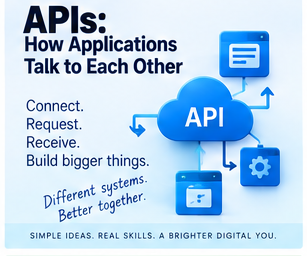
Modern software rarely operates in complete isolation. A weather app needs weather data from somewhere. A banking app needs account information. A travel app needs bus or train times. An online shop needs to talk to a payment service. Rather than every application trying to claw its way into unrestricted access to somebody else's system, software generally talks to other software through something called an API, an Application Programming Interface. The name sounds a lot more intimidating than the actual idea: an API is simply a controlled way for one piece of software to communicate with another.
Think of an API as a doorway, not an open floor plan
Picture a large organisation sitting on an enormous computer system. You definitely don't want outside applications wandering freely through its databases, poking around wherever they like. Instead, the organisation builds a controlled doorway, and through that doorway, another application gets to ask specific, approved questions: what time's the next bus, what's the current weather, what's the balance on this authorised account, what products are available right now. The API itself decides what outside applications are allowed to ask, and what they're allowed to get back in return. Your application asks the API, the API talks to the actual service behind it, the service sends back an approved response, and your application does something useful with the result, all without ever needing direct access to whatever database or system is sitting underneath.
Why not just connect directly?
A transport company might store information about routes, drivers, vehicles, staff, ticketing, timetables, live locations, payments, and maintenance schedules, all in one place. An application that just wants to know when the next bus arrives has absolutely no need to touch any of that. Handing it unrestricted access would be unnecessary at best and genuinely reckless at worst. Instead, the transport company can offer an API that answers exactly one narrow kind of question, "give me the next arrivals for this bus stop," and returns exactly that, Bus 5A due in 4 minutes, Bus 6 due in 11, nothing more. The application gets precisely what it needs and not a byte more.
APIs draw a genuine boundary between systems
This is really the whole point of an API. It creates a hard boundary, and the organisation providing it decides what information can be requested, what actions are permitted, who's allowed to use it, how often, what gets returned, and what security applies. Whoever's using the API has to operate entirely within those limits. That's what lets two completely separate systems cooperate usefully without either one handing the other full control.
Older readers might remember RSS
RSS feeds let a website publish information, headlines, blog posts, podcast updates, that another program could passively collect. The receiving side didn't really have a say, it just took whatever the feed handed over. An API offers a considerably richer relationship: instead of "here's today's information, take it or leave it," an application can actually ask "give me the next three buses from this specific stop," or "give me the weather for Belfast," or "show me transactions on this authorised account," and some APIs will even let approved changes get made, not just information retrieved. The interaction stays controlled throughout either way, but it's a genuine two-way conversation rather than a one-way broadcast.
A concrete example: the next bus
Someone who catches the same bus from the same stop every day doesn't need a sprawling transport app, they just want to know how long until it arrives. A small device could already know the stop, the route, and the direction, connect to the internet, and ask the transport service's API for exactly that, next arrival at this stop. Five minutes. Ask again thirty seconds later, four minutes. Then three. If the bus gets delayed, the API might suddenly report seven minutes instead, and the display simply updates. The device has no idea where every bus in the fleet actually is, it doesn't run any part of the transport company's own systems, it just asks one approved question repeatedly and displays whatever comes back. That's an API doing exactly its job.
You don't need to understand everything on the other side of the door
This is genuinely one of the biggest advantages APIs offer. The device showing that bus time doesn't need to know how the transport company tracks its vehicles, how its database is structured, how drivers report delays, how timetables get built, or where any of the servers physically sit. It only needs to know how to ask the API for what it wants. That's abstraction again, real complexity staying entirely hidden behind a considerably simpler interface.
Requests and responses
Most API interactions boil down to a request followed by a response. Your application sends something like "what are the next buses at stop 1234," and the API sends back "5A, 4 minutes; 6, 9 minutes; 5A, 16 minutes." What happens after that is entirely up to your application, display it, store it, analyse it, trigger an alert, feed it into some other calculation. The API's job stops at providing the information. Your application decides what to actually do with it.
Not every API just answers questions
Plenty of APIs go further than read-only lookups, letting an approved application create a calendar event, send a message, generate an invoice, update a customer record, upload a document, or process a payment. That still doesn't mean unrestricted control, the API defines precisely what's allowed, exactly the same way it does for read access.
Permissions aren't all-or-nothing
APIs frequently offer different tiers of access. One application might only be able to view calendar events. Another might view and create them. A third might manage the whole calendar outright. The API enforces those distinctions directly, which matters because an application should generally only ever get the access it genuinely needs, and not a scrap more.
Knowing who's actually asking
Many APIs need to verify who's making a request before handing anything back. A public transport timetable might need little to no authentication at all, but a banking API absolutely cannot simply respond to "show me Dave's account" without solid proof the requesting application is actually entitled to see it. This is generally handled through API keys, access tokens, and authorised accounts, and while the technical detail isn't essential here, the core idea matters a lot: an API controls both what can be done and who's actually allowed to do it.
Banks are a genuinely good example of this in practice
A budgeting app might be authorised to pull a specific slice of information from a bank, account balance, recent transactions, dates, amounts, without ever getting unrestricted access to the bank's entire internal system. It gets exactly what the bank's interface permits, with the account holder's own authorisation sitting behind it, which is precisely what lets entirely separate financial services cooperate usefully while keeping firm boundaries between them.
APIs are quietly everywhere
Once you start actually looking, APIs turn up constantly: weather data, maps, transport information, payment processing, banking, currency rates, stock prices, email, messaging, AI services, cloud storage, calendars, social platforms. A developer doesn't need to build any of that infrastructure from scratch, an application can simply talk to specialist services that already exist and already do that one job well.
Why this genuinely matters when building something
Building an online shop from scratch would, in theory, mean building your own mapping system, your own payment network, your own email infrastructure, your own currency conversion, your own address lookup, an absolutely enormous undertaking for a single team. Instead, the website just talks to a payment API to process a transaction, a mapping API to calculate a location, and an email API to send a receipt, letting each specialist system do the one job it was actually built for.
APIs cut out an enormous amount of duplicated effort
If accurate weather data already exists somewhere, nobody needs to build their own weather-monitoring network from scratch just to check if it'll rain tomorrow. If a transport company already tracks exactly where its buses are, your application doesn't need its own tracking hardware bolted on. The API lets existing information and functionality get reused rather than rebuilt, over and over, by everyone who happens to need it.
This idea reshaped an entire company, and arguably an entire industry
There's a story, widely told in software circles though never officially confirmed by the company itself, about an internal instruction issued at Amazon around 2002, generally attributed to Jeff Bezos, requiring every team to expose their data and functionality only through proper service interfaces, with absolutely no other route allowed, no direct database reads, no shared internal shortcuts, no back doors of any kind between teams. The account became widely known only years later, when a former Amazon engineer recounted it in an internal memo at Google that leaked publicly and spread rapidly through the tech industry. Whatever the exact wording actually was, Amazon genuinely did undergo precisely this kind of transformation internally around that period, forcing every internal team to talk to every other team purely through defined, disciplined interfaces rather than informal shortcuts. That internal discipline is widely credited as a major factor in Amazon eventually being able to offer some of that same internal infrastructure, compute, storage, databases, to the outside world as products in their own right, forming the foundation of what's now Amazon Web Services, one of the largest cloud computing businesses on the planet. It's a genuinely striking illustration of the article's central point at real scale: enforcing a strict boundary between systems, rather than letting them reach into each other freely, isn't merely tidy design, it can turn into the actual foundation of a business.
APIs are controlled resources, not unlimited ones
An organisation providing an API can and often does restrict how it's used, perhaps 100 requests an hour, or 1,000 a day, read-only access only, certain information simply withheld, or access limited to specifically approved applications. This is commonly called rate limiting when it concerns how often requests can be made. Our bus-arrival display updating every millisecond would generate a genuinely pointless flood of requests; checking every thirty seconds is entirely sufficient. Using an API well means asking for what you actually need, not hammering the service simply because you technically can.
APIs can, and eventually do, change
There's a real practical trade-off worth being honest about: your application is depending on someone else's interface staying roughly as it is. A provider might add features, remove old ones, change how data comes back, introduce new authentication requirements, or eventually shut the whole thing down entirely. That's the genuine cost of relying on an external service, it saves you from building everything yourself, but only for as long as the provider keeps offering it.
The important part
An API is a controlled interface letting one piece of software talk to another, requesting information or, where it's explicitly permitted, actually performing an action. Application A sends a request to an API; Application B processes it and sends back a response; the API itself decides exactly what Application A is allowed to see or do throughout. That's what makes APIs so useful for connecting entirely separate systems without handing either one unrestricted access to the other. Reach for an API whenever you need information or functionality some other service already provides, next bus times, weather, maps, banking data, payments, email, rather than building it yourself from nothing. The core idea is genuinely simple: an API lets applications cooperate while keeping a real boundary between them. The systems can talk to each other freely. They don't get handed the keys to each other's house.
Further reading
APIs: A Strategy Guide, by Daniel Jacobson, Greg Brail, and Dan Woods, takes a broader view of APIs, exploring why organisations choose to expose services and data through controlled interfaces in the first place.
Designing Web APIs, by Brenda Jin, Saurabh Sahni, and Amir Shevat, goes considerably deeper into the practical design and use of web APIs specifically.
MDN Web Docs offers genuinely excellent, accessible explanations of web technologies generally, including how browsers and JavaScript actually communicate with APIs day to day.
For most people just starting out with APIs, the first real step isn't mastering the technical detail. It's understanding the basic relationship underneath all of it: one system has something another system needs, and the API is simply the controlled, agreed way of asking for it.
📝 Article
Git and Version Control: Why Not Just Keep Saving “Final v7”?
By Dave Milliken
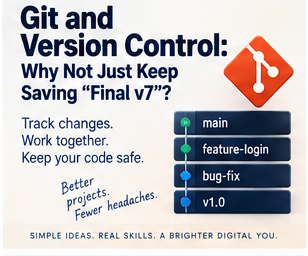
If you've ever worked on a document or a piece of software and ended up with a folder containing final.docx, final2.docx, final_final.docx, final_revised.docx, final_revised_2.docx, absolutely_final.docx, and absolutely_final_THIS_ONE.docx, congratulations, you've already personally discovered the exact problem version control exists to solve.
Software changes constantly, features get added, bugs get fixed, code gets rewritten, and sometimes a change works beautifully while other times it breaks absolutely everything. Version control gives you a structured way of recording those changes so you can understand exactly what happened, work alongside other people without stepping on each other, and return to an earlier working state whenever you genuinely need to.
What version control actually is
Version control is a system for tracking changes made to files over time. Rather than repeatedly saving over the same file and hoping for the best, it records meaningful points in a project's history, and instead of relying on increasingly desperate filenames to do that job, it properly records what changed, who changed it, when, why, and exactly what the whole project looked like at that specific moment. That gives you a genuine history rather than a guess.
Why this actually matters
Say everything works fine on Monday. Tuesday you add a new feature, still fine. Wednesday you change something else entirely and the program suddenly stops working. Without version control, you're left asking what you actually changed, which file it was in, and what the code even looked like on Tuesday. With version control, you can directly compare the changes and, if it comes to it, return cleanly to an earlier working state. That single capability alone makes it worth adopting.
Git, specifically
Git is a version-control system that runs on your own computer and tracks changes to a project, letting you record versions of your work, create separate branches, compare changes, merge work back together, return to earlier points, and collaborate with other developers. Crucially, Git doesn't require GitHub at all, which is a distinction genuinely worth getting straight early on.
Git isn't the same thing as GitHub
Git is the actual version-control technology. GitHub is a separate online service that hosts Git repositories and layers collaboration tools on top of them. You can run Git entirely on your own computer with no internet connection whatsoever, or host your repository on a completely different service, GitLab, Bitbucket, Azure DevOps, or your own organisation's private server. GitHub happens to be extremely popular, but it is emphatically not Git itself.
Where Git actually came from
This distinction matters partly because of how Git came to exist in the first place, and it's a genuinely good story. In April 2005, the team developing the Linux kernel, one of the largest, most heavily collaborative software projects on the planet, lost free access to the proprietary version-control tool they'd been relying on, after a licensing dispute with the company behind it. Linus Torvalds, the creator of Linux itself, decided he'd rather build his own replacement than adopt any of the existing alternatives, none of which met what he actually needed for a project with that many contributors working in parallel. He wrote the first working version of Git in roughly ten days, and by the fourth day, it was already capable enough that he used Git itself to commit its own source code. Within a couple of months, Git was managing the full Linux kernel release. Twenty years on, it's the version-control system practically the entire software industry has settled on. It's a genuinely good illustration of the actual problem version control solves, keeping an enormous number of people working productively on the same fast-moving project without everyone stepping on everyone else's changes.
What a repository actually is
A Git project usually lives inside a repository, commonly just called a repo, which holds both the project's files and the entire history of changes made to them. A learning-management system's repository might hold application code, database scripts, HTML, CSS, JavaScript, documentation, configuration files, and tests, all watched by Git, with every change recorded as it happens.
The main branch
A repository has a primary branch, commonly called main today, though historically often called master, generally representing the central, reasonably stable version of the project. You don't want every half-finished experiment landing directly in main the moment someone starts typing, which is exactly what branches are for.
What a branch actually is
A branch gives you a separate line of development. A learning-management system might have main holding the central application, alongside separate branches like student-feature, tutor-feature, management-feature, and admin-feature, letting different developers work on their own area without immediately disturbing the main version everyone else relies on.
Why that separation matters
If the student section is being rewritten and needs several days of work, that code might sit incomplete, broken, experimental, and entirely untested for a while, exactly the state you don't want anywhere near the main version. Working on a separate branch keeps that mess contained, and once the feature's genuinely ready, it can be reviewed, tested, corrected, approved, and only then merged in, leaving main protected from unfinished work the entire time.
Branches and forks are not the same thing
A branch lives inside a single repository. A fork is a separate copy of the entire repository, commonly used on services like GitHub when you've found an open-source project you don't have direct permission to edit. Forking gives you your own independent copy to change freely, which you can later offer back to the original project if you want to. Teams with direct access to one shared repository generally use branches. Outside contributors generally use forks instead.
Cloning a repository
If a repository already exists somewhere else, on GitHub or another server, and you want your own local copy to actually work on, that's called cloning, git clone, pulling a remote repository down onto your own machine so you can work on it locally.
Commits: more than just pressing save
A commit records a genuinely meaningful point in a project's history, essentially saying "these changes belong together, right here." Adding a login button, fixing a calculation, building a student dashboard, and correcting a typo might each become their own commit, ideally each with a clear message describing exactly what changed, add student dashboard, fix incorrect VAT calculation, prevent duplicate user registration, which makes the history genuinely readable later on. Saving a file just writes its current contents to disk. A commit records a meaningful checkpoint. You might save a file fifty times in an afternoon; you almost certainly don't need fifty commits to match.
Push and pull
Commits made on your own machine exist only locally until you push them, sending your committed changes up to a remote repository like GitHub. Pull works in the opposite direction, bringing changes someone else has made on the remote repository down onto your own machine. Push sends your work up. Pull brings other people's work down. You may also come across fetch, which retrieves information about remote changes without necessarily merging them into your own work straight away, pull is roughly "fetch, then integrate" rolled into one step, though you don't need to dwell on that distinction immediately.
Working as an actual team
Picture four developers on that same learning-management system, one each on the student, tutor, management, and admin sections. main holds the central system throughout, each developer works on their own branch, commits as they complete useful pieces of work, and pushes that branch to the shared repository, where it can be properly reviewed and tested before it ever touches main.
Pull requests
On platforms like GitHub, a developer can open a pull request, essentially saying "I've made these changes, please review them and consider merging them into the main project." Despite the name, it's not a single button that quietly pulls files somewhere, it's a genuine collaboration step, letting people see the actual changes, discuss them, review the code properly, run tests, request corrections, approve the work, and only then merge it in, a useful checkpoint standing between someone's individual work and the shared main version everyone depends on.
Testing before anything gets merged
Before a new tutor-branch feature gets merged into main, a team will usually run it through some genuine checks: can tutors still log in, can they view their learners, can they update course information, do the existing features still work, does the database still behave itself. If something fails, the branch gets fixed while main remains completely untouched. Only once everything genuinely works does the merge actually happen.
Merging
Merging combines the changes from one branch into another, student-feature merging into main means the student functionality becomes part of the actual live application, main plus student-feature becoming an updated main, letting several separate streams of development eventually converge into one coherent product.
Merge conflicts
Sometimes two developers change the exact same line of the exact same file in genuinely different ways, one changing "Welcome Student" to "Welcome Learner," another changing the same line entirely to "Student Dashboard," and Git has no safe way of deciding which one should actually win. That's a merge conflict, and while it can be genuinely annoying in the moment, Git flagging it plainly, "these changes collide, a human needs to decide," is considerably better than the alternative of silently overwriting someone's work without either of you ever knowing it happened.
Going backwards when something breaks
One of version control's real strengths is how it handles mistakes. If a merged change starts causing problems, Git's history lets you actually identify the specific change responsible, and depending on the situation, you might revert a commit, restore an earlier version entirely, create a new commit that undoes the damage, or move a branch back to an earlier point. The technique varies. The underlying idea doesn't: the history gives you somewhere solid to go back to.
Reverting rather than erasing history
On shared projects, it's usually better to create a new commit that reverses a bad change than to pretend the original mistake never happened at all. Commit A, commit B, commit C causes a problem, commit D reverses C, and the history now clearly shows what happened, when, and exactly how it got fixed, which is genuinely valuable information to still have sitting around later.
Git gives you real accountability
Git doesn't just show you what the code looks like right now, it can answer who changed a specific line, when, what it looked like before, why the change was made, and which commit introduced a particular problem. Stumble across a strange, seemingly pointless line of code written three years ago, and version control can often explain exactly why it exists, this was added to fix a very specific problem, rather than someone simply deleting it and accidentally reintroducing whatever it was quietly preventing.
Git is genuinely useful solo, not just in teams
It's easy to assume Git is purely a team tool, but it isn't. Working entirely alone, Monday's code works fine, Tuesday you redesign something, and by Wednesday you've realised Tuesday's brilliant idea genuinely wasn't. Git lets you compare those versions directly and return cleanly to Monday's working state if you need to, valuable even when nobody else will ever touch the project.
What GitHub actually adds on top
GitHub builds a considerable amount on top of Git itself: remote repository hosting, pull requests, issue tracking, code review, discussion threads, project management tools, automated testing, documentation, and release management. Git is the underlying version-control foundation. GitHub is the collaborative environment built around it.
Learning from real, live code
GitHub is also a genuinely enormous library of real software projects, many of them open source and fully public. You can read the actual code, clone a repository, explore how it's structured, look through its entire history, see exactly how past issues got solved, and examine real pull requests, which is a considerably richer way to learn than working exclusively from small classroom examples. Just be aware that publicly visible isn't the same thing as free to reuse however you like, projects carry licences governing how they can be used, changed, shared, distributed, or sold, so it's worth actually checking a project's licence before doing anything beyond studying the code privately.
Version control is not the same thing as backup
This distinction matters and gets blurred constantly. Git offers some protection against accidental changes, and a remote repository means copies of your code genuinely exist in more than one place, but version control and backup are answering entirely different questions. Version control asks what changed, who changed it, and can I get back to an earlier version. Backup asks what happens if the computer physically dies, if the server disappears, if an account gets compromised, if the whole repository is lost outright. Good practice generally involves both, not one standing in for the other.
A simple Git workflow, roughly
Start from main, create a feature branch, make your changes, test them, commit them, push the branch, open a pull request, get it reviewed, run the tests, merge into main, and carry on developing. You genuinely don't need every Git command memorised before this workflow starts making sense, the process matters first, the specific commands come later.
Some common terms, gathered together
Repository is the project plus its entire version history. Branch is a separate line of development. Fork is a separate copy of a repository entirely. Clone creates a local copy of a repository. Commit records a meaningful point in the project's history. Push sends local commits to a remote repository. Pull brings remote changes into your local copy. Merge combines development from separate branches. Pull request asks for changes to be reviewed and merged. Conflict is a situation Git can't automatically resolve on its own. Revert undoes an earlier change while keeping the history intact.
Why not just save another copy, again
You could, in principle, keep managing a project as learning_system_final.zip, learning_system_final2.zip, learning_system_final_fixed.zip, learning_system_FINAL_REAL_USE_THIS_ONE.zip, and so on indefinitely. At some point, and it tends to happen faster than people expect, version control starts looking considerably more attractive. Git gives that history real structure, rather than trying to cram an entire project's life story into an increasingly desperate filename.
The important part
Version control records how a project changes over time. Git is one of the most widely used version-control systems in the world, born, quite literally, out of necessity when one of the largest collaborative software projects on the planet suddenly needed a proper way to keep thousands of contributors working together without chaos. GitHub is a separate service that hosts Git repositories and adds collaboration tools around them. The basic pattern holds steady regardless of scale: create a branch, make a change, test it, commit it, push it, review it, merge it, and if something breaks, the project's history helps you understand exactly what changed and, where necessary, undo it. For teams, this lets multiple developers work on different parts of the same project without constantly overwriting one another. For individual developers, it's simply a safety net and an honest history. The central idea, in the end, is genuinely simple: don't just save the latest version. Keep track of how you actually got there.
Further reading
Pro Git, by Scott Chacon and Ben Straub, is one of the best-known Git references and is freely available online, starting from the fundamentals and going considerably deeper for anyone who wants to follow it further.
GitHub Docs, GitHub's own documentation, covers repositories, branches, commits, pull requests, forks, and the collaboration tools built around Git in genuinely practical detail.
The Pragmatic Programmer, by David Thomas and Andrew Hunt, isn't a Git manual as such, but version control sits squarely inside the wider development discipline it champions, keeping work reproducible, understandable, and genuinely safe to change.
You don't need every Git command mastered before using version control well. Start with the shape of it: record your changes, work separately when it makes sense to, test before merging, and keep the history intact. And retire final_final_really_final_v7 for good.
📝 Article
Debugging: How to Find What’s Gone Wrong
By Dave Milliken
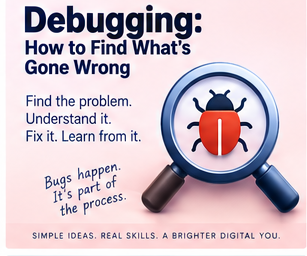
Programming is not simply the art of writing code that works. A genuinely huge part of it is working out why code doesn't work, and that process has a name: debugging. A bug is a problem in a program, and debugging is finding it, understanding it, and fixing it. One of the most useful things you can ever learn about programming is this: good programmers still create bugs constantly. They've simply gotten considerably better at finding them.
It's even in the name, and the story behind it is genuinely true
The word "bug" for a technical fault actually predates computers entirely, Thomas Edison was already using it to describe glitches in his own inventions back in the 1870s. But the specific story programmers tend to tell each other has a real, physical artifact behind it. On the 9th of September 1947, engineers working on Harvard's Mark II computer, a genuinely enormous machine built from thousands of electromechanical relays, found an actual moth physically trapped inside relay number 70, jamming the contacts and causing the fault they'd been hunting. Someone taped the moth directly into the machine's logbook and wrote beside it, "first actual case of bug being found." Grace Hopper, the mathematician and programmer who went on to pioneer some of the earliest programming language compilers, was part of that same team at the time, and though the exact authorship of the note itself is genuinely disputed, that logbook page, moth and tape fully intact, still sits preserved in the Smithsonian's National Museum of American History today. It's a fittingly literal origin for a word that's been describing exactly this kind of maddening, hidden problem ever since.
Debugging is a genuinely transferable skill
Python looks nothing like Java. Java looks nothing like PHP. PHP looks nothing like JavaScript. The syntax changes, the tools change, the exact error messages change. But the actual process of debugging carries across all of them remarkably well. If you understand programming generally, and you know how to investigate a problem systematically, there's a genuinely good chance you can look at a language you've never touched before and start working out what's gone wrong regardless. You might not know the precise syntax yet, but you can still ask what the programmer was trying to do, what happened instead, where the program stopped behaving as expected, what the error message is actually telling you, and what changed recently. That way of thinking matters considerably more than memorising every possible error message a language could ever throw at you.
The student who became the debugging expert
I once had a student who seemed almost incapable of getting her code to run correctly the first time. For roughly two weeks, nearly everything that could go wrong did, syntax errors, missing punctuation, incorrect names, wrong values, problems with loops, problems with conditions. If a mistake existed to be made, there was a fair chance she'd already made it. Understandably, that was frustrating for her at first. But something genuinely useful happened along the way. Because she ran into so many problems, she was forced to learn how to fix them properly. She started recognising error messages on sight. She remembered what had caused similar problems before. She learned exactly where to look first. She got noticeably faster at narrowing a problem down. Eventually, other students started coming to her specifically when their own code refused to work. She never suddenly started writing flawless code from nowhere. Something more genuinely useful happened instead: when she made a mistake, she could find it quickly. That made her an extremely efficient programmer, and there's a real lesson in that. Making mistakes isn't the opposite of learning to program. Making mistakes, understanding them properly, and fixing them is a core part of actually learning to program.
Start by reading the error message
When software gives you an error, read it properly. That sounds almost too obvious to mention, and it's remarkable how often people simply don't. They see the word ERROR and immediately assume the computer's turned hostile, when an error message is very often genuinely trying to help, telling you what type of error occurred, which file and line were involved, which value caused the problem, which function failed, and what the program was actually expecting instead of what it got. An error effectively saying "I expected a number, you gave me text" hands you somewhere concrete to start looking straight away.
Error messages are clues, not always answers
An error doesn't always point directly at the actual mistake, sometimes it only points to wherever the computer finally realised something had gone wrong, which can be a considerable distance from where the real problem originated. Forget to close something on line 20, and the compiler might keep reading happily through lines 21, 22, and 23 before finally giving up on line 24 with "I cannot make sense of this." The error appears on line 24. The actual mistake is sitting on line 20. So when an error points to a specific line, check that line first, then immediately check what's sitting just above it.
The semicolon, world hide-and-seek champion
Anyone who learned a language like Pascal will recognise this particular joy instantly: a program of exactly 32 lines, and the compiler cheerfully reports an error on line 33. There is no line 33. What that usually meant was that something near the very end of the file was left incomplete, quite often a single missing semicolon, with the compiler reaching the actual end of the file still patiently waiting for something that never arrived. Missing punctuation, semicolons, brackets, parentheses, quotation marks, commas, braces, colons, depending on the language, remains one of the single most common causes of programming errors, and a single missing character can bring down an otherwise perfectly sound program.
Syntax errors
A syntax error simply means the code doesn't follow the grammatical rules of whatever language it's written in, the programming equivalent of "cat the mat on sat the" rather than a properly ordered English sentence. Depending on the language, something like IF age > 18 might need particular punctuation or formatting to be considered valid at all, and if something's missing, the parser or compiler will generally reject it outright, whether that's missing punctuation, an incorrect keyword, unmatched brackets, wrong indentation in a language where indentation actually matters, a misspelled command, or a missing quotation mark. These tend to be relatively straightforward to fix precisely because the language itself is usually the one flagging them for you.
Runtime errors
Some code is entirely valid right up until the moment it actually runs. result = 10 / 0 is syntactically fine, the trouble only shows up the instant the computer genuinely tries dividing by zero. The same category covers opening a file that doesn't exist, reaching for an array position that isn't there, trying to use a null value as though it held real data, running out of memory, losing a network connection partway through, or receiving data in a format the code wasn't expecting. The code can be grammatically flawless and still fail the moment it actually executes.
Logic errors
Logic errors tend to be the more troublesome category. The program runs fine. It doesn't crash. It simply produces the wrong answer. price = 100, discount = 10, final_price = price - discount might have been intended as a 10 percent discount, and it happily produces 90, which happens to match what 100 minus 10 percent would also produce. Try it with a different price, and the mistake becomes obvious immediately. The computer hasn't failed at anything, it's done precisely what it was told to do. The actual problem is that it was told the wrong thing in the first place, and these bugs can be genuinely difficult to track down because there may be no error message at all pointing you toward them.
The computer is almost always being painfully literal
One of the best debugging habits you can build is dropping the question "why is the computer doing that?" in favour of "what did I actually tell it to do?" Computers are extremely obedient, sometimes to a painful degree. Write IF age > 18 when you genuinely meant IF age >= 18, and the computer isn't going to helpfully think "they probably meant to include 18-year-olds too." It will simply follow the condition exactly as written. That literal behaviour is genuinely useful once you learn to lean on it, because debugging very often comes down to directly comparing what you intended against what you actually wrote.
Reproduce the problem before trying to fix it
Before attempting a fix, make sure you can reliably reproduce whatever's going wrong. Does it happen every time, only with particular data, only on one specific machine, only after some other action first? "The program crashes" isn't especially useful on its own. "The program crashes when I open a customer record that has no phone number" gives you an actual condition worth investigating properly.
Narrow the problem down
A large program might run to thousands of lines, and inspecting all of them at once simply isn't realistic. Reduce the problem instead. If a report's coming out wrong, check whether the data coming from the database is correct first. If it is, check whether the calculation itself is correct. If that's fine too, check whether it's purely a formatting issue. Each answer rules out part of the system, and debugging very often ends up being a straightforward process of elimination rather than a flash of insight.
Divide the problem in half
A genuinely useful technique is asking whether the problem happens before or after a specific point in the code. Checking a thousand lines individually would be miserable, so instead test somewhere around the middle. If everything looks correct there, the bug's probably further along. If something's already wrong by that point, the bug's probably earlier. Repeat, and each test shrinks the area you actually need to investigate, conceptually the same idea behind a binary search, each check roughly halving what's left to look at.
Print the values and see what the program actually thinks
One of the simplest debugging tools going is also one of the most reliably effective: display what the program believes is happening. If total = price * quantity is producing the wrong number, print price, quantity, and total directly. Discovering price = 25 and quantity = "10" tells you something immediately, that quantity's apparently being stored as text rather than an actual number, which is exactly the kind of gap between expectation and reality this technique is built to expose.
Use an actual debugger
Modern development environments generally include a proper debugger, letting you pause a running program mid-execution and genuinely inspect what's happening inside it, setting breakpoints, stepping through code one line at a time, inspecting variables, watching values change as they happen, and following exactly which function is currently running. Rather than guessing at the program's behaviour from the outside, you get to actually watch it happen.
Breakpoints
A breakpoint tells the debugger, plainly, "stop here." If a problem consistently shows up during payment processing, place a breakpoint just before that code runs. Run the program, and execution pauses the moment it reaches that exact point, letting you inspect the total, the customer, the payment method, and every current variable before stepping forward one line at a time, until, eventually, you can watch the precise moment things go wrong.
Stepping through code
Debuggers typically offer options like Step Into, entering whatever function's being called to examine it directly, Step Over, running that function without diving inside it, and Step Out, finishing the current function and returning cleanly to whatever called it. These give you deliberate control over exactly how you move through a program, which makes genuinely complicated behaviour considerably easier to actually follow.
Check your assumptions
An enormous number of bugs trace straight back to an assumption that quietly turned out to be false. We assume a file exists, that the database returned a record, that an array actually contains something, that the user typed a number, that the network's available, that a value's never null, that a date's genuinely valid, and then reality simply disagrees. A genuinely useful debugging question is "what assumption am I actually making here," followed immediately by testing it directly, checking whether the customer genuinely exists rather than assuming they do, or checking what type quantity actually is rather than assuming it's numeric.
Change one thing at a time
Change the loop, the variable type, the function, the database query, the condition, and the configuration all at once, and suddenly the program works. Wonderful. What actually fixed it? No idea whatsoever. Changing several things simultaneously might solve the immediate problem, but it teaches you almost nothing about why. Change one thing, test it, observe what actually happens, and only then make the next change. That's what turns debugging into genuine information rather than blind luck.
Read the stack trace
When a program fails, you'll often see something called a stack trace, which can look genuinely intimidating at first glance. It's really just showing the sequence of function calls that led to the error, main() called process_order(), which called calculate_payment(), which called convert_currency(), where the actual error occurred. It answers, quite directly, "how did the program get here." You don't need to understand every single line of it immediately, start with whichever part refers to your own code first.
Search the exact error
One of the genuine advantages of programming today is that somebody, somewhere, has almost certainly already run into your exact error before you did. Search for it, but search intelligently, including the exact error text, the specific language, and the library or framework involved. "Python TypeError unsupported operand string integer" will get you considerably further than "Python broken help." Error messages tend to be genuinely, usefully searchable.
Learn to actually read documentation
Debugging frequently ends up leading you straight into documentation. Perhaps a function expected a string and you handed it an integer, or an API's changed shape entirely, or a method's simply been renamed since you last checked. Documentation tells you exactly what's actually expected, and being genuinely comfortable reading it is one of the most useful skills you can build as a programmer, full stop.
Rubber duck debugging
There's a genuinely well-known technique called rubber duck debugging: explain your code, out loud, line by line, to a literal rubber duck sitting on your desk. "First, I load the customer. Then I calculate the total. Then I check whether the customer exists..." and, hang on, you're calculating the total before checking whether the customer even exists in the first place. There's the bug. The duck, to be entirely clear, contributed nothing whatsoever, which, depending on your colleagues, may already make it one of your better debugging partners. The actual value comes purely from being forced to explain what the program's doing clearly enough that the gap becomes obvious to you.
Ask someone else
Sometimes you go genuinely blind to your own code. You've stared at the same ten lines for two hours, and every single one of them looks correct. Then a colleague wanders past and says "you've spelled customer differently there," and it's suddenly, painfully obvious. Fresh eyes matter, which is exactly why pair programming, code review, and generally collaborative development are worth the time they take.
Take an actual break
This sounds like unusual technical advice, but sometimes the best debugging tool available is simply stopping, walking away, doing something else entirely, and coming back later. Stare at the same code for long enough and your brain starts seeing what it expects to be there rather than what's actually on the screen. A short break can make an obvious mistake suddenly, almost embarrassingly visible.
Don't ignore warnings
Compilers, interpreters, and development environments frequently produce warnings rather than outright errors, a warning essentially meaning "I can probably keep going, but something here looks genuinely suspicious." Don't wave those away automatically. Warnings often flag unused variables, deprecated functions, possible null values, suspicious type conversions, unreachable code, and other quietly building problems. The program might run perfectly well today. The warning may well be telling you exactly why it won't tomorrow.
Debugging someone else's code
This gets even more interesting once the code in front of you was written by somebody else entirely. Start by understanding what it's actually supposed to do, then work out precisely where the real behaviour diverges from that. Follow the data, read the function names carefully, inspect the actual inputs and outputs, read whatever error messages appear, and lean on the debugger. You don't need every detail of an unfamiliar language nailed down before you can start genuinely understanding the problem, the underlying principles transfer, which is exactly why a genuinely good debugger tends to move between languages remarkably effectively.
Debugging is detective work
A bug leaves evidence behind, and your job is essentially to go and collect it. The error message is evidence. The wrong output is evidence. The current values of your variables are evidence. The stack trace is evidence. The most recent code change is evidence. Your own tests are evidence. Debugging goes considerably better when you treat it as a genuine investigation rather than randomly changing things and hoping something eventually works.
Keep track of what you've already tried
For genuinely stubborn problems, write down what's already been tested. Database connection works. Query returns the correct data. Calculation works fine with normal values. Problem only shows up when the discount is null. That alone can narrow a problem dramatically, and it stops you accidentally repeating the exact same test for the third time in an hour without realising it.
Version control helps here too
Version control can also directly answer "what actually changed?" If the program worked yesterday and fails today, compare the two versions directly. If only five lines changed between them, your entire investigation has suddenly shrunk considerably. Version control doesn't magically remove bugs from existence. It hands you considerably more information the moment one turns up.
Fix the actual cause, not just the visible symptom
If a program crashes because customer_email turns out to be null, you could simply suppress the error and move on. Better to ask why it's null in the first place: does the database allow empty email addresses, did validation fail somewhere upstream, did the import process miss the field entirely, was the wrong customer record loaded to begin with. A quick patch can hide the immediate symptom while leaving the actual underlying cause fully intact, quietly waiting to cause the exact same problem somewhere else later. Good debugging asks what actually caused this, not merely how to make the error message stop appearing.
Test the fix properly
Finding a bug isn't the finish line. Fix it, then genuinely test again: does the original problem now actually work, did the fix quietly break something else, does it hold up with unusual values, does it cope with empty data, does it survive right at the boundaries. A bug involving ages should get tested at 17, 18, and 19, not just at a comfortable 35 sitting safely in the middle. Boundary values are where errors love to hide.
Bugs are genuinely useful teachers
This sounds a little strange, but a bug can teach you considerably more than code that simply worked on the first attempt. A successful run just tells you "that worked." A bug forces you to actually investigate why something failed, what the error message genuinely means, how the language actually behaves under the hood, which assumption turned out to be wrong, what's really happening internally. That deeper digging is exactly what builds real understanding, and it's precisely why someone who initially struggles with a wave of errors can eventually become genuinely excellent at debugging. They've simply built up a much larger mental library of failure to draw on.
Don't fear the red text
Beginners often see an error appear and think "I clearly cannot do this." Experienced programmers tend to see the exact same red text and think something considerably closer to "good, now I actually know where to start looking." That shift in attitude, more than any specific technique above, is usually the single biggest thing separating someone who's just started programming from someone who's been doing it for years.
The important part
Debugging is the process of finding a problem, understanding it, and fixing it properly, and it's every bit as core to programming as writing the original code in the first place. Start with the error message and read it properly, remembering it points to where a problem was noticed rather than always where it actually began. Distinguish between syntax errors the language itself will usually catch for you, runtime errors that only surface once the code actually executes, and logic errors that produce no error message at all, just quietly the wrong answer. Reproduce the problem reliably, narrow it down systematically, change one thing at a time, and lean on the tools genuinely built for this, printing values, using a proper debugger, reading stack traces, searching the exact error text, and reading the documentation you're actually working against. Techniques like rubber duck debugging, asking someone else, and simply taking a break all exist because sometimes the obstacle isn't the code at all, it's how close you've gotten to it. And once you've found the actual cause, fix that specifically, then test the fix properly rather than assuming it's done. Every programmer creates bugs, constantly, without exception. What genuinely separates a strong programmer from a struggling one isn't how few mistakes they make. It's how efficiently, and how calmly, they can find and fix the ones that inevitably turn up.
Further reading
Debugging: The 9 Indispensable Rules for Finding Even the Most Elusive Software and Hardware Problems, by David J. Agans, is exactly what the title promises, a genuinely practical, rule-based approach to systematic debugging that applies well beyond any single language.
The Pragmatic Programmer, by David Thomas and Andrew Hunt, treats debugging as a core professional skill in its own right rather than an unfortunate chore, and is worth reading for that framing alone.
Working Effectively with Legacy Code, by Michael Feathers, is particularly useful once you're regularly debugging code somebody else wrote, focusing specifically on understanding and safely changing systems you didn't originally build yourself.
Debugging itself is a skill you build almost entirely through practice, and every single bug you track down properly, however frustrating it feels in the moment, leaves you measurably better equipped for the next one.
📝 Article
Taking the PISS — Procedures, Iteration, Sequence, and Selection
By Dave Milliken
Programming carries a genuinely enormous amount of terminology with it. Functions, loops, conditions, methods, procedures, branches, statements, and for anyone just starting out, it can feel like an endless pile of separate ideas to memorise all at once. One useful way of cutting through that is a slightly cheeky acronym: PISS, standing for Procedures, Iteration, Sequence, and Selection. It's deliberately memorable. Arguably a little too memorable. But that's rather the point, and it turns out there's genuine psychology behind why a slightly rude acronym sticks in your head considerably better than a tidy, forgettable one ever would. These four ideas give you a genuinely useful way of thinking about some of the most fundamental building blocks running underneath practically every programming language you'll ever encounter. The syntax shifts. The language shifts. These four ideas keep turning up regardless.
Why a crude acronym actually works better than a polite one
This isn't just a cheap joke dressed up as a teaching tool, there's a real reason it works. Decades of research on mnemonic devices, acronyms in particular, consistently shows they genuinely improve how well people learn and later recall a list of related ideas, precisely because they bridge the gap between something you've only just been told and something you can actually retrieve from memory days or weeks later, on demand, without hunting for it. The more distinctive, surprising, or downright silly the acronym, the more strongly it tends to stick, which is exactly why ROY G BIV has outlived several generations of physics students trying to remember the colours of a rainbow. PISS is doing the exact same job here, just with rather less dignity.
P — Procedures
A procedure is simply a named block of code that performs a task, print_receipt(), send_email(), save_customer(), calculate_total(). The idea is genuinely straightforward: take a useful piece of code, give it a name, call it whenever you actually need it, rather than retyping the same logic every single time it comes up. This is also where a good chunk of overlapping terminology lives. Traditionally, a procedure was thought of as something that performs an action, print_report(), while a function was something that hands a value back, calculate_total() returning 42.50, though plenty of languages simply use "function" for both without drawing that line at all. A method is a function or procedure specifically tied to an object or class, account.deposit(), account.withdraw(), account.get_balance(), and a subroutine is an older, broader term covering essentially the same underlying idea. We've gone with "procedures" here partly because it captures the general concept well, and partly, honestly, because FISS simply wouldn't have stuck nearly as well.
Procedures let you break an intimidatingly large program into genuinely manageable pieces, login_user(), load_customer(), calculate_invoice(), process_payment(), send_receipt(), each one with a single, clear job, which makes the whole thing considerably easier to read, write, test, debug, and maintain over time.
I — Iteration
Iteration simply means repetition, and in programming that generally means loops, a block of code running repeatedly rather than being typed out by hand over and over. Repeat this ten times. Process every customer. Keep asking until the password's correct. Continue until the user chooses Exit. Rather than writing the same instruction out again and again, you describe the repetition once and let the computer actually carry it out.
Different situations call for slightly different flavours of this. A FOR loop suits cases where you roughly know how many times something needs to happen, FOR number from 1 to 10: display number. A WHILE loop keeps going as long as some condition holds true, WHILE user is logged in: continue program. A post-test loop, DO...WHILE or REPEAT...UNTIL, runs the work first and checks the condition afterwards, DO: ask for password, WHILE password is incorrect, guaranteeing the code runs at least once. And a FOR EACH style loop works through a collection directly, FOR EACH customer: process customer. The exact syntax shifts from language to language. The underlying idea doesn't: iteration means repeating work according to a clear rule, rather than by brute human effort.
This matters because computers are extraordinarily good at repetitive work, and people genuinely aren't. Ask a person to process a million records by hand and they'll get bored, tired, and increasingly inconsistent somewhere around record four hundred. A computer will happily perform the exact same operation a million times without complaint. Iteration is simply the tool that lets you describe that repeated work once and hand the tedious part entirely over to the machine.
S — Sequence
Sequence is probably the simplest of the four, and also the one most easily taken for granted. By default, a program executes its instructions in order, read customer, calculate total, take payment, send receipt, moving from one instruction to the next in a straightforward, ordered path. A simple program asking for a name, displaying a greeting, asking for age, and displaying that age will run through exactly that sequence unless something specifically redirects it elsewhere.
But sequence doesn't simply mean "always run every line from top to bottom, no exceptions." A single line might call a separate procedure, kick off a loop, branch off in a different direction, return early from a function, or stop the program outright. So sequence really describes an ordered path through the program's instructions, one that the instructions themselves are entirely capable of reshaping as execution actually unfolds.
Order genuinely matters here in a very literal sense. Take payment followed by calculate total is almost certainly the wrong order, you'd normally want the total calculated first. Send receipt followed by process payment raises exactly the same kind of concern. A program can contain every single correct instruction and still behave completely wrong if those instructions simply happen in the wrong order. Sequence, in other words, is about considerably more than just moving through code, it's about making things happen in the order they actually need to.
S — Selection
Selection means making a choice: a program evaluates some condition and picks what happens next based on the answer. The most familiar shape is an IF statement, IF age >= 18: display "Adult", the program asking a single, precise question and following whichever path the true-or-false answer points to.
Selection can offer alternatives too, IF score >= 50: display "Pass" ELSE: display "Fail" giving exactly two possible paths, with the condition deciding which one gets taken. And it isn't limited to just two options either, chaining IF, ELSE IF, and ELSE together, IF score >= 70: grade = "A", ELSE IF score >= 60: grade = "B", and so on, opens up as many distinct paths as the problem genuinely needs. When you're comparing one single value against several fixed possibilities, menu option 1 through 4, say, many languages offer a cleaner SELECT CASE or SWITCH structure instead of an ever-lengthening chain of IFs, SELECT CASE choice: CASE 1: Add customer, CASE 2: View customer, CASE 3: Exit. It's still fundamentally selection, just expressed in a different shape.
Selection matters because without it, a program would follow exactly the same fixed path every single time, regardless of what was actually happening. Selection lets software respond differently depending on user input, the underlying data, permissions, errors, account status, scores, temperatures, stock levels, essentially any condition you can represent at all, and that responsiveness is a large part of what separates genuinely useful software from a program that just performs the same trick once and stops.
There's also a genuinely deep theoretical root sitting underneath sequence, selection, and iteration specifically. In 1966, the mathematicians Corrado Böhm and Giuseppe Jacopini proved that literally any program, however complicated, could be built from exactly these three structures alone, with no unrestricted jumping around required at all. That result became a central piece of the case for structured programming through the following years, and it's a large part of why these three ideas in particular, rather than some other arbitrary set, have earned such a permanent place in how programming actually gets taught.
Putting PISS together
None of these four ideas tends to exist in genuine isolation, they work together constantly. A simple login system might ask for a username and password in sequence, then use selection, IF username and password are correct: allow access ELSE: reject login, potentially wrapped in iteration to allow a second attempt if the first one fails, with the whole check itself living inside a procedure, validate_login(), holding the reusable logic. Procedure, iteration, sequence, selection, all four, quietly doing their separate jobs inside one small, ordinary piece of software. Once you start deliberately looking for this pattern, you genuinely start seeing it everywhere.
Take processing a list of employees instead: sequence loads the data, calculates pay, and creates a payslip; selection checks IF employee worked overtime: calculate overtime payment; iteration repeats the whole thing for every single employee; and a procedure, calculate_pay(), holds the reusable calculation itself. Same four ingredients again, in a completely different context. The specific details of any given program can get genuinely elaborate. The underlying structure holding it together tends to stay remarkably familiar regardless.
Different languages, thoroughly familiar ideas
Python expresses a loop one way. Java expresses it differently. PHP looks different again. Visual Basic reaches for different words entirely. But every one of them needs some way to run reusable blocks of code, repeat work, execute instructions in a sensible order, and make decisions based on a condition. That's exactly why these four concepts are so genuinely useful to internalise early: once you understand the underlying idea itself, picking up a new language largely becomes a matter of asking "how does this particular language happen to express the thing I already understand," which is a considerably easier task than trying to learn programming completely from scratch with every new syntax you meet.
PISS is a teaching model, not the whole picture
Worth being entirely upfront about this: real programming languages contain considerably more than four features. Depending on the language, you'll eventually run into objects, classes, exceptions, events, threads, modules, generics, closures, asynchronous programming, and plenty more territory besides. PISS was never meant to be a complete map of everything a language can do. It's a mnemonic for four genuinely foundational ideas that explain a huge amount of how programs are actually structured underneath everything else, and those four ideas give you a solid, dependable foundation to build the rest of your understanding on top of.
The important part
PISS stands for Procedures, reusable blocks of code built to perform a specific task; Iteration, repeating a block of code through a loop rather than typing it out by hand; Sequence, executing instructions in a properly organised order; and Selection, choosing between different paths according to a condition. Together, these four ideas describe an enormous share of what's actually happening inside almost any everyday program. Procedures organise the work. Iteration repeats it. Sequence controls the order it happens in. Selection controls which path gets taken. The language changes. The syntax changes. The punctuation changes constantly. The underlying concepts stay remarkably consistent throughout, and if a slightly crude acronym helps you actually hold onto all four of them, there's genuinely no point pretending programmers are above a cheap joke in service of a good mnemonic. We most certainly are not, and the research on why mnemonics work in the first place suggests we're onto something.
Further reading
Think Like a Programmer, by V. Anton Spraul, focuses on problem-solving specifically, and helps explain how larger programming problems break down naturally into sequence, decisions, and repetition.
Code Complete, by Steve McConnell, digs considerably deeper into program structure, routines, control flow, conditional logic, loops, and genuinely readable software construction.
The Pragmatic Programmer, by David Thomas and Andrew Hunt, explores many of the broader habits sitting behind good programming generally, abstraction, reuse, maintainability, and organising software into manageable, well-defined pieces.
The important thing was never memorising the acronym itself. It's being able to look at a genuinely new problem and ask what needs to happen in order, what needs to repeat, where the actual decisions live, and which pieces of work deserve to be made reusable. Answer those four questions confidently, and you're already thinking like a programmer, crude mnemonic or not.
Functions.
Loops.
Conditions.
Methods.
Procedures.
Branches.
Statements.
For someone learning to program, it can sometimes feel as though there are dozens of completely separate ideas to remember.
One useful way of simplifying things is with the acronym:
PISS
It stands for:
Procedures
Iteration
Sequence
Selection
It is deliberately memorable.
Perhaps slightly too memorable.
But that is rather the point.
These four ideas provide a useful way of thinking about some of the fundamental building blocks that appear across programming languages.
The syntax may change.
The language may change.
But these ideas appear again and again.
# P — Procedures
A procedure is a named block of code that performs a task.
For example:
print_receipt()
send_email()
save_customer()
calculate_total()
The idea is simple:
Take a useful piece of code.
Give it a name.
Call it whenever you need it.
This prevents us from repeatedly writing the same block of code throughout a program.
It also makes programs easier to understand.
Instead of seeing 50 lines explaining how a receipt is produced, we may simply see:
print_receipt()
The detail is hidden inside the procedure.
# Procedures, functions, and methods
You will encounter several related words:
Procedure
Function
Method
Subroutine
They overlap considerably, and different programming languages use the terminology differently.
Traditionally, a procedure is often thought of as something that performs an action.
For example:
print_report()
A function is often described as something that returns a value.
For example:
calculate_total()
might return:
42.50
However, this distinction is not universal.
In many languages, programmers simply use the word function for both.
A method is normally a function or procedure associated with an object or class.
For example:
account.deposit()
account.withdraw()
account.get_balance()
These are methods belonging to the account object.
A subroutine is a more general, and often older, term for a reusable block of code that can be called from somewhere else.
For the purposes of our acronym, we use:
Procedures
partly because it represents the general idea of reusable blocks of code.
And partly because:
FISS
would not be nearly as memorable.
# Why procedures matter
Procedures help us break large programs into smaller pieces.
Instead of writing one enormous block of code, we can create:
login_user()
load_customer()
calculate_invoice()
process_payment()
send_receipt()
Each piece has a clear job.
That makes the software easier to:
Read
Write
Test
Debug
Maintain
Procedures allow us to take a complicated system and divide it into manageable parts.
# I — Iteration
Iteration means repetition.
In programming, iteration usually involves loops.
A loop allows a block of code to run repeatedly.
For example:
Repeat this 10 times.
Process every customer.
Keep asking until the password is correct.
Continue until the user chooses Exit.
Instead of writing the same instruction repeatedly, we describe the repetition once and let the computer perform it.
# Different kinds of iteration
Different situations call for different kinds of loops.
A FOR loop is useful when we know roughly how many times something should happen.
For example:
FOR number from 1 to 10
```
display number
```
A WHILE loop continues while a condition remains true.
For example:
WHILE user is logged in
```
continue program
```
A post-test loop, such as DO...WHILE or REPEAT...UNTIL, performs the work first and checks the condition afterwards.
For example:
DO
```
ask for password
```
WHILE password is incorrect
This means the code runs at least once.
We may also use a FOR EACH style of loop when working through a collection.
For example:
FOR EACH customer
```
process customer
```
The exact syntax varies between languages.
The important idea does not:
Iteration means repeating work according to a rule.
# Why iteration matters
Computers are extremely good at repetitive work.
Humans are not.
Imagine processing:
10 records
100 records
1,000,000 records
A person would quickly become bored, tired, and inconsistent.
A computer is quite happy to perform the same operation again and again.
Iteration lets us describe that repeated work efficiently.
# S — Sequence
Sequence is probably the simplest of the four ideas.
By default, programs execute instructions in an order.
For example:
Read customer
Calculate total
Take payment
Send receipt
The program begins with one instruction and then moves to the next.
Conceptually:
Instruction 1
↓
Instruction 2
↓
Instruction 3
↓
Instruction 4
That is sequence.
# Programs flow through instructions
A simple program might say:
Ask for name
Display greeting
Ask for age
Display age
Unless something redirects the flow, the instructions happen one after another.
That makes sequence the basic path through a program.
But the program does not always continue directly to the next physical line.
A line might tell it to:
Call a procedure
Start a loop
Choose another branch
Return from a function
Stop the program
So sequence does not simply mean:
Always execute every line from top to bottom.
It means that program execution follows an ordered path.
The instructions themselves can change where that path leads.
# Why sequence matters
Order matters.
Consider:
Take payment
Calculate total
Those instructions are probably in the wrong sequence.
We would normally want:
Calculate total
Take payment
Likewise:
Send receipt
Process payment
would be questionable.
A program can contain all the correct instructions and still behave incorrectly if those instructions happen in the wrong order.
Sequence is therefore about more than simply moving through code.
It is about making things happen in the correct order.
# S — Selection
Selection means making a choice.
A program evaluates some condition and selects what should happen next.
The most familiar example is an IF statement.
For example:
IF age >= 18
```
display "Adult"
```
The program asks a question:
Is age greater than or equal to 18?
The answer is either:
True
or:
False
What happens next depends on that answer.
# IF...ELSE
Selection can provide alternatives.
For example:
IF score >= 50
```
display "Pass"
```
ELSE
```
display "Fail"
```
Now the program has two possible paths.
One condition decides which path is followed.
# More than two choices
Selection is not limited to two options.
We could use:
IF
ELSE IF
ELSE
For example:
IF score >= 70
```
grade = "A"
```
ELSE IF score >= 60
```
grade = "B"
```
ELSE IF score >= 50
```
grade = "C"
```
ELSE
```
grade = "Fail"
```
Each condition provides another possible path.
# CASE and SWITCH
Sometimes we are comparing one value against several possible choices.
For example:
Menu option 1
Menu option 2
Menu option 3
Menu option 4
Instead of writing a long collection of IF statements, many languages provide something resembling:
SELECT CASE
or:
SWITCH
Conceptually:
SELECT CASE choice
```
CASE 1
Add customer
CASE 2
View customer
CASE 3
Exit
```
This is still selection.
We are simply expressing the decision in a different way.
# Why selection matters
Without selection, a program would always follow the same path.
Selection allows software to respond differently depending on:
User input
Data
Permissions
Errors
Account status
Scores
Temperatures
Stock levels
Almost any condition we can represent
That ability to choose is what makes programs responsive to changing situations.
# Putting PISS together
The useful part of the mnemonic is that these ideas do not normally exist in isolation.
They work together.
Imagine a simple login system.
Sequence:
Ask for username.
Ask for password.
Selection:
IF username and password are correct
```
allow access
```
ELSE
```
reject login
```
Iteration:
Repeat if another attempt is allowed.
Procedure:
validate_login()
might contain the reusable logic that checks the credentials.
So our program contains:
Procedure
Iteration
Sequence
Selection
PISS.
Once you start looking for these ideas, you begin seeing them everywhere.
# Another example
Imagine processing a list of employees.
Sequence:
Load employee data.
Calculate pay.
Create payslip.
Selection:
IF employee worked overtime
```
calculate overtime payment
```
Iteration:
Repeat for every employee.
Procedure:
calculate_pay()
handles the reusable calculation.
Again:
Procedure
Iteration
Sequence
Selection
The details of the program may become extremely complicated.
The underlying structures remain remarkably familiar.
# Different languages, familiar ideas
Python may express a loop one way.
Java may express it another.
PHP may look different again.
Visual Basic may use different words.
But they all need ways to:
Run reusable blocks of code.
Repeat work.
Execute instructions in order.
Make decisions.
That is why these concepts are so useful for someone learning programming.
Once you understand the idea, learning another language often becomes a matter of learning:
How does this language express the idea I already understand?
That is much easier than learning programming from scratch every time.
# PISS is a teaching model
It is worth making one thing clear.
Programming languages contain far more than four features.
Depending on the language, you may encounter:
Objects
Classes
Exceptions
Events
Threads
Modules
Generics
Closures
Asynchronous programming
And many other concepts.
So PISS is not intended to be a complete definition of everything a programming language can do.
It is a mnemonic for four fundamental ideas that help explain how programs are structured.
Those four ideas provide an excellent foundation.
# The important part
PISS stands for:
P — Procedures
Reusable blocks of code that perform particular tasks.
I — Iteration
Repeating blocks of code using loops.
S — Sequence
Executing instructions in an organised order.
S — Selection
Choosing between different paths according to conditions.
Together, these ideas describe a large proportion of what happens inside everyday programs.
Procedures organise work.
Iteration repeats work.
Sequence controls order.
Selection controls choice.
The language may change.
The syntax may change.
The punctuation may change.
But the concepts remain remarkably consistent.
And if an acronym helps you remember all four, there is no point pretending programmers are above a cheap joke.
We most certainly are not.
# Further reading
Think Like a Programmer — V. Anton Spraul
This focuses on problem-solving and helps explain how larger programming problems can be broken into smaller processes involving sequence, decisions, and repetition.
Code Complete — Steve McConnell
This looks much more deeply at program structure, routines, control flow, conditional logic, loops, and readable software construction.
The Pragmatic Programmer — David Thomas and Andrew Hunt
This explores many of the broader habits behind good programming, including abstraction, reuse, maintainability, and organising software into manageable pieces.
The important thing is not memorising the acronym.
It is being able to look at a problem and recognise:
What needs to happen in order?
What needs to repeat?
Where do decisions happen?
Which pieces of work should be reusable?
If you can answer those questions, you are already thinking like a programmer.
📝 Article
Microsoft Shortcuts Everyone Should Know
By Dave Milliken
Keyboard shortcuts are one of the simplest ways to genuinely speed up how you work on a computer. Every time you reach for the mouse, hunt down a menu, and click through a couple of options instead of just pressing two keys, you're paying a small tax on your own attention, and that tax adds up considerably faster than it feels like it should. Most of what follows is aimed at Windows and Microsoft 365, but if you're on a Mac, the vast majority of these carry straight across simply by swapping Control for Command, Ctrl + C on Windows is Command + C on a Mac. Exact behaviour can shift slightly between applications, but the shortcuts below are about as widely supported as anything gets.
Ctrl + S — Save
Probably the single most important shortcut on this whole list. Ctrl + S saves whatever you're currently working on, and it works across Word, Excel, PowerPoint, Notepad, most programming environments, and a genuinely enormous range of other software besides. If you're working on something that actually matters, pressing this regularly is a habit worth building early. Modern Microsoft 365 apps increasingly lean on AutoSave when a file's stored in OneDrive or SharePoint, but Ctrl + S is still very much worth knowing, not every file lives there.
Ctrl + Shift + S — Save As
This commonly opens Save As, letting you save a fresh copy of a file under a different name, location, or format entirely, Report.docx becoming Report - Final.docx rather than quietly overwriting the original you might still need later.
Ctrl + P — Print
Opens the print interface. Yes, people genuinely still print things, some of us even on purpose. Widely supported across Word, Excel, PowerPoint, web browsers, PDF readers, and plenty more, this typically lets you choose the printer, number of copies, page range, orientation, and paper size in one place.
Ctrl + C — Copy
Copies whatever's currently selected, text, a file, an image, a spreadsheet cell, a chart, leaving the original exactly where it is and placing a copy on the clipboard for later.
Ctrl + X — Cut
Removes the selected item and places it on the clipboard instead, useful the moment you actually want to move something rather than duplicate it, select a paragraph, Ctrl + X, move the cursor, Ctrl + V, and the paragraph has genuinely relocated rather than been copied twice.
Ctrl + V — Paste
Pastes whatever's currently sitting on the clipboard, whether it got there via Ctrl + C or Ctrl + X. This particular three-shortcut combination, copy, cut, paste, is arguably the single most-used sequence in all of computing.
Windows + V — Clipboard History
Considerably less well known than the three above, and genuinely useful once you find it. Rather than being limited to only the very last thing you copied, Windows can keep a short history, a paragraph, an email address, a phone number, a web address, all sitting there together. Press Windows + V and pick whichever one you actually need. The first time you try it, Windows may ask you to switch Clipboard History on, and once it's enabled, it saves a genuinely surprising amount of backtracking.
Ctrl + Z — Undo
"Undo what I just did," in two keys. Deleted the wrong paragraph, moved something by accident, changed the wrong spreadsheet cell, Ctrl + Z, every time, and in most applications you can press it repeatedly to walk back several actions in a row. Genuinely one of the most valuable shortcuts in existence.
Ctrl + Y — Redo
Brings back whatever you just undid, make a change, Ctrl + Z to undo it, Ctrl + Y to bring it straight back. Behaviour can vary slightly by application, but within Microsoft Office specifically, Redo is exactly what you'll get.
Ctrl + A — Select All
Selects everything in whatever area you're currently in, the entire document in Word, every file in a folder, all the text in a text box. In Excel specifically, the exact behaviour depends a little on where your active cell sits and how many times you press it. Genuinely useful right before copying, deleting, reformatting, or moving a whole block of information at once.
Ctrl + F — Find
Opens Find, letting you search directly for something rather than scrolling and scanning by eye, a name buried in a long report, a value somewhere in a spreadsheet, a word on a busy web page, a phrase inside a lengthy PDF. On anything longer than a page or two, this alone can save a genuinely large amount of time.
Alt + Tab — Switch between applications
Hold Alt, tap Tab, and Windows shows you every open window, keep tapping Tab until the one you want is highlighted, then let go of Alt. Genuinely transforms how quickly you can move between, say, Excel and Word, a browser and your email, or two separate folders, and once it becomes second nature, clicking around the taskbar starts to feel painfully slow by comparison.
Windows + D — Show the desktop
Hides every open window and shows the desktop outright, press it again and everything comes straight back. Useful when you need quick access to desktop files or shortcuts, or when someone walks past your desk and you'd rather your forty-seven open windows weren't quite so visible.
F5 — Start a PowerPoint slideshow
In PowerPoint, F5 starts the presentation from the very first slide, considerably faster mid-meeting than hunting down the Slide Show button with a room full of people watching you do it. Shift + F5 starts instead from whichever slide you currently have selected, handy if you've just realised you're already halfway through and don't want to restart from scratch.
Ctrl + B, Ctrl + I, and Ctrl + U — Formatting
Worth learning as a set: Ctrl + B for bold, Ctrl + I for italic, Ctrl + U for underline, all working across Word, Outlook, PowerPoint, and most other Microsoft text-editing tools. Select some text, press the combination, and the formatting applies, press the same combination again, and it comes right back off.
Bonus: Ctrl + Arrow Keys
Holding Ctrl while pressing an arrow key generally moves you considerably further than a single tap would. In Word, Ctrl + Right Arrow jumps forward a whole word at a time, Ctrl + Left Arrow jumps back one. In Excel, Ctrl + an arrow key jumps straight to the edge of a block of data, considerably faster than holding the arrow key down and watching the cursor crawl across the sheet.
Bonus: Ctrl + Shift + Arrow Keys
Add Shift to the combination above, and you select as you move rather than just navigating. Ctrl + Shift + Right Arrow selects a whole word at a time in text, and in Excel, Ctrl + Shift + an arrow key can select an entire range of data almost instantly. Once this one clicks, working through a large spreadsheet stops feeling like a chore.
Bonus: Windows + Shift + S — Screenshot
Opens the Windows snipping tool, letting you select exactly the part of the screen you actually need and copy it straight to the clipboard, rather than capturing the whole screen and cropping it down afterwards. Genuinely useful for training material, emails, reports, technical support, and documentation of any kind.
Multiple desktops
Windows also supports several virtual desktops, letting you keep different kinds of work genuinely separated, one desktop for email and admin, another for Excel and reporting, another for programming, another for presentation material. Windows + Tab opens Task View, where you can create and jump between them freely.
Switching between desktops
Once you've got more than one desktop set up, Windows + Ctrl + Left Arrow and Windows + Ctrl + Right Arrow move you between them directly, letting you switch entire workspaces without closing a single thing. For anyone juggling a genuinely large number of applications at once, this alone can be worth learning on its own.
Why any of this genuinely matters
A single shortcut might only save you a second or two, which sounds almost too small to bother with. But think about how often you actually copy, paste, save, undo, switch windows, or search in a normal working day, easily hundreds of times for some of these, and those tiny savings start compounding considerably faster than intuition suggests. This isn't just a hunch either: a widely cited piece of foundational human-computer interaction research from the late 1970s, measuring exactly how long it takes to move a hand from the keyboard onto a mouse and back again, found the full round trip runs to over a second each time, once you account for repositioning your grip and returning your hand to typing position afterwards. Do that dozens or hundreds of times a day, and modern estimates built on that same basic idea put the accumulated cost somewhere in the range of several dozen hours a year for a typical office worker, a genuinely meaningful chunk of working time, purely spent moving a hand back and forth. The exact number moves around depending on who's doing the estimating, but the underlying direction is consistent and, frankly, not remotely surprising once you actually measure it.
More importantly than the raw seconds, shortcuts protect your actual flow. Stopping typing, reaching for the mouse, hunting through a menu, clicking the right option, and returning to the keyboard is a genuinely bigger interruption to your concentration than the stopwatch alone suggests. Press two keys and carry straight on instead, and you never really break stride at all.
Start with a handful, not fifty
Don't try to memorise fifty shortcuts in one sitting. Start with Ctrl + S, Ctrl + C, Ctrl + V, Ctrl + X, Ctrl + Z, Ctrl + F, and Alt + Tab. Once those genuinely become automatic, without you having to think about them at all, add Windows + V, Windows + Shift + S, and the Ctrl + Arrow Key combinations, then keep building from there as it actually suits your own work. The point was never to collect shortcuts for their own sake. It's making the tasks you already do constantly just a little bit quicker, every single time.
The important part
Some of the shortcuts most worth actually keeping in your hands: Ctrl + S to save, Ctrl + Shift + S to save as, Ctrl + P to print, Ctrl + C to copy, Ctrl + X to cut, Ctrl + V to paste, Windows + V for clipboard history, Ctrl + Z to undo, Ctrl + Y to redo, Ctrl + A to select all, Ctrl + F to find, Alt + Tab to switch applications, Windows + D to show the desktop, F5 to start a PowerPoint slideshow, and Ctrl + B, Ctrl + I, and Ctrl + U for bold, italic, and underline. For a bit of extra polish, Windows + Shift + S captures part of the screen directly, Windows + Tab opens up your desktops and open windows, and Windows + Ctrl + Left or Right Arrow moves you cleanly between virtual desktops. A genuinely good shortcut eventually stops feeling like something you consciously remember at all. It becomes something your hands just do on their own, and that's exactly the point where it actually starts saving real time rather than just feeling clever.
Further reading
Microsoft Support maintains comprehensive, regularly updated lists of keyboard shortcuts for Windows, Word, Excel, PowerPoint, Outlook, and the rest of Microsoft 365, well worth a look since individual applications hold considerably more shortcuts than the universal set covered here.
Microsoft Learn also offers training material covering Windows and Microsoft 365 more broadly. But the genuinely effective way to learn shortcuts isn't memorising an enormous list in one go. Pick a handful of things you do constantly, learn the shortcuts for exactly those, and only add more once you actually find yourself needing them.
📝 Article
The Excel Magic 10
By Dave Milliken
Excel contains hundreds of functions. You could genuinely spend years working through them all, and thankfully, you don't need to. A surprisingly large share of everyday spreadsheet work runs on a relatively small handful of functions, ten of them in particular, that I've come to think of as the Magic Ten: SUM, AVERAGE, MIN, MAX, COUNT, COUNTA, IF, ROUND, TODAY, and NOW. Get properly comfortable with these ten, and you already have a genuinely useful Excel toolkit sitting in your hands.
SUM
SUM adds numbers together. =SUM(A1:A10) means "add everything from A1 to A10," which you could technically write out as =A1+A2+A3+A4+A5+A6+A7+A8+A9+A10 instead, but SUM is considerably clearer to read and far easier to extend later if the range grows. It's genuinely everywhere: sales totals, expenses, hours worked, invoice totals, budgets, stock quantities, exam marks, almost anywhere you need to add up a collection of numbers, SUM is the natural tool.
AVERAGE
AVERAGE calculates the arithmetic mean. =AVERAGE(B2:B11) adds the values, counts how many there are, and divides the total by that count, so 10, 20, and 30 becomes 20. It's the obvious choice for average test scores, average monthly sales, average working hours, average costs, average response times, and so on, though it's worth remembering that an average is only genuinely meaningful when the underlying values actually belong together in the first place. Averaging genuinely unrelated numbers just produces a number, not an insight.
Worth knowing that mixing SUM and AVERAGE up isn't just a beginner's slip, it's cost real money at real scale. JPMorgan's official internal investigation into its 2012 "London Whale" trading losses, which eventually totalled over $6 billion, specifically identified a spreadsheet formula that divided a value by the sum of two figures rather than their average, exactly the kind of function swap this section is warning against, just embedded deep inside a risk model rather than a training exercise. The bank's own task force found that this single formula error had quietly muted the model's reported risk by roughly half for a considerable stretch of time, right before one of the largest trading losses in banking history came to light. It's a genuinely sobering reminder that SUM and AVERAGE, two of the simplest functions on this entire list, are not interchangeable, and that the difference between them can matter a great deal more than it looks like it should.
MIN
MIN finds the smallest numerical value in a range, =MIN(C2:C100) might return 12 if that's the lowest figure present. It answers questions like what our lowest sale was, the fastest completion time, the lowest temperature recorded, or the smallest invoice on file, without you having to scroll through and eyeball hundreds of rows by hand.
MAX
MAX does the opposite, finding the largest value, =MAX(C2:C100) might return 975. It answers the mirror-image questions, the highest sale, the largest expense, the top score, the longest waiting time. MIN and MAX are individually simple, but they earn their keep quickly the moment a dataset grows past what you could sensibly scan by eye.
COUNT
COUNT counts cells that specifically contain numbers. =COUNT(A1:A20) returning 15 means exactly 15 of those cells hold numeric values, and it's worth being precise here: COUNT doesn't count everything with something in it, it counts numbers specifically. A range containing 12, 25, Dave, 34, and Anne would return 3 from COUNT, because only three of those entries are actually numeric.
COUNTA
COUNTA counts non-empty cells generally, numbers, text, dates, anything at all, as long as the cell isn't blank. Given Dave, Anne, Michael, and Sarah, =COUNTA(A1:A4) returns 4. This makes it the natural tool for questions like how many names are on this list, how many customer records actually have data, or how many entries have been completed. The distinction is worth holding onto precisely: COUNT counts numbers, COUNTA counts anything that isn't empty.
IF
IF brings genuine decision-making into a spreadsheet: if this condition is true, do one thing, otherwise do something else. =IF(A1>=50,"Pass","Fail") displays Pass when A1 is 50 or higher, and Fail otherwise. IF is genuinely useful for pass or fail, paid or unpaid, in stock or out of stock, over budget or within budget, eligible or not, complete or incomplete, essentially any two-way split your data needs to make. This is often the exact moment people realise Excel is capable of considerably more than just adding numbers together.
ROUND
Computers happily produce extremely precise decimal values that humans generally don't need or want, a calculation spitting out 42.6666666667 when you really just wanted 42.67. ROUND lets you control exactly that: =ROUND(A1,2) rounds the value in A1 to two decimal places, and you can round to zero, one, three, or even more decimal places, or to positions to the left of the decimal point entirely. It's particularly useful around money, measurements, percentages, averages, and any other calculated result you're about to present to someone. One genuinely important point: ROUND actually changes the underlying value being returned, which is a different thing entirely from simply formatting a cell to display fewer decimal places while the full precision stays hidden underneath.
TODAY
TODAY returns the current date, =TODAY() might display 14/09/2026. The important thing is that it's dynamic, it doesn't mean "remember the date I typed this formula," it means "show me today's date, whenever that happens to be." Open the same spreadsheet tomorrow, and TODAY() shows tomorrow's date instead. That makes it genuinely useful for calculating ages, counting down the days remaining before a deadline, checking whether something's overdue, displaying the current reporting date, or working out how old an invoice actually is.
NOW
NOW is TODAY's close relative, returning both the current date and the current time, =NOW() might display 14/09/2026 14:32. Just like TODAY, it's dynamic rather than fixed, updating every time Excel recalculates rather than staying frozen at the moment you first entered it.
TODAY versus NOW, and knowing when you actually want neither
TODAY gives you a date. NOW gives you a date and a time. Both update automatically whenever the workbook recalculates, which means neither one is the right tool the moment you actually want to permanently record "this happened at this exact date and time" and have it stay put. If you need to record that an invoice was received on the 14th of September 2026, and you genuinely don't want that value quietly changing tomorrow, on Windows Excel, Ctrl + ; inserts today's date as a fixed, static value, a snapshot rather than a live formula, and it'll still say 14/09/2026 next week regardless. Ctrl + Shift + ; does the equivalent for time, inserting a static timestamp that doesn't move. Knowing the difference between =TODAY(), which updates, and Ctrl + ;, which doesn't, heads off a genuinely common source of confusing, seemingly inconsistent spreadsheets down the line.
Good Excel is about more than just functions
Functions matter enormously, but a genuinely good spreadsheet also needs proper structure underneath them. A workbook that technically works but is badly organised can be a real headache for someone else to make sense of, or for you yourself, coming back to it cold six months later.
Name your workbook properly
Book1.xlsx tells you nothing. Training_Attendance_2026.xlsx tells you exactly what you're opening before you even click on it. Names like Monthly_Sales_2026.xlsx, Staff_Training_Record.xlsx, Project_Budget.xlsx, or Customer_Orders.xlsx let someone identify a file's contents without ever having to open it.
Name your worksheets properly
Fresh workbooks tend to start with Sheet1, Sheet2, Sheet3, names that tell you precisely nothing about what's actually inside them. Customers, Sales, Expenses, Training, January, Dashboard, ReferenceData, all describe what a sheet is actually for at a glance, which matters considerably more once a workbook grows past two or three tabs.
Name your tables properly too
Excel tables can carry names of their own, and CustomerTable, SalesData, EmployeeRecords, or TrainingCourses are all considerably more useful than the default Table1, Table7, and so on. This pays off directly the moment a formula starts referencing a table by name, a meaningful name makes that formula considerably easier to read back later.
Keep names short, descriptive, and consistent
Whatever you're naming, tables, ranges, worksheets, aim for something short enough to type comfortably, descriptive enough to actually mean something, and consistent with whatever convention you're already using elsewhere in the workbook. CustomerData or Customer_Data both beat something vague like Table7 easily. The exact style matters far less than simply picking one and sticking to it throughout.
Data validation
Data validation lets you control exactly what someone's allowed to type into a cell in the first place. If a Status column should only ever contain Pending, Approved, or Rejected, rather than letting everyone type whatever comes to mind, a dropdown list restricts entry to exactly those options. Without that control, you eventually end up with Approved, approved, APPROVED, Apprvd, Yes, Done, and Completed scattered across the same column, all presumably meaning the same thing to whoever typed them, and meaning absolutely nothing consistent to anyone trying to analyse the data afterwards.
A particularly clean approach is keeping the valid choices listed somewhere else entirely, a separate ReferenceData worksheet holding Pending, Approved, Rejected, and Archived, with the actual Status column pulling its dropdown options from that list. Update the reference list once, and every dropdown pulling from it updates automatically, considerably better than manually retyping the same set of options in a dozen different places throughout the workbook.
Validation goes well beyond dropdown lists too, restricting entries to whole numbers, decimal values, dates, times, a maximum text length, or entirely custom conditions, only numbers between 1 and 100, only dates after the 1st of January 2026, only values pulled from an approved list. The underlying goal stays the same throughout: keep bad data from ever getting into the spreadsheet in the first place, rather than trying to clean it up afterwards.
Looking things up elsewhere in the workbook
Once a spreadsheet grows large enough, you'll regularly need to pull information from a different table entirely, knowing an employee ID and wanting their name, or knowing a product code and wanting its price. Traditionally, Excel users reached for VLOOKUP, Vertical Lookup, searching down a column for a match, or the considerably less common HLOOKUP, Horizontal Lookup, doing the same thing across a row instead.
VLOOKUP has genuinely decades of use behind it and still turns up constantly in existing spreadsheets, but it comes with a real limitation: the value you're searching for has to sit in the leftmost column of whatever range you're searching, and you then tell VLOOKUP how many columns across to travel to find the actual answer, counting columns by hand. That makes formulas harder to read at a glance and considerably easier to accidentally break the moment someone rearranges a column.
XLOOKUP, available in modern versions of Excel, was built specifically to fix this. It can search left, right, up, or down rather than being locked into one direction, and it returns exact matches by default, quietly removing one of VLOOKUP's most common sources of mistakes. Conceptually, it reads almost like plain English: find this value here, return the corresponding value from there. Wanting the name belonging to employee number 105, with employee numbers in column A and names in column B, =XLOOKUP(105,A:A,B:B) does exactly that.
One genuine caveat: XLOOKUP only exists in Excel 2021 and newer, including Microsoft 365, it isn't available at all in Excel 2016 or 2019. So VLOOKUP and HLOOKUP still matter in practice, whenever you're working with an older Excel installation, receiving spreadsheets built by someone still on an older version, working somewhere that hasn't upgraded yet, or trying to understand a formula somebody else wrote years ago. For genuinely new work on a modern version of Excel, though, XLOOKUP is usually the more flexible, more readable choice.
Why the Magic Ten, specifically
These ten functions are nowhere close to the only ones worth learning, Excel offers entire families of functions for finance, statistics, text manipulation, dates, searching, logic, databases, engineering, and considerably more besides. But the Magic Ten give you a genuinely solid foundation on their own. Understand SUM, AVERAGE, MIN, MAX, COUNT, COUNTA, IF, ROUND, TODAY, and NOW properly, and you already have the tools to build genuinely useful spreadsheets. Add proper data validation, sensible naming, real tables, and XLOOKUP on top, and suddenly you're building spreadsheets that are considerably easier to maintain, not just to use once.
The important part
Learn the fundamentals first, rather than worrying about memorising hundreds of functions all at once. Start with SUM, AVERAGE, MIN, MAX, COUNT, COUNTA, IF, ROUND, TODAY, and NOW, understand what each one actually does and when you'd reach for it, then build good habits around them: name things properly, validate your data before bad entries can creep in, use real tables rather than loose ranges, understand the difference between a dynamic date that updates and a static one that doesn't, and learn to retrieve related information cleanly with lookup functions. Excel isn't genuinely difficult because it contains hundreds of functions. It gets considerably easier the moment you realise you only actually need a fairly small set of tools to solve a genuinely large share of everyday problems. That's exactly why these ten earn the name.
Further reading
Microsoft Excel Step by Step, by Joan Lambert and Curtis Frye, offers a practical, gradual introduction that moves from basic spreadsheet work through formulas, functions, tables, and charts.
Excel Bible, by Michael Alexander, Dick Kusleika, and John Walkenbach, is a considerably broader reference for anyone wanting to explore well beyond the fundamentals once they're ready.
Microsoft Support and Microsoft Learn offer detailed, regularly updated explanations and worked examples for Excel functions, shortcuts, tables, data validation, and lookup functions directly from the source.
The genuinely best way to learn Excel functions, though, is simply to use them. Take some real data you actually care about, ask it a real question, and work out which of these ten actually gets you the answer.
📝 Article
Encryption, Hashing, and Encoding: What’s the Difference?
By Dave Milliken
Security discussions tend to focus on people being the weakest link, and people genuinely can be, we click things we shouldn't, reuse passwords, trust convincing emails, make honest mistakes. But there's another side to this worth taking just as seriously. A badly designed computer system can be considerably more dangerous than a careless person, precisely because computers are extraordinarily consistent. A person might make the wrong call occasionally. A badly designed system makes the wrong call every single time, thousands or millions of times over, entirely automatically, without ever once second-guessing itself. A broken clock is right twice a day. A badly designed security process can be wrong with genuinely remarkable efficiency, and that's exactly why getting some basic concepts straight actually matters. Three terms that get mixed up constantly are encryption, hashing, and encoding. All three can turn readable data into something that looks like nonsense. They do entirely different jobs.
Encryption
Encryption is fundamentally about secrecy. You start with readable information, generally called plaintext, and run it through an encryption process, typically involving a key, to produce unreadable ciphertext. Someone holding the correct key can reverse that process entirely, called decryption, plaintext becomes ciphertext becomes plaintext again. The defining feature of encryption is that it's genuinely designed to be reversible by whoever holds the right key.
Why bother encrypting anything
Sending credit card details, banking information, private messages, medical records, or confidential documents across a network means you genuinely don't want anyone intercepting that traffic to be able to read it, and encryption protects the contents directly. It protects stored information too, disk encryption on a laptop means that if the machine's stolen, someone can't just pull the drive and read everything sitting on it in plain view.
Keys are doing all the real work
Encryption relies on keys, information the algorithm actually uses to lock and unlock the data, conceptually a genuinely sophisticated lock rather than a simple one. The right key lets an authorised party recover the original information cleanly; without it, recovering the data should be extraordinarily difficult. Which leads straight to encryption's biggest practical challenge: protecting the key itself. There's very little point fitting an excellent lock and then leaving the key taped to the door.
Symmetric encryption
One broad approach, symmetric encryption, uses exactly the same secret key to both encrypt and decrypt. It's fast and efficient, but it raises an obvious question: how do both sides get hold of that shared secret key safely in the first place? If an attacker ever obtains it, they can decrypt everything that key was protecting.
Asymmetric encryption
Asymmetric encryption instead uses two mathematically related keys, a public key that can be shared freely, and a private key that must stay properly protected. Data encrypted with the public key can only be decrypted using the matching private key, which underpins genuinely important systems like secure websites, digital certificates, secure communications, and digital signatures. The underlying mathematics isn't essential here, the important point is simply that encryption protects information while leaving a genuine, legitimate route back to the original.
Hashing
Hashing works entirely differently. A hash function takes an input and produces a result called a hash, or hash value, a password fed through a hash function produces some long, seemingly random-looking string. The crucial difference from encryption: hashing is not meant to be reversed. There's no equivalent of "decrypt the hash," because hashing and encryption are solving genuinely different problems.
What hashing is actually good for
Hashing shines whenever you need to verify something without ever needing to recover the original value. Passwords are the textbook example. A website genuinely shouldn't need to know your actual password once your account exists, it only needs to know whether the password you just typed matches the one you originally set. So rather than storing MySecretPassword123 directly, the system stores a hash of it. When you log back in, it hashes whatever you just typed and compares the result to what's stored. Match, and the password's almost certainly correct. The original password never needs to be stored anywhere at all.
Why not just encrypt passwords instead
This distinction genuinely matters, and it's worth understanding precisely why. Encrypt passwords rather than hash them, and somewhere in the system there has to exist the ability to decrypt them back into readable form, which means there's a key somewhere capable of turning every single stored password back into plain text. That's a genuinely unnecessary risk to be carrying around. Properly designed password hashing needs no recovery key at all, it only ever needs to compare hashes, never reverse them.
This isn't a theoretical concern either, it's exactly what went catastrophically wrong at Adobe in 2013. Around 153 million Adobe accounts were compromised in a breach, and it later emerged that Adobe hadn't been hashing passwords at all, it had encrypted them, using the same symmetric key for every single account, in a mode that produces identical output for identical input. That meant every user who happened to pick the exact same password ended up with byte-for-byte identical stored ciphertext. Adobe had also stored plaintext password hints alongside each encrypted password, and a considerable number of people, unhelpfully, had simply typed their actual password as its own hint. Security researchers were able to work out Adobe's top hundred most common passwords within a matter of hours, not by breaking the encryption itself, but simply by grouping identical ciphertexts together and reading the accompanying hints, nearly two million accounts alone turned out to be using "123456." Nobody needed to crack a single cryptographic key to expose that. The mistake was choosing encryption, reversible by design, for a job that specifically needed hashing, deliberately irreversible, in the first place.
Hashing is deterministic
A proper hash function is deterministic, feed it the same input and you always get exactly the same output back. Change even a tiny part of that input, and the resulting hash should change dramatically and unpredictably. That property is precisely what makes hashing useful for detecting whether something's changed at all.
Hashing and file integrity
Download a large software file, and the publisher might list its expected hash alongside the download. Calculate the hash of your own downloaded copy afterwards, and a match gives you genuine evidence the file you actually received matches what was intended, byte for byte. Change even one small part of the file, and the hash comes out completely different. So hashing answers "has this data changed?", a fundamentally different question from "can I keep this data secret?", which is squarely encryption's job instead.
Password hashes need extra protection on top
Simply running a password through a fast, general-purpose hash function isn't sufficient on its own, an attacker can just try enormous numbers of candidate passwords and hash each one to compare against the stolen list. That's exactly why proper password systems reach for hashing methods specifically designed to be slow and expensive to compute, names like Argon2, bcrypt, and scrypt exist precisely to make large-scale guessing considerably harder to pull off at speed.
Salt
Password hashing also generally uses a salt, random data mixed in with the password before it's hashed. The salt itself doesn't need to stay secret, its entire purpose is ensuring that two people who happen to choose the exact same password don't end up with identical stored hashes. Without a salt, if Alice and Bob both pick password X, both end up with identical stored hashes. With unique salts for each of them, their stored results differ completely, even though the underlying password is genuinely the same, which makes several large-scale attacks considerably less efficient to run.
Hashing isn't magic
Don't mistake "hashed" for "automatically completely safe." If someone chooses password123, an attacker doesn't need to mathematically reverse the hash at all, they can simply try password, password1, password123, summer2026, and millions of other likely guesses, hashing each candidate and comparing the result. A match reveals the password just as effectively as reversing it would have. That's exactly why strong password choices, proper password-hashing algorithms, and salting all need to work together, none of them alone is a complete answer on its own.
Encoding
Encoding is a different job again, fundamentally about representation rather than secrecy or verification. It changes data into a different format so another system can store it, transmit it, interpret it, or display it correctly. Encoding isn't meant to provide secrecy at all, and it's normally designed to be trivially reversible.
A simple example
Computers ultimately represent everything as numbers, so letters need some agreed representation to actually work consistently. Character encoding systems like ASCII, Unicode, and UTF-8 define exactly how characters get represented as data. Without agreed rules like these, one computer might send information that another computer interprets completely differently. Encoding simply provides a shared, agreed representation everyone can rely on.
Base64
Base64 converts binary data into a text representation, useful whenever data needs to travel through a system built primarily to handle text. A Base64 string can look genuinely complicated, and it can look secure, and it can even look encrypted. It is none of those things. Anyone who recognises Base64 can decode it in seconds, and that's entirely intentional, it's encoding, not encryption.
Encoding is not security
This point genuinely can't be overstated. Convert MySecretPassword into Base64, and the result looks unfamiliar, which does not mean the password has been protected in any meaningful way, it's simply been represented differently, and anyone at all can reverse that representation trivially. Encoding is genuinely useful for compatibility. It offers essentially nothing toward confidentiality.
Telling the three apart
The cleanest way to distinguish them is asking what the actual purpose is. Encryption exists to protect confidentiality, and yes, an authorised person can recover the original data, using the correct key, protecting data sent across a network being the classic example. Hashing exists to produce a fingerprint for verification or comparison, and no, you normally cannot reverse it to recover the original input, storing password verifiers or checking file integrity being the classic examples. Encoding exists purely to represent data in a different format, and yes, that representation can normally be reversed easily, with no secret key required at all, representing binary data as Base64 text being the classic example.
Put simply: encryption hides the message from people who shouldn't read it. Hashing creates a fingerprint of the message. Encoding just changes how the message is represented. Three genuinely different jobs, however similar the results might look sitting side by side on a screen.
Why people mix them up so often
Part of the confusion is purely visual. All three can turn "Hello" into something that looks like complete nonsense, and to someone unfamiliar with the underlying technology, it's tempting to label anything unreadable as "encrypted" by default. But visual unreadability tells you remarkably little on its own, something might be encrypted, hashed, encoded, compressed, converted to hexadecimal, or simply displayed in an unfamiliar format entirely. The genuinely important question was never "does this look unreadable?" It's "what process was actually applied here, and why?"
Words genuinely matter in security
In casual conversation, "encrypted" often just means "scrambled somehow," which sounds harmless enough. In security specifically, the precise distinction matters a great deal. Hear someone say "don't worry, we encrypt all passwords," and that should genuinely raise a question rather than settle one, why are those passwords recoverable at all? A properly designed system generally should be hashing passwords, not reversibly encrypting them, and the language someone reaches for can quietly reveal whether they actually understand the design they've built, or are just describing it loosely.
Security by obscurity isn't security
Another common trap: assuming something's safe purely because people don't immediately understand it. Renaming a file, encoding something, hiding a database somewhere unusual, running a service on an unfamiliar port, none of these are inherently bad ideas, but none of them constitute real security on their own either. Genuine security shouldn't depend entirely on an attacker simply failing to notice what you've done.
Systems make mistakes with real consistency
This circles back to why design matters so much. A website that mistakenly stores every password in plain text isn't making a mistake that affects one unlucky person, it's a mistake affecting every user, every password, every single day, until somebody actually fixes the underlying design. A system that uses Base64 while a developer genuinely believes it counts as encryption leaves every piece of supposedly protected information trivially recoverable by anyone who notices, exactly as the Adobe case demonstrated at genuinely enormous scale. The computer will execute a flawed design flawlessly, every time, without complaint, which is precisely why getting these decisions right at the system level matters so much. Automation magnifies good design and bad design in exactly the same way, indiscriminately.
Humans and systems fail differently
People are inconsistent, which can be dangerous in its own right, forgetting a rule, making a poor call in the moment, clicking the wrong thing under pressure. A badly designed system is dangerous in the opposite direction, exposing every record, storing every password the wrong way, trusting every unauthorised request, applying the exact same vulnerability forever, without a single moment of doubt. Genuine security needs both sound human behaviour and sound technical design behind it. Neither one on its own stands in for the other.
A practical example, all three working together
A single website login might use encryption to protect the connection between your browser and the server, password hashing so the server never needs to retain your actual password at all, and encoding somewhere in the middle so different systems can represent the data correctly as it moves around. All three technologies can genuinely be present in exactly the same system, each one quietly doing an entirely different job.
The important part
Encryption, hashing, and encoding are not interchangeable words, however similar the end results might look. Encryption protects confidentiality and is designed to be reversible with the right key. Hashing creates a fingerprint of data and is designed to be one-way, useful specifically for comparison and integrity checking. Encoding changes how information is represented, and is designed for compatibility or transport, normally easily reversible with no key involved at all. Encryption hides. Hashing fingerprints. Encoding represents. All three can make data look unfamiliar. Appearance was never the point. In security specifically, understanding the actual purpose behind a process is what genuinely matters, and as Adobe's 2013 breach showed at a scale of well over a hundred million accounts, mixing up exactly which one you actually need can turn a routine design decision into a genuinely enormous, entirely avoidable failure.
Further reading
Security Engineering, by Ross Anderson, is a broad, genuinely well-respected exploration of how security systems actually work, why they fail, and how technical and human factors interact throughout.
Serious Cryptography, by Jean-Philippe Aumasson, goes considerably deeper into modern cryptography specifically, covering encryption, hashing, authenticated encryption, and cryptographic design in real detail.
The Code Book, by Simon Singh, is a genuinely accessible history of codes, ciphers, and cryptography, and offers useful background for understanding exactly why modern encryption ended up developing the way it did.
The most important thing to remember is genuinely simple: don't ask whether data looks scrambled. Ask what was actually done to it, and why.
📝 Article
Backups: What Would Happen If Everything Disappeared Tomorrow?
By Dave Milliken
Imagine arriving at work tomorrow morning and the computers are simply gone. Maybe they were stolen. Maybe there was a fire. Maybe lightning took out the equipment, or a server just quietly died, or someone made a genuinely catastrophic mistake, or ransomware encrypted the lot overnight. Whatever the actual cause, the result looks the same: the hardware's gone. That's inconvenient, but hardware can normally be replaced. The much bigger question is what happened to the data.
Hardware is replaceable. Data often isn't.
A computer is just a machine, and if it breaks, you can generally buy another one, a laptop, a desktop, a hard drive, a server, a monitor, a router. That might be expensive, frustrating, and disruptive, but replacement is normally entirely possible. Data is a completely different problem. Losing customer records, accounts, training materials, policies, photographs, research, emails, reports, software, case records, invoices, and project files that took two, five, ten, or twenty years to accumulate isn't something you can simply reorder from a supplier. Once it's genuinely gone, it can be gone for good, which is exactly why backups matter as much as they do.
What a backup actually is
A backup is a separate copy of data that can be used if the original is lost, damaged, corrupted, deleted, or otherwise unavailable. The important word there is separate. If your original data and your backup vanish in the exact same incident, that backup never really provided any protection at all. A computer holding the original files, with an external drive permanently plugged into that same computer holding the backup, offers almost no protection at all: ransomware encrypting both drives takes out both. Theft of the computer and drive together takes out both. A fire in that same room takes out both. A genuinely useful backup strategy needs to think about where copies are actually kept, how they're protected, how often they're refreshed, and how they can actually be restored when the moment comes.
What are we actually protecting against
Backups aren't purely insurance against hardware failure. They protect against accidental deletion, hardware failure, file corruption, malware, ransomware, theft, fire, flood, power damage, plain human error, software failure, and deliberate malicious activity. Sometimes the entire disaster is simply someone deleting the wrong folder on an ordinary Tuesday. A good backup turns that from a genuine catastrophe into a minor inconvenience.
The 3-2-1 rule
One of the best-known backup principles is 3-2-1: three copies of your data, on two different types of storage or media, with one copy kept off-site. In practice that might mean your original copy on your own computer, a backup on local storage, and another backup stored securely somewhere else entirely. The whole point is making sure one single failure can never take out everything at once.
Three copies means genuine redundancy: your working copy, plus two separate backups, so if one fails, the others are still standing. Two different types of storage means not depending on one single storage technology, historically that might have meant a hard disk plus tape, today it's more likely to mean some mix of internal drive, external drive, network storage, cloud storage, and tape, since different technologies tend to fail in genuinely different ways. And one off-site copy protects against anything affecting an entire physical location, fire, flood, theft, structural damage, stored at another office, a secure storage facility, a protected cloud service, or any other properly separate location. The underlying idea throughout is genuine geographical separation, not just having "another copy" sitting on the desk next to the first one.
Cloud storage, and where it does and doesn't help
Cloud storage can be a genuinely useful part of a backup strategy: it keeps data physically away from the office, it can back up automatically without anyone remembering to press a button, files stay accessible from different locations, and providers often build in their own redundancy. But it doesn't automatically solve every backup problem on its own.
Here's the trap: if your files are simply synchronised with an online storage service, and you accidentally delete a folder, the synchronisation quietly deletes it everywhere else too. If ransomware encrypts your files locally, those encrypted versions can happily synchronise straight up to the cloud, replacing the good copies. That's the real difference between file synchronisation and genuine backup. A proper backup system preserves older versions, snapshots, or generations that can be restored independently of whatever the current, possibly damaged, files look like right now.
Security matters for backups too
Creating a backup means creating another copy of potentially sensitive information, and that copy needs protecting just as seriously as the original, encryption, access controls, strong authentication, physical security, restricted permissions, secure transport, and audit logging, depending on what's actually being backed up. There's very little point carefully securing a live database while an unencrypted backup of that exact same database sits somewhere anyone can casually access. Backups are valuable precisely because they contain your important information, which makes them just as attractive a target to an attacker as the original ever was.
Grandfather-Father-Son
Another long-standing backup technique, Grandfather-Father-Son, or GFS, is a rotation system rather than a single ever-changing backup. Instead of overwriting the same backup endlessly, you retain generations at different intervals, a Son as the most recent backup, a Father as a less frequent one, and a Grandfather as a longer-term backup, a typical setup might keep daily backups as sons, weekly as fathers, and monthly as grandfathers, though the exact schedule varies by need.
The reason for rotating rather than just overwriting is straightforward: if something goes wrong today, yesterday's backup might be perfectly fine, but what if the actual corruption started three weeks ago and simply went unnoticed the whole time? Yesterday's backup may already contain that same corruption. Retaining older generations means you might find today's copy is bad, yesterday's is bad, but last week's is genuinely clean, giving you several distinct points in time to fall back to rather than just one.
This system was especially common with tape backups, where an organisation might keep recent Son tapes for quick recovery, older Father tapes, and longer-term Grandfather tapes, some staying on-site for speed, others stored off-site for genuine disaster recovery, with tapes gradually rotating from Son to Father to Grandfather and eventually cycling back round again. The result is a structured history rather than one single backup being continually overwritten and losing everything older than a day.
3-2-1 and GFS solve different problems
3-2-1 asks how many copies you have, where they're kept, and whether they're genuinely separated from each other. Grandfather-Father-Son asks how far back in time you can actually restore, and which generations are worth retaining. 3-2-1 is about redundancy, media, and location. GFS is about rotation and retention over time. The two work well together, an organisation might use GFS to decide exactly which daily, weekly, and monthly backups get kept, while still making sure the overall system follows 3-2-1 principles underneath.
Version control is not backup
This distinction genuinely trips people up. Version control systems are enormously useful, recording what changed, who changed it, when, earlier versions of code, a full development history. But they were never designed as a complete backup strategy on their own. Source code sitting safely in Git is genuinely reassuring, right up until the repository itself gets deleted, the hosting account gets compromised, the credentials are lost, a configuration file was never actually committed in the first place, the database was never stored in Git at all, uploaded customer files live entirely outside it, or the production server itself simply disappears. Version control protects the history of the files it actually tracks. It doesn't protect the entire system sitting around those files.
Version control asks how a project changed over time. Backup asks how you recover if the data disappears outright. Related questions, genuinely different answers, and most real projects need both: a Git repository for source-code history, database backups for customer and application data, file backups for uploaded documents, configuration backups for critical settings, and off-site copies for genuine disaster recovery. None of these substitutes for any of the others.
Backup should be genuinely easy
One of the real challenges with backups is that they feel like extra work, and people reliably maintain the ones that are simple, automatic, reliable, and easy to understand. This matters just as much when you're the one building software: if users need to back up something important, make that process as painless as you reasonably can, one-click exports, automated scheduled backups, clearly labelled backup locations, straightforward restore steps, and genuinely useful status messages. A backup process that's a genuine hassle is a backup process people quietly stop doing.
Automatic beats remembered, every time
Any backup system that depends on someone remembering "I must do that every Friday" will, sooner or later, run into a Friday when nobody remembers. Automated backups, daily, retained weekly, archived monthly, copied off-site, remove almost all of that human burden. But automation introduces its own requirement in exchange: you now have to actually confirm it's genuinely working, rather than just assuming it is.
A backup that failed silently was never really a backup
It's dangerously easy to simply assume the backups run every night without checking, right up until disaster strikes, someone attempts a restore, and discovers the backup quietly stopped working eight months ago and nobody noticed. Backups genuinely need monitoring: did the job actually complete, was the correct data actually included, did it land where it was supposed to, were any errors reported, is there even enough storage space left for the next one. A green tick is nice to see. Actual evidence is considerably better.
This isn't a hypothetical risk, either. In January 2017, GitLab, the widely used code-hosting platform, suffered a serious production database failure after an engineer accidentally deleted live data while trying to fix an unrelated performance problem. When the team turned to their backups to recover, they discovered that of the five separate backup and replication mechanisms they believed were protecting that database, essentially every single one had failed silently, some hadn't run at all, others had been broken for weeks without triggering a single alert. Only one method turned out to actually be restorable, and it was already six hours old by the time anyone reached for it. GitLab ultimately lost around six hours of genuine production data, including projects, comments, and user accounts, and spent the best part of a day recovering what they could. To their considerable credit, they published the entire incident and a detailed public postmortem afterwards, and it remains one of the clearest real-world illustrations going of exactly the point this section is making: having several backup systems on paper means nothing at all if nobody's actually confirming any of them work.
Test your restores
One of the single most important principles in this whole area: a backup is only genuinely useful if you can actually restore from it. Carefully storing backup files for five years and only then discovering nobody remembers which software created them, what password protects them, how the restore process actually works, or whether the files are even complete and uncorrupted, is not a comfortable position to find yourself in, especially not during an actual emergency. Restore testing needs to be a routine, ongoing part of the backup process itself, not something attempted for the first time on the worst day of the year.
Recovery matters at least as much as backup
The question people default to is "how do we back this up?" The genuinely important question is "how do we actually recover?" How long would a full restore take? Who on the team actually knows how to do it? What equipment does it need? What credentials? What gets restored first? Can you restore a single file in isolation, or only the entire system at once? A proper disaster-recovery plan is what turns a pile of backup copies into something you can genuinely rely on operationally, rather than something that merely exists.
How much recent work can you actually afford to lose
Worth asking directly: if the system failed right now, how much recent work would genuinely be gone? Weekly backups mean potentially losing nearly a week's worth of work. For some organisations, that's a perfectly acceptable trade-off. For others, losing even a single hour would be a genuine disaster. This directly shapes how frequently backups should actually run.
How long can you afford to be offline
There's also a real difference between having the data and being able to actually use it again quickly. A perfect backup that takes three days to restore is only useful if the organisation can genuinely function without the system for three full days. Some can. Plenty absolutely cannot. Backup planning needs to weigh both how much data you can stand to lose, and how quickly you genuinely need to be back up and running afterwards.
Keep more than one generation around
Don't assume the newest backup is automatically the one you'll need. If a file quietly became corrupted on Monday and nobody noticed until Friday, every backup taken Tuesday through Friday already contains that same corruption. A backup from the previous week might genuinely be the one that saves you, which is exactly why rotation and retention matter as much as simply having backups at all.
Don't keep absolutely everything forever without thinking, either
There's an opposite extreme worth avoiding too. Keeping every single backup indefinitely creates its own problems: storage costs climb, sensitive information sticks around considerably longer than it needs to, old data becomes genuinely harder to manage, and legal or organisational retention rules may apply regardless of what you'd personally prefer. A sensible backup policy should clearly define what gets backed up, how often, how long it's kept, where it's stored, who can actually access it, and when it eventually gets deleted for good.
This matters personally too, not just for organisations
Losing family photographs, university work, research, personal documents, tax records, programming projects, or years of personal writing follows exactly the same underlying logic. Don't rely on a single laptop. Don't rely on a single external drive. Don't assume synchronisation is the same thing as backup. Important personal information deserves genuine redundancy just as much as anything sitting in a company's server room.
The question worth asking right now
Perhaps the single best backup question of all: imagine everything in this room disappeared tonight. What actually happens tomorrow? Can you buy replacement hardware, install the software, recover the database, restore the documents, recover the configuration, get back into the accounts you need, and genuinely resume work? If the honest answer is "we would lose everything," that was never really a hardware problem to begin with. It's a continuity problem, and it's considerably cheaper to solve before the disaster than after it.
The important part
Hardware is replaceable. Data often isn't. A genuinely good backup strategy creates separate copies of important information and makes sure those copies can survive entirely different kinds of failure. The 3-2-1 rule gives you a solid foundation, three copies, two different storage types, one kept off-site. Grandfather-Father-Son adds a different, complementary idea on top, keeping distinct generations over time, recent, weekly, longer-term, so you can recover not just from today's problem, but from something that quietly started weeks or months ago. Version control plays an important role too, especially in software development, but it was never a substitute for backup, version control records change, backup supports recovery. And the single most important part of any backup system was never actually creating the backup in the first place. It's knowing, with real confidence, that when everything genuinely disappears tomorrow, you can actually put it back.
Further reading
NIST's guidance on contingency planning and data recovery covers backup, resilience, and contingency planning for information systems in genuinely extensive, practical detail.
The Practice of System and Network Administration, by Thomas A. Limoncelli, Christina J. Hogan, and Strata R. Chalup, explores practical system administration broadly, including operational reliability, backup thinking, and recovery planning specifically.
Site Reliability Engineering, by Betsy Beyer, Chris Jones, Jennifer Petoff, and Niall Richard Murphy, goes beyond backup into the wider challenge of keeping systems reliable, recoverable, and genuinely operational under real-world conditions.
The real test of any backup was never how confidently it was described. It's simple: can you actually restore from it? If that's never been tested, what you have isn't a backup yet. It's just a hopeful collection of files.
📝 Article
Object-Oriented Programming: Objects, Classes, and Why We Use Them
By Dave Milliken
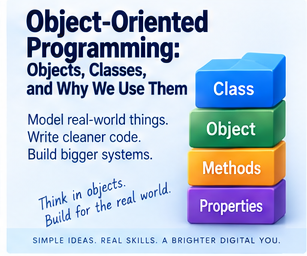
Object-oriented programming, usually shortened to OOP, is one of the most common ways of organising software, and the vocabulary alone can make it sound needlessly intimidating before you've even started: objects, classes, inheritance, encapsulation, polymorphism, abstraction. Quite a list. The underlying idea, though, is actually pretty natural. OOP gives you a way of designing software around things, rather than only asking "what instructions should happen next," you can also ask what things actually exist in this system, what information belongs to them, and what they can actually do. That shift in framing can make genuinely complicated software considerably easier to think about.
Thinking in objects
Building a learning-management system, you might naturally identify things like Student, Tutor, Course, Assignment, Organisation, and Invoice, each one a genuine object in the system. A Student might carry a name, an email address, a student number, a list of courses, and some record of progress, and be able to enrol on a course, submit work, view their own progress, or update their details. That's the data belonging to the student sitting right alongside the behaviour belonging to the student, grouped together deliberately, which is really the central idea underneath everything else in this article.
What an object actually is
An object represents something inside a program, sometimes mirroring a real-world thing, Customer, Car, Employee, BankAccount, and sometimes representing something that only really exists within the software itself, DatabaseConnection, EmailMessage, UserSession, ShoppingCart. Either way, an object generally holds data, describing what it is, and behaviour, describing what it can actually do.
What a class actually is
A class is the definition or blueprint an object gets built from. A Student class might specify that every student has a name, an email address, and a student ID, and that every student can enrol, submit work, and view results. From that single class, you create individual objects, Student 1 with Anne's details, Student 2 with Michael's, both genuinely Student objects sharing the exact same underlying structure, while holding entirely different actual data.
Class versus object, held simply
Class is the design. Object is an individual thing built from that design. Car is a class; Dave's car, Anne's car, and Michael's car are all objects built from it, each one potentially differing in colour, registration, mileage, and fuel level, while the class itself describes what a car object should generally look like and be able to do.
Why bother with any of this
You can absolutely write software without object-oriented programming, plenty of genuinely good software does. But OOP earns its place by giving you a mental structure to reach for. Building a hotel system, you naturally think in terms of Guest, Room, Booking, and Payment. A school system suggests Student, Tutor, Course, and Assessment. An online shop suggests Customer, Product, Order, Basket, and Payment. These objects give related information and behaviour somewhere genuine to live, which tends to make a large, sprawling system considerably easier to reason about.
This isn't a recent invention, either. The idea of organising a program around classes and objects specifically dates back to Simula 67, a language built in Norway by Ole-Johan Dahl and Kristen Nygaard in the late 1960s, originally intended for simulating real-world systems, queues, processes, physical objects interacting over time. Their idea of bundling data and behaviour together into a single unit turned out to be considerably more broadly useful than just simulation, and it went on to directly shape Smalltalk, then C++, then Java, and essentially the entire object-oriented tradition that followed over the following decades.
The four pillars
OOP is generally taught around four central ideas, encapsulation, abstraction, inheritance, and polymorphism, sometimes called the four pillars. They're not the only ideas that matter in object-oriented design, but they give you a genuinely solid starting point.
Encapsulation
Encapsulation means keeping related data and behaviour together, and controlling how the inside of an object actually gets accessed from outside it. A BankAccount object might hold balance and account_number internally, while offering methods like deposit(), withdraw(), and get_balance() as the only sanctioned way in. Rather than letting any part of the program change the balance however it likes, withdraw(100) can check whether there's genuinely enough money, whether the account's actually active, and whether the withdrawal is allowed at all, before ever touching the underlying balance. This protects an object's internal state directly rather than leaving it exposed to whoever happens to be nearby.
Encapsulation matters because it draws a genuine boundary. The rest of the program doesn't need to understand exactly how BankAccount works internally, it only needs to know how to interact with it, account.deposit(50), which is considerably safer than letting unrelated code reach in and manipulate internal values directly. That boundary genuinely helps with security, reliability, maintainability, and debugging all at once.
Abstraction
Abstraction means hiding unnecessary complexity behind something simpler. car.start() looks trivially simple, even though starting a modern car actually involves electrical systems, fuel systems, sensors, security checks, engine management, and battery management all coordinating together. The driver never has to orchestrate any of that directly, they just use start(). Software leans on exactly the same trick: calling send_email() doesn't require thinking through connecting to a server, authenticating, constructing headers, encoding the message, transmitting it, and handling whatever response comes back. Abstraction lets you work at a considerably higher level than all that detail, and it matters because human beings can only genuinely hold so much complexity in their heads at any one time. Being able to say "I know what this does, I don't need to think about how every single time" is what makes genuinely large software systems manageable at all.
Inheritance
Inheritance lets one class build directly on another. A User class might define a name, an email, a password, and the ability to log in, and then Student, Tutor, and Administrator can all inherit that shared behaviour rather than reimplementing it separately, while adding their own specific behaviour on top, submit_assignment() for Student, mark_assignment() for Tutor, manage_users() for Administrator. That reduces genuine duplication, define the shared behaviour once, and let specialised classes build outward from it.
But inheritance needs handling with real care. Stack enough layers on top of each other, User, StaffUser, TeachingStaff, SeniorTeachingStaff, TemporarySeniorTeachingStaff, SomeSpecialCaseNobodyExpected, and changing something near the top of that chain can ripple unpredictably through everything sitting beneath it. The hierarchy itself becomes genuinely hard to follow. This is exactly why modern developers often reach for composition instead, in situations where inheritance would otherwise create unnecessary rigidity: rather than saying "this object is a specialised version of that object," you say "this object contains or uses another component instead," which tends to make a system considerably easier to rearrange down the line.
Polymorphism
Polymorphism, despite the intimidating name, just means "many forms." In practice, it means different objects can respond to the same kind of request in genuinely different ways. EmailNotification, SMSNotification, and PushNotification might each provide their own send() method, and the rest of the program can simply call notification.send() without caring which type it's actually dealing with, an email gets sent as email, a text as a text message, a push notification as a push notification, all triggered by the exact same call.
This matters because it makes a system genuinely more flexible. Supporting email and SMS today, and adding WhatsApp tomorrow, becomes considerably easier if the rest of the system only ever needs to know "this thing can send a notification," rather than needing rewritten to accommodate every new type individually.
Decoupling
Software becomes tightly coupled when different parts depend heavily on each other's internal details, Module A only working if Module B's built one exact way, Module B reaching directly into Module C, Module C depending back on Module A, until changing any single piece risks disturbing everything else around it. Object-oriented design helps counter this by giving components clear responsibilities and clean interfaces, a PaymentProcessor offering process_payment() without the rest of the system needing to know or care whether the actual payment runs through Provider A, B, or C underneath.
Swapping components without rewriting everything
If email functionality sits neatly isolated behind an EmailService interface, switching providers later means replacing what sits behind that one interface, rather than rewriting the entire application around it. The application keeps calling send_email() throughout, while the actual implementation underneath quietly changes. That kind of modular design is a large part of why some systems stay genuinely maintainable for years, and others don't.
Easier debugging, as a direct consequence
If customer payments start failing and payment processing sits cleanly inside a well-defined PaymentService, you can investigate that one component directly, rather than picking through user profiles, course management, reporting, email, and stock control all at once purely on the off chance the problem's hiding somewhere in there. Breaking software into sensible, well-bounded components genuinely narrows down where a problem could actually be, and makes testing individual pieces, Student, Course, Payment, Email, considerably more realistic too.
Modularity
A large program divided into smaller conceptual units, a user module, course module, payment module, reporting module, authentication module, each with its own classes and responsibilities, tends to be genuinely easier to understand, test, maintain, replace, extend, and debug than one enormous undivided block of code trying to do everything at once.
Reuse
A well-built Address class might get reused across customers, staff, suppliers, and organisations alike, sparing you from reinventing the concept of an address separately in four different places. Shared behaviour can be reused through inheritance, composition, interfaces, or shared libraries, all aiming at the exact same underlying goal DRY has always been chasing: don't duplicate what you don't have to.
Objects tend to mirror the actual problem
Perhaps OOP's biggest practical advantage is that it often gives you an intuitive way to model whatever you're actually trying to build. A library system naturally suggests Book, Member, Loan, and Fine. A garage system suggests Vehicle, Customer, Job, Mechanic, and Invoice. The software starts to genuinely resemble the real-world domain it's representing, which makes conversations between programmers and the people who'll actually use the system considerably easier, you're talking about recognisable concepts rather than abstract variables and disconnected procedures.
OOP is not automatically good design
It's worth being genuinely careful not to equate "object-oriented" with "well designed." You can absolutely write terrible object-oriented code: too many classes, classes with genuinely unclear responsibilities, needlessly deep inheritance hierarchies, objects leaning far too heavily on each other, abstraction piled on for its own sake, interfaces that have become more complicated than the problem they were meant to simplify. OOP hands you a set of tools. It offers no guarantee whatsoever that you'll actually use them well.
OOP can become genuinely rigid
One real criticism of object-oriented design is that programmers sometimes try to define the entire structure of a problem too early, building classes, hierarchies, interfaces, relationships, and rules before the actual problem is properly understood. Then requirements inevitably shift, reality stubbornly refuses to fit the original class diagram, and changing the design becomes awkward precisely because the structure meant to make development easier has quietly started restricting it instead.
Too much architecture
It's genuinely possible to over-engineer a trivial problem. Reading a file, calculating a total, and displaying the answer almost certainly doesn't need a DataReaderFactory, an AbstractCalculationManager, a CalculationManagerImplementation, an OutputDisplayStrategy, an OutputDisplayStrategyFactory, and seventeen supporting interfaces. This isn't just a hypothetical joke, either, there's a genuinely well-known open-source project, purely satirical, with tens of thousands of people starring it on GitHub in appreciation, that implements the classic FizzBuzz programming exercise, printing "Fizz," "Buzz," or "FizzBuzz" depending on whether a number divides by 3 or 5, using an absurd tower of enterprise-grade design patterns, factories, strategies, abstract visitors, and dozens of interfaces, entirely as a joke about exactly this tendency. It's funny precisely because so many working developers have genuinely encountered the real thing. Sometimes a few clear functions really are enough, and good programming means choosing a structure that actually fits the problem in front of you, not the most elaborate architecture you happen to know how to build.
OOP can slow down genuine experimentation
While you're still exploring an idea, rigid object models can occasionally get in the way of just trying something, changing it, throwing it away, and trying something else entirely. Styles that favour rapid procedural or functional experimentation can feel considerably more flexible in that early, exploratory phase. Once the shape of the actual problem becomes clearer, a more structured object-oriented design tends to earn its keep. OOP provides genuine discipline. Too much discipline applied too early can quietly get in the way of the exploration that discipline is eventually meant to support.
OOP requires genuine understanding to maintain well
A mature object-oriented application can be genuinely difficult to work on safely if you don't understand its underlying design, classes, objects, inheritance, interfaces, methods, encapsulation, dependencies, polymorphism, composition, all of it. Without that grounding, apparently small changes can produce entirely unexpected consequences elsewhere in the system. This is exactly why good documentation, sensible naming, and genuinely straightforward architecture matter as much as they do.
Not all programming is object-oriented, and that's fine
OOP is far from the only way to write software. Procedural programming, functional programming, event-driven programming, and various data-oriented approaches all exist for good reason, and plenty of modern applications genuinely blend several of these styles together, objects for the larger components, functions for calculations, events for user interaction, functional techniques for data processing. Programming styles are tools you reach for as needed, not doctrines to be followed regardless of fit.
Choosing the right approach
OOP earns its place particularly well when a system contains genuinely recognisable entities, those entities carry both data and behaviour together, the project's large enough to genuinely benefit from clear boundaries between components, different implementations might need to be swapped out later, or several developers need to work independently on separate, well-defined pieces. It tends to earn its place considerably less when the problem's genuinely tiny, the task is really just a sequence of transformations, the object model would add more complexity than it actually removes, or the design's still likely to change rapidly during early experimentation.
The four pillars, once more
Encapsulation keeps related data and behaviour together while controlling access to the internals. Abstraction hides unnecessary complexity behind a simpler interface. Inheritance lets specialised classes build on more general ones. Polymorphism lets different objects respond to the same request in their own distinct ways. Together, these ideas help you build systems out of components that stay genuinely easier to understand and maintain over time.
The important part
Object-oriented programming was never really about creating classes because somebody once said good programmers use classes. Its actual purpose is helping you manage genuine complexity: model the important things as objects, give those objects clear responsibilities, hide unnecessary detail behind simpler interfaces, divide a large system into manageable components, and reduce unnecessary dependency between those components wherever you reasonably can. Done well, OOP can make software genuinely easier to reason about, maintain, test, debug, and extend. Done poorly, it can become rigid, needlessly over-complicated, tightly coupled, and genuinely hard to understand or change, exactly the outcome the FizzBuzz satire above is quietly poking fun at. Object-oriented programming was never automatically the answer to every programming problem. It's a way of thinking, and when the problem in front of you genuinely suits that way of thinking, it can be extraordinarily useful indeed.
Further reading
Head First Design Patterns, by Eric Freeman and Elisabeth Robson, offers a genuinely approachable introduction to object-oriented design and common design patterns, leaning on practical examples rather than pure theory.
Clean Code, by Robert C. Martin, explores classes, responsibilities, abstraction, coupling, and maintainability, all firmly grounded in the wider goal of organising software so that other humans can actually understand it.
The Pragmatic Programmer, by David Thomas and Andrew Hunt, offers a broader view of software design generally, covering modularity, decoupling, reuse, and choosing genuinely appropriate abstractions for the problem at hand.
The genuinely important question was never "how many classes can I create?" It's "does this structure actually make the problem easier to understand?" If it does, the object-oriented approach is doing exactly its job.
📝 Article
PHP: The Language Behind the Web Page
By Dave Milliken

Visit a website and you normally just see the finished result: a page loads, and there's text, images, buttons, menus, forms. Maybe you log in. Maybe you add something to a basket, or update your account. Behind a huge share of websites, though, considerably more is happening than the browser ever shows you. A modern site typically needs to receive information from a user, check a database, save something, retrieve something else, decide exactly what that user's actually allowed to see, and build a page dynamically to reflect all of it. One language traditionally built for exactly this kind of work is PHP.
An interesting name, with a joke buried inside it
PHP originally stood for Personal Home Page, back when it started life as a small collection of tools for building, well, personal home pages. As the language grew up, the name changed with it, and today PHP officially stands for PHP: Hypertext Preprocessor, which means the word PHP appears inside its own definition. That's a recursive acronym, PHP genuinely equals "PHP: Hypertext Preprocessor," and programmers occasionally find this kind of self-referential joke rather too delightful to resist.
What PHP actually is
PHP is a server-side programming language, and that distinction genuinely matters. HTML, CSS, and JavaScript are normally sent straight to your browser, which does the actual work of interpreting them. PHP, by contrast, generally runs on the web server itself: your browser sends a request, the server runs the relevant PHP, PHP produces a response, and only that finished response ever travels back to your browser. You never receive the PHP source code directly, only whatever output it decided to generate.
The front end, briefly
HTML provides a page's structure and content, headings, paragraphs, forms, buttons, tables. CSS controls how all of that actually looks, colours, fonts, spacing, layout. JavaScript adds behaviour inside the browser itself, responding to clicks, showing menus, validating forms, updating parts of a page without a full reload. Together, these three make up most of what you actually see and click on.
But websites need somewhere to remember things
A purely informational site might genuinely need nothing beyond HTML and CSS. But most genuinely useful websites need to remember things, user accounts, passwords, products, orders, baskets, bookings, messages, courses, students, invoices, and considerably more, and that information has to live somewhere. Very often, that somewhere is a database.
Databases, briefly
A database gives you structured storage, a table holding user ID, name, email, password hash, and account status, another holding product ID, name, price, and stock level. The page itself needs a genuine way to retrieve and update that stored information, and that's exactly where several technologies start working together.
SQL, briefly
Relational databases are generally queried using SQL, Structured Query Language, which lets you ask a database questions and make changes directly, retrieve a user, find a product, create an order, update an address, delete or archive a record. The database understands SQL perfectly well. The HTML page itself, though, doesn't normally connect to a database and start firing off SQL commands on its own. Something needs to coordinate that whole process, and PHP is very often exactly that something.
PHP as the coordinating middle layer
Picture someone visiting a login page and entering an email and a password. The browser sends that information to the web server, PHP receives it, and PHP can then validate the input, query the database, confirm the user genuinely exists, verify the password, check the account's actually active, create a login session, and decide what page should appear next. PHP sits right in the middle, bridging what the user actually sees and the data stored behind the scenes.
A simple example
PHP might contain something conceptually like $userName = "Anne"; echo "Welcome " . $userName;, and the resulting page simply displays "Welcome Anne." The browser has no idea, and no need to know, how PHP actually produced that text. It just receives the finished output.
PHP can live directly inside HTML
Part of what made PHP so widely adopted is that PHP code can sit embedded right inside an HTML page, a heading, then a block of PHP that echoes "Hello, Dave," then a closing paragraph. That PHP block gets processed entirely on the server, and the browser ultimately just receives the finished, plain HTML with "Hello, Dave" sitting where the PHP used to be. By the time the page reaches the browser, the PHP has already finished running.
The browser doesn't normally see the PHP at all
This is a genuinely important distinction between PHP and JavaScript. JavaScript commonly runs directly inside the browser, meaning the browser receives the actual JavaScript code itself. PHP normally runs on the server instead, which executes it and sends back only the result. JavaScript commonly runs client-side. PHP commonly runs server-side. That division isn't absolute in every corner of modern web development, but it's a genuinely useful starting point for understanding where each one actually operates.
Connecting to a database
PHP can connect to databases like MySQL, MariaDB, PostgreSQL, SQLite, and SQL Server, and once connected, it can send SQL queries and work directly with whatever comes back. A user opens their account, PHP asks the database which account belongs to them, the database hands back the relevant record, and PHP uses that record to actually build the page.
PDO
Modern PHP includes a standard database interface called PDO, PHP Data Objects, giving PHP a consistent way of talking to different database systems without needing entirely separate code for each one, connect to the database, prepare a query, supply the values, run it, read the result. The exact syntax matters once you're writing real applications, but the underlying idea is simple: PDO helps PHP communicate with a database safely and consistently.
Prepared statements
When PHP receives information from a user, that information should never simply get glued directly into an SQL query string. Doing that can create genuinely serious security holes. Modern PHP applications instead lean on prepared statements: prepare the structure of the SQL query first, keep the user's actual data entirely separate, and only supply the values afterwards. This helps guard against SQL injection specifically. The lesson here was never about memorising the exact syntax, it's that user input needs handling with real care throughout a web application, not treated as trustworthy text to be pasted straight into a command.
Logging in, as a worked example
A login form is a genuinely good illustration of how all these pieces fit together. The user sees an HTML form, some CSS styling, maybe a little JavaScript validation. They type in an email and password, the browser sends that to PHP, PHP checks whether the input's actually valid, queries the database via SQL, gets back the matching user record, verifies the password, and, if everything checks out, creates a session. The user is now considered logged in, having triggered what looks to them like one simple, single action, while several distinct technologies quietly did their separate jobs underneath it.
Sessions
HTTP, the underlying protocol the web runs on, is naturally quite stateless, meaning each individual request can look entirely independent of the last. PHP uses sessions to hold onto information across multiple requests, a user ID, login status, a role, some temporary basket contents, letting the application genuinely remember "this is still Dave, he's already logged in, and he's an administrator," rather than treating every single click as a stranger showing up fresh.
Forms
PHP is used constantly to process forms, contact forms, registration forms, login forms, booking forms, newsletter sign-ups. The user fills one in, the browser sends the data across, and PHP takes it from there, validating it, saving it, emailing it, rejecting it, showing an error, or redirecting the user onward, all more behind-the-scenes work most visitors never think twice about.
GET and POST
You'll commonly run into two ways of sending information to a web application, GET and POST. GET tends to be used for requesting information, searching for laptops, say. POST tends to be used for submitting or changing something, creating an account, saving a form, logging in. That's a simplified way of putting it, but a genuinely useful starting point, and PHP can receive and process either kind.
Dynamic pages
One of the real advantages of server-side programming is that pages can be generated dynamically rather than written out by hand one at a time. An online shop doesn't need someone manually writing a fresh HTML page every single time a product changes, PHP queries the database, the database returns whatever products currently exist, and PHP builds the appropriate page on the fly. Tomorrow, the database might hold entirely different products, and the exact same PHP code will happily produce entirely different output. That's what actually makes a website dynamic rather than static.
PHP does considerably more than just build HTML pages
PHP can also produce JSON, XML, files, images, API responses, downloads, and redirects, and it can send emails, process uploads, generate reports, read and write files, talk to other APIs, manage sessions, and run standalone command-line scripts. PHP is genuinely a general-purpose programming language that simply became particularly closely associated with web development along the way.
WordPress, and why PHP stays so widely encountered
One major reason PHP remains so common today is WordPress, which is written primarily in PHP. As of the most recent measurements available, WordPress alone powers somewhere around 40% of all websites on the internet, a genuinely enormous share, considerably ahead of any single competitor. That means a huge number of websites depend on PHP under the hood, even when whoever's actually managing the site never writes a single line of PHP themselves. Plenty of other major systems and applications have been built on PHP too, but WordPress alone accounts for a genuinely staggering slice of PHP's continued reach across the web.
From a simple script to a full application
PHP can be genuinely trivial, a two-line script echoing "Hello World" is perfectly valid PHP. But it can also power large applications involving authentication, databases, APIs, payments, file storage, user roles, reporting, business logic, and full administration systems. The language itself scales comfortably from a tiny script up to a genuinely large system, though the quality of the underlying architecture matters considerably more as that system grows.
What a framework actually is
As applications grow larger, developers keep bumping into the exact same recurring problems, routing requests, connecting to databases, validating forms, handling users, managing sessions, sending emails, building templates, handling errors. Rather than rebuilding all of that from scratch on every single project, developers reach for frameworks instead, a structure and toolkit built specifically for constructing applications.
Laravel
One of the best-known PHP frameworks is Laravel, offering ready-made tools for routing, database access, authentication, validation, templates, email, background queues, testing, and various security features. You still write the actual application yourself, Laravel just supplies a considerable amount of the underlying structure so you're not rebuilding it from nothing.
Other PHP frameworks
Symfony, CodeIgniter, and CakePHP are other well-known PHP frameworks, each taking a somewhat different approach, some considerably larger and more comprehensive, others deliberately lighter, some aimed at particular kinds of development. The underlying idea stays consistent throughout: don't reinvent common infrastructure on every single new project.
Flask, for contrast
Flask is also a genuine web framework, but it belongs entirely to Python, not PHP, a useful reminder that a framework and a programming language are two separate ideas sitting on top of each other. Python has frameworks like Flask and Django. PHP has frameworks like Laravel, Symfony, and CodeIgniter. The framework simply sits on top of whichever language it's built for, providing extra structure and tooling around it.
Why bother with a framework at all
Frameworks tend to offer consistency, reusable components, a standard project structure, built-in security features, database tooling, validation, routing, and testing support, generally meaning faster development overall. They also make it considerably easier for another developer already familiar with that framework to understand your project quickly, since you're following shared, established conventions rather than inventing your own approach to everything from scratch.
Frameworks have real drawbacks too
A framework isn't automatically the better choice. It brings extra complexity, dependencies, rules, conventions, and a genuine learning curve along with it. For a genuinely tiny application, reaching for a large framework can be considerably more overhead than the problem actually warrants, and plain, simple PHP is sometimes entirely adequate on its own. The right tool depends entirely on the actual problem in front of you.
PHP as the glue holding a traditional web application together
One useful way to hold all of this together: HTML creates the structure, CSS controls the appearance, JavaScript provides browser-side interaction, SQL communicates with the database, the database itself stores the information, and PHP helps connect all of those separate pieces together on the server. A user clicks Login, the browser sends the form, PHP receives it, asks the database via SQL, gets the user record back, verifies the credentials, creates a session, and sends back the resulting page for the browser to display. That's the role PHP very often plays, quietly, in the middle of it all.
Server-side code carries the real authority
A browser should never be trusted with every important decision on its own. Whether a user's genuinely an administrator, whether a payment's actually valid, whether someone's allowed to view a particular record, whether a password's genuinely been verified, these decisions belong on the server, enforced there directly. JavaScript can make the experience feel smoother and more responsive. Server-side code like PHP provides the actual, authoritative checks, precisely because browser-side code can always be altered or bypassed by whoever's sitting at the keyboard.
PHP and security
Because PHP so often sits directly between users and sensitive data, security genuinely matters throughout. PHP applications need to think carefully about input validation, prepared SQL statements, password hashing, sessions, permissions, file uploads, output escaping, authentication, and error handling. The point here was never to teach every one of those subjects in full, it's that PHP frequently operates at a genuinely security-sensitive part of the system, receiving information straight from users and working directly with real data, which is exactly why writing it carefully actually matters.
The important part
PHP is a server-side programming language strongly associated with web development, officially standing for PHP: Hypertext Preprocessor, and it very often sits quietly behind the visible parts of a website. A typical web application weaves together HTML for structure, CSS for appearance, JavaScript for browser-side behaviour, PHP for server-side processing and application logic, SQL for talking to a relational database, and the database itself for persistent storage. A user might just see a Login button. Behind it might sit HTML, JavaScript, PHP, SQL, a full database, password verification, sessions, and permission checks, all working together. What looks simple sitting on the screen can involve several distinct layers cooperating underneath, and PHP is very often one of the technologies making sure those layers actually talk to each other properly.
Further reading
PHP: The Right Way is a widely used, freely available online guide covering modern PHP practices, dependency management, databases, security, and testing tools.
Modern PHP, by Josh Lockhart, offers a genuinely useful introduction to contemporary PHP development and the broader ecosystem that's grown up around it.
Laravel's official documentation is an excellent, practical way to see how PHP actually gets used inside a modern web framework, for anyone curious to look further.
The genuinely important thing to understand about PHP was never memorising its syntax. It's understanding exactly where PHP sits in the system: the browser displays the application, the database stores the information, SQL talks to that database, and PHP helps the whole conversation actually happen.
📝 Article
Motivation: Why Wanting Something Isn’t Always Enough
By Dave Milliken
Most of us know exactly what it feels like to want something. We want to get fitter, change jobs, finish a course, learn a new skill, sort out our finances, start a business, write something, repair a relationship, or finally finish the thing that's been sitting half-done for months. Wanting something is easy. Doing something about it is considerably harder, and that gap between the two is where motivation actually gets interesting.
Motivation tends to get treated as though it's simply a feeling, as if successful people wake up every morning genuinely brimming with enthusiasm and leap straight out of bed toward their goals. Real life is considerably less dramatic than that. Some days you feel motivated. Some days you really don't, and the trouble with leaning entirely on motivation as a feeling is that feelings shift constantly. A goal that felt genuinely exciting on Monday can feel a lot less appealing by Thursday afternoon. So perhaps the more useful question was never "how do I stay motivated all the time," but "how do I keep moving on the days motivation isn't particularly interested in helping me?"
What actually motivates us
People respond to a genuinely wide range of things. Money motivates us. So does recognition, fear, competition, curiosity, a sense of responsibility, wanting to help someone else, or simply the desire to get better at something. There's nothing inherently wrong with external rewards, we all have bills to pay, and most of us genuinely appreciate being recognised for good work. But external rewards alone don't tend to sustain effort over the long haul.
Daniel Pink, in Drive, draws a genuinely useful distinction between motivation that's driven mainly by external rewards and motivation that comes from a deeper connection with the work itself, highlighting three ideas in particular: autonomy, the sense that you have some real control over what you do and how you do it; mastery, the desire to get better at something that actually matters to you; and purpose, the feeling that what you're doing connects to something larger than the immediate task sitting in front of you. When those three are genuinely present, motivation tends to become considerably more durable.
Wanting the result isn't the same as wanting the process
This is one of the more uncomfortable truths about motivation. We very often want the outcome considerably more than we want the actual work required to get there. Someone might genuinely want a qualification without particularly wanting to study on a wet Tuesday evening. Someone might want to become a programmer without especially enjoying every error message, every failed attempt, or the hour spent working out why one missing character broke the entire program. Someone might want to get fitter without exercise ever becoming effortless. A goal can stay genuinely attractive while the process required to reach it remains difficult the whole way through, which is exactly why motivation needs more than sheer desire behind it. It needs actual structure.
Goals give motivation somewhere to go
A vague desire is genuinely hard to act on. "I want to improve my life" might be entirely sincere, but it gives you almost nothing to actually work with. Improve what, exactly? By how much? What would improvement even look like, and what happens once you get there? A proper goal gives motivation genuine shape. "I want to learn more about computers" becomes "I want to complete a course in Excel," which immediately opens up better questions: when, how, what do I actually need, and what's the first physical step?
This isn't just a nice turn of phrase either, it's one of the more heavily researched findings in organisational psychology. Edwin Locke and Gary Latham spent decades studying exactly this question, eventually synthesising several hundred separate studies, and found that specific, appropriately challenging goals consistently outperformed vague "just do your best" goals, or no goal at all, in the overwhelming majority of the studies they reviewed. The effect held up across genuinely different domains, business performance, athletic training, academic work, and more. The mechanism seems to be fairly straightforward: a specific goal focuses your attention, pushes you toward more effort, helps you keep going when things get uncomfortable, and forces you to actually think through a strategy rather than vaguely hoping things work out. "Do your best" sounds encouraging. It gives you almost nothing to actually aim at.
But one goal is rarely enough on its own
There's a real problem waiting on the other side of a goal too: what happens once you've actually reached it? Complete the course, and then what? If the course only ever existed as a finish line, motivation can evaporate remarkably fast the moment you cross it. A genuinely useful goal tends to lead somewhere further, complete the course, then use the skill, then take on something more complicated, then perhaps teach someone else, then perhaps progress toward the next qualification. That doesn't mean life needs to become an endless treadmill where every achievement instantly demands another. Quite the opposite, really, it means goals work best as part of a direction rather than sitting there as isolated trophies, and there should always be room to stop, actually enjoy what you've achieved, and honestly decide whether the next step is genuinely worth taking.
Ask why, properly
One of the most useful questions you can ask about any goal is simply "why do I actually want this?" Not the polished answer you'd give if someone asked you directly, the real one. Wanting a qualification might really be about wanting a different job, more confidence, a genuine new challenge, a route into further study, or just proof to yourself that you can actually do it. The qualification itself isn't really the destination there, it's part of something considerably larger, and that connection genuinely matters. When the work gets difficult, having a clear reason gives the goal something solid to hold onto.
Purpose doesn't need to be grand to actually work
Purpose doesn't require changing the world. It can be entirely ordinary: I'm learning this because I want more independence. I'm doing this because I want better opportunities. I'm finishing this because I made a promise to myself. I'm building this because it'll make someone else's life a bit easier. I'm practising because I genuinely want to get good at this. The point is simply that the activity connects to something that actually matters to you, and that connection changes your entire relationship with the work itself. It stops being "I have to do this" and becomes "I'm doing this because it leads somewhere I genuinely care about."
Autonomy matters more than people expect
People tend to feel considerably more motivated when they have some real say over how they approach a task, and that doesn't mean unlimited freedom, most jobs, courses, and responsibilities come with genuine rules attached. But even small amounts of choice can matter: when you do the work, which part you tackle first, how you organise it, which method or tools actually suit you.
Bruce Daisley's The Joy of Work looks closely at how working conditions shape people's actual capacity to do good work, and it's a genuinely important reminder that motivation never exists in a vacuum. Telling someone who's constantly interrupted, exhausted, micromanaged, and given zero control over their work that they simply need "more motivation" is unlikely to solve very much at all. Sometimes what looks like a motivation problem is really an environment problem wearing a motivation problem's clothes.
Motivation needs genuine room to breathe
It's genuinely difficult to feel motivated when every single task feels urgent, hard to concentrate when notifications keep arriving, and hard to make real progress without any uninterrupted stretch of time to actually think. Daisley's work is useful precisely because it reframes the whole question: sometimes the most effective motivational move isn't another inspirational quote, it's turning the notifications off, clearing some genuine time, cutting the number of competing demands, deciding what actually matters today, and then simply beginning.
Mastery creates its own fuel
There's something genuinely satisfying about actually getting better at something. A skill that felt awkward at first eventually starts feeling easy, almost without you noticing the shift happen. You solve a problem faster than you used to. Something that used to confuse you suddenly makes sense. You produce noticeably better work than you did a month ago. That sense of progress can become motivating in its own right, because mastery gives you genuine evidence that your effort is actually working, and evidence tends to be considerably more motivating than encouragement ever is.
Progress genuinely changes how you see yourself
At the start of a difficult task, you usually have very little proof you can actually succeed at it. After a handful of small wins, that changes, and you genuinely start thinking "I can actually do this," not because positive thinking magically rewrites reality, but because your own recent progress is real evidence sitting right there. Someone who's finished ten lessons is in a genuinely different psychological position than someone still staring at lesson one. Progress builds real momentum, and momentum makes the very next action considerably easier to take.
Commitment can help carry you through
Robert Cialdini's Influence explores how powerful commitment and consistency actually are in shaping human behaviour. Once you've made a genuine commitment, especially one you've said out loud or already acted on, you tend to feel real internal pressure to behave consistently with it afterwards, and that pressure can genuinely work in your favour. Writing a goal down, telling someone you trust, enrolling on a course, booking the exam, or simply starting a project all shift something quietly, moving you from "I might do this" to "I am doing this." That shift in identity carries real weight. Commitment shouldn't become a trap, though, sticking with a bad decision purely because you once committed to it isn't perseverance, it's often just refusing to admit that circumstances have genuinely changed. Consistency earns its keep only while the underlying direction still actually makes sense.
Applying real ethical pressure to your own goals
Goals can turn genuinely unhealthy if you never stop to ask whether they're still actually serving you. Someone sets a target, reaches it, then immediately sets a bigger one, then bigger again, and there's nothing inherently wrong with ambition on its own. But a goal can eventually stop being a tool you're using and quietly become something closer to a master you're now serving instead, which is exactly why it's worth applying real ethical pressure to your own goals occasionally: what will actually reaching this cost, who else is genuinely affected, what am I sacrificing to get there, is this still improving my life, would I honestly encourage someone I cared about to pursue it this exact same way?
This isn't purely a personal-development concern either, it's played out at genuinely enormous scale in the real world. In 2016, Wells Fargo was found to have pushed staff toward an aggressive internal sales target, popularly known inside the company as "Eight is Great," pressuring employees to sell as many as eight separate financial products to each customer. Under that pressure, employees ultimately opened around 3.5 million bank and credit card accounts without customers' knowledge or consent, simply to hit the numbers they'd been set. Roughly 5,300 employees were eventually fired, the bank was fined $185 million by US regulators, and the fallout continued for years afterwards, additional settlements, congressional hearings, and a chief executive publicly told by lawmakers he should resign. The goal itself, a specific, aggressive sales target, worked exactly the way specific goals tend to work, focusing enormous effort and attention on hitting the number. It simply never asked, at any point along the way, whether hitting that number was actually still a good idea. A goal can genuinely tell you where to go. It was never supposed to remove your ability to decide when enough is actually enough.
Planning turns motivation into something you actually do
A goal without a genuine plan leaves too many decisions sitting there for "later," and later tends to be an extraordinarily crowded part of anyone's calendar. Planning builds the actual bridge between "I want to do this" and "here's exactly what I'm doing next": tonight, read one chapter; tomorrow morning, spend thirty minutes on the assignment; on Friday, review what actually got done. Once the action becomes specific, it needs considerably less motivation to actually begin.
Make the very next step almost embarrassingly obvious
Large goals can be genuinely paralysing. Write a book. Change career. Build an application. Complete a qualification. Every single one of those is really dozens or hundreds of smaller tasks wearing one big name. When a goal feels too large to even approach, shrink it down and ask what the next physical thing you can actually do is: open the document, write the title, answer one question, send one email, read one page, create the folder, install the software. The smaller that next action genuinely is, the less internal negotiation it takes to actually start.
Your environment is quietly shaping your behaviour too
Cialdini's work is also a genuine reminder that people are heavily influenced by their surrounding context: what other people around us do, what feels normal, what's actually visible, what requires real effort. That means you can deliberately design your own environment to support the behaviour you actually want. Want to read more, leave the book somewhere you'll genuinely see it. Want fewer distractions, physically move the distracting apps out of easy reach. Want to study first thing tomorrow, prepare everything you need tonight. Make the good behaviour slightly easier and the bad behaviour slightly more awkward, and that small difference genuinely compounds. Motivation was never purely something sitting inside you. It's shaped just as much by what's actually sitting around you.
Motivation will disappear sometimes, and that's genuinely normal
There will be days you simply don't feel like doing the thing. That's ordinary, not a warning sign. The real mistake is assuming a lack of enthusiasm means the goal itself no longer matters, when in reality we do plenty of genuinely worthwhile things without feeling remotely inspired in the moment. Sometimes discipline carries you. Sometimes routine does. Sometimes it's just commitment quietly doing the work. And sometimes you simply do ten minutes, because ten minutes genuinely beats nothing at all. Motivation is often what starts the movement. Structure is what actually keeps it going afterwards.
Don't mistake difficulty for failure
Something being genuinely difficult doesn't mean you're doing it badly. Sometimes difficulty just means it's new, it requires real effort, and you haven't mastered it yet, full stop. Unrealistic expectations are what quietly turn ordinary learning into something that feels like failure, expect instant competence, and normal early struggle starts feeling like proof you can't do it. A considerably healthier expectation going in: "I'll probably be genuinely bad at this before I get any good at it," which gives you actual permission to learn rather than demanding you arrive already finished.
Your goals deserve the occasional honest review
A goal you set six months ago doesn't automatically deserve permanent loyalty. Circumstances shift. You shift. Priorities genuinely change. So review your goals every so often and ask plainly: do I still actually want this, does it still lead where I originally thought it would, is there a genuinely better route now, does this goal need adjusting, or does it need abandoning altogether? Stopping something that no longer makes sense isn't automatically failure. Quite often, it's simply good judgement.
Motivation was never really a personality trait
It's tempting to sort people into fixed categories, motivated, lazy, driven, unfocused, when reality is genuinely more complicated than that. The exact same person can be intensely motivated in one area of their life and completely uninterested in another right alongside it. Someone who looks unmotivated might actually be exhausted, confused, overwhelmed, quietly afraid of failing, genuinely unsure where to even begin, or working toward a goal that was never really theirs to begin with. That's precisely why telling someone "you just need more motivation" so rarely helps anyone. A considerably better question is simply: what's actually stopping the movement here?
The important part
Wanting something genuinely matters, it gives you real direction. But wanting alone is rarely enough on its own. Sustained motivation tends to show up when you've got a genuinely clear goal, an honest reason it actually matters, some real control over how you pursue it, a real sense that you're improving, an actual plan, visible progress along the way, an environment that supports the behaviour rather than fighting it, and a genuine willingness to reconsider the goal itself when circumstances shift. Motivation was never about feeling excited every single day. It's about building enough genuine connection between what matters to you and what you actually do next that progress stays possible, even on the days enthusiasm is nowhere to be found. A good goal should pull you forward. It should never just drag you along indefinitely. And perhaps the most useful question was never "how badly do I want this," it's "why do I actually want it, what am I genuinely prepared to do next, and will actually reaching it take me somewhere worth going?"
Further reading
Drive, by Daniel H. Pink, explores intrinsic motivation and the genuine importance of autonomy, mastery, and purpose, particularly in work that involves real thinking, creativity, and problem-solving.
The Joy of Work, by Bruce Daisley, looks at the actual conditions that help people do genuinely good work, concentration, social connection, boundaries, and the ways a working environment can either support or quietly undermine motivation.
Influence, by Robert B. Cialdini, explores the psychological principles that shape behaviour and decision-making, including commitment, consistency, social proof, reciprocity, and authority.
Taken together, these three books offer a genuinely important reminder: motivation was never simply a matter of wanting something badly enough. It's shaped by purpose, environment, behaviour, real progress, outside influence, and the systems you deliberately build around yourself.
📝 Article
Procrastination: Why We Put Things Off
Almost everybody procrastinates. It genuinely took me ages to get around to writing this article. We put off the email we don't want to write, delay the application form, avoid the assignment, leave the expenses claim sitting untouched for another week. We know the tax return has to be done, and somehow the kitchen cupboard suddenly becomes fascinating and urgently in need of reorganising instead.
Procrastination is normal, and it's genuinely widespread, one of the most heavily cited pieces of research in this area, a large-scale review of the field by the psychologist Piers Steel, found that somewhere between 80 and 95 percent of college students procrastinate on their coursework, and that procrastination chronically affects roughly 15 to 20 percent of adults generally, not just occasionally putting something off, but repeatedly, as a genuine pattern. So if this feels uncomfortably familiar, you're in very ordinary company. The problem was never procrastinating occasionally. It's when it becomes a genuine pattern, and we find ourselves repeatedly doing important work under unnecessary pressure, with less time, less energy, and fewer chances to actually catch our own mistakes. So the useful question was never "why am I so lazy?" It's "why does not doing this feel more attractive, right now, than doing it?"
The short-term bargain
Procrastination makes genuine sense in the short term, which is exactly why it's so persistent. Picture a long application form, one that needs real concentration, arriving while you're tired and genuinely unsure how to answer a couple of the questions. Doing it now costs you an hour of effort, some frustration, real uncertainty, and the possibility of discovering it's harder than you expected. Not doing it gives you immediate relief: you can do something easier instead, watch television, answer the simpler emails, and quietly tell yourself "I'll do it tomorrow." In that exact moment, avoidance genuinely feels cheaper. That's precisely why procrastination is so attractive, it hands you an immediate emotional reward, and the task simply disappears, at least for now.
The bill arrives later
The trouble is the cost hasn't actually vanished. It's only moved further down the calendar. If the application's due Friday, avoiding it on Monday feels easy, still manageable Tuesday, and the pressure genuinely starts building by Wednesday. By Thursday evening, the whole situation looks completely different, the emotional cost of not doing it has become enormous, and keep avoiding it now and you risk missing the deadline outright. Suddenly, doing the task becomes genuinely less painful than not doing it, and that's usually exactly the point where procrastination actually ends. Not because motivation finally showed up. Because the pressure has finally grown stronger than the desire to keep avoiding the work.
Why deadlines suddenly make us productive
This is why people so often say "I work best under pressure." Sometimes they genuinely do. But quite often what they actually mean is "pressure eventually becomes strong enough to force me to start," the deadline simply removes the alternative of "I'll do it later," because later has now genuinely arrived. Someone might then work with real intensity for several hours, which can certainly feel productive in the moment. It comes at a real cost, though, considerably less time to think, review, catch mistakes, ask for help, or actually improve the work. The task gets finished. It's not always the person's best work.
Worth being honest here, though: the research is a bit more nuanced than "pressure is always bad." Some studies within Steel's broader review distinguish between people who procrastinate passively, largely out of avoidance, and a smaller group of so-called "active procrastinators," people who genuinely seem to choose the delay deliberately and use the resulting pressure productively, and these active procrastinators show outcomes that look considerably closer to, and in some studies even slightly better than, people who don't procrastinate at all. That's a genuine finding worth acknowledging rather than glossing over. But it's a narrow exception rather than the rule, and passive procrastination, the far more common variety, remains reliably linked to poorer performance and considerably more stress. If you're deliberately choosing to delay and genuinely using that pressure well, that's a different situation entirely from simply avoiding something you're dreading and hoping pressure eventually rescues you.
The pressure can become the habit
This can settle into a genuinely uncomfortable cycle: delay, feel guilty, delay again, feel more pressure build, rush, finish, feel relief, then repeat the exact same process next time round. The relief at the very end can actually reinforce the whole pattern, "I got away with it," and technically, you did, right up until the next deadline. Over time, procrastination stops being about one difficult task and starts becoming a genuinely familiar way of working, and that habitual cycle is really what needs interrupting.
Procrastination isn't always about not caring
Sometimes we delay things precisely because they matter enormously. A job application can feel emotionally heavy specifically because we genuinely care how it turns out. An assignment can feel difficult because we're afraid of doing badly at it. A grant application can feel overwhelming because we're genuinely unsure whether we deserve the funding, or braced for rejection either way. Perfectionism drives plenty of procrastination too, if the work has to be excellent, starting at all creates the very possibility of falling short, so we quietly delay the start instead. This is one of the stranger things about procrastination: avoiding the task can temporarily protect you from an uncomfortable feeling, while usually making the actual practical problem considerably worse.
Make the task ordinary
One of the best ways to genuinely reduce procrastination is stripping the drama out of important tasks altogether. Rather than waiting until something becomes urgent, give it a fixed, regular place in your routine instead. If you regularly need to submit expense claims, job applications, grant applications, financial returns, or training paperwork, rather than treating each one as its own separate emergency, pick a recurring time, "every Monday morning, I deal with applications and financial paperwork." The task becomes considerably less negotiable once Monday simply is the day that happens, rather than something you have to decide afresh, from nothing, every single week.
Habit reduces negotiation
Think about brushing your teeth. Most people don't spend twenty minutes each morning genuinely debating whether today's a good day for dental hygiene, it's simply part of the routine, no negotiation required. That's the real power of habit: the more decisions you can strip out of a recurring task, the less motivation you actually need each time it rolls around. If a particular task keeps triggering procrastination, ask whether it can be given a genuinely fixed place in the week, Friday afternoon for expenses, Monday morning for applications, Wednesday lunchtime for course admin, the last working day of the month for financial records. The task becomes something you simply do, rather than something you repeatedly, exhaustingly, decide whether to do.
Start before you actually need to
There's a genuinely large psychological gap between "I must finish this tonight" and "I'm spending thirty minutes on this today." The first feels like an emergency. The second feels entirely manageable. Starting early hands you real choices: if the task turns out harder than expected, you've got time; if you discover you're missing information, you can go get it; if you get stuck, you can actually ask for help; if you make a mistake, you can genuinely fix it. Time gives you flexibility. Procrastination quietly takes that flexibility away from you.
Reduce the size of the first step
Sometimes the task itself just feels too big. "Complete the application," "write the report," "finish the assignment" can all feel like genuinely heavy instructions on their own. So shrink the actual first step down: open the form, read the questions, complete just the first section, gather the documents, write one paragraph, check the deadline. A smaller first step meets considerably less internal resistance, and once you've actually begun, continuing tends to be a lot easier than the beginning ever was. The hardest part of most tasks is really the transition from "I'm not doing this" to "I've started."
Make progress visible
Large tasks can feel genuinely endless when progress is hard to actually see. Breaking them into distinct stages helps a lot: read the guidance, gather evidence, complete section one, complete section two, review, submit. The work now has real shape, and each completed stage becomes genuine evidence that it's actually moving, which matters because visible progress is motivating in its own right. A task sitting at 60 percent complete feels genuinely different from a task that only exists as one enormous, unfinished block sitting there in your head.
Use external structure when it genuinely helps
Sometimes self-discipline alone genuinely isn't enough, and that's completely fine. External structure can pick up the slack: book real time in your calendar, tell a colleague when you actually intend to finish, arrange to review something with someone else, use a proper checklist, set yourself an earlier personal deadline than the real one. The goal was never to manufacture unnecessary pressure, it's building enough structure that the task can't drift indefinitely. If the genuine deadline is Friday, setting your own personal deadline for Wednesday gives you real room to handle problems without needing a heroic effort on Thursday night.
Watch out for fake productivity
Procrastination doesn't always look like doing nothing at all. Sometimes it looks genuinely productive: answering emails, organising folders, tidying the desk, updating a spreadsheet, reading background material, building a genuinely beautiful colour-coded plan. All of that might be useful in its own right. But if the one thing that actually matters remains completely untouched, it might simply be avoidance wearing a professional-looking outfit. A genuinely useful question in the moment: am I doing something useful here, or am I doing something easier purely because I'm avoiding the thing that actually matters most? That can be an uncomfortable question to ask yourself honestly. It's also a genuinely useful one.
Perfectionism can quietly delay action
Another common trap: "I'll start once I have enough time to do it properly." Unfortunately, that perfect, uninterrupted block of time has an unfortunate habit of never quite arriving. Sometimes it's genuinely better to produce a rough first version, a partial version, twenty minutes' worth, one section, and improve it properly afterwards. A task doesn't need to begin perfectly. It only needs to actually begin.
Build a support plan in advance
If you already know you tend to procrastinate on certain kinds of task, plan around that ahead of time rather than waiting for the problem to reappear yet again: applications always get done on Monday, expenses always go in every Friday, assignments get reviewed a full week before the deadline, large projects get broken into weekly milestones, difficult emails get written before lunch rather than left languishing till the end of the day. The genuinely important point is that the plan exists before the emotional resistance shows up. You're not relying on some future, more disciplined version of yourself to magically appear. You're handing that future version of yourself an actual structure to work within instead.
Don't punish yourself for procrastinating
Beating yourself up rarely helps much. If you delayed something, the more useful move is learning from it: why did I actually avoid this, was the task unclear, was it too large, was I genuinely afraid of the outcome, did I underestimate how long it would take, did I simply never give it a proper place in my schedule? That's genuinely useful information. Shame usually isn't. The aim was never becoming someone who never procrastinates, that person probably doesn't exist. The aim is becoming someone who notices the pattern earlier, and interrupts it sooner each time.
The cost of repeated procrastination
Leaving one task until the last minute probably doesn't matter much in isolation. Repeated procrastination genuinely can, creating stress, poorer-quality work, missed opportunities, late submissions, damaged relationships, financial penalties, exhaustion, and a quiet erosion of your own confidence over time. This isn't purely abstract, either: one widely cited survey by the tax preparation firm H&R Block found that procrastinating on tax filing cost people, on average, around $400 more than filing calmly and on time, purely down to the rushing and the resulting errors that come with leaving it until the very last moment. The practical cost genuinely matters. But the emotional cost matters just as much, carrying an unfinished task around in your head for two solid weeks can sometimes be more exhausting, overall, than simply doing the thing would have been in the first place.
Relief is not the same thing as progress
This might be the central idea running through all of this. Avoiding a difficult task gives you relief. But relief is temporary. Progress creates something considerably more useful. Submit the application early, and you stop thinking about it every single evening. Complete the assignment in stages, and you're not carrying the entire thing around in your head the night before it's due. Submit your expenses every Friday, and you never end up reconstructing three months of receipts from memory in a panic. The reward for actually doing the task isn't always immediate excitement. Sometimes the reward is simply "it's done," and that's a genuinely powerful form of relief in its own right, considerably more durable than the relief avoidance ever gave you.
The important part
Procrastination is normal, most people put things off sometimes, often because, in that exact moment, avoiding the task genuinely feels less costly than doing it. The real problem is that the cost never disappears, it just moves forward, the deadline gets closer, the pressure builds, and you end up forced to act under conditions considerably worse than they ever needed to be. The answer was never simply "try harder." It's reducing how much last-minute motivation you actually need in the first place: build real routines, give recurring tasks a fixed place in your week, break large jobs into smaller genuine actions, start well before pressure turns urgent, use external structure where it actually helps, make progress visible to yourself, and when you notice yourself procrastinating, ask what you're actually avoiding, rather than why you're being lazy. That question tends to tell you considerably more. The goal was never eliminating procrastination completely. It's making sure procrastination stops deciding the conditions under which you end up doing your work.
Further reading
Drive, by Daniel H. Pink, helps explain why people engage more deeply with work that feels genuinely meaningful, manageable, and connected to autonomy, mastery, and purpose, all of which affect how readily we actually start something in the first place.
The Joy of Work, by Bruce Daisley, explores how working conditions, interruptions, social pressure, and environment shape our actual ability to concentrate and get meaningful work done.
Influence, by Robert B. Cialdini, looks at commitment, consistency, and behaviour, and helps explain why routines, public commitments, and environmental cues genuinely shape whether we follow through on our own intentions.
Procrastination is rarely solved by simply waiting to feel more motivated. More often, it's solved by making the important action genuinely easier to begin, well before urgency ever gets the chance to take over.
📝 Article
Small Wins: Why Progress Creates Motivation
By Dave Milliken
Large problems have a genuine way of looking larger the longer we stare at them. Write the report. Prepare the training course. Finish the assignment. Submit the application. Reorganise the project. Respond to everybody. Even when we genuinely want the end result, the task itself can feel heavy the moment we actually look at it, and we start calculating the cost in time, concentration, effort, and emotional energy before we've done a single thing. At that point, doing nothing can feel surprisingly attractive, not because the task doesn't matter, but because the whole thing feels genuinely too large to even begin. That's exactly where small wins earn their keep.
The problem with staring at the whole mountain
Tell someone "you need to reorganise this entire project," and it sounds genuinely enormous, meetings, messages, decisions, documents, disagreements, planning, and probably several things nobody's even thought about yet. The natural reaction is "I'll deal with that later." Now change the actual question. Rather than "how do I reorganise the entire project," ask "what's the smallest useful thing I can actually do next?" Maybe the honest answer is simply "read one email." That's considerably less intimidating. You're no longer trying to solve the whole problem. You're just reading one message.
This isn't purely a comforting turn of phrase, either. Researchers at Harvard Business School spent years analysing nearly 12,000 daily diary entries from 238 employees working across seven different companies, tracking exactly what actually shaped people's motivation and emotional state at work day to day. The single strongest factor they found, stronger than praise, stronger than salary, stronger than any incentive scheme, was simply making progress on work that genuinely mattered to the person doing it, and crucially, the progress didn't need to be dramatic to have that effect. Small, incremental steps forward on a meaningful project moved people's motivation and engagement more reliably than almost anything else measured in the entire study. Small wins, in other words, aren't just a comforting trick. They're the single most powerful lever researchers have actually found for genuine day-to-day motivation.
Small changes the emotional cost
This matters because we naturally weigh the emotional cost of doing something against the emotional cost of avoiding it. If a task feels enormous, avoidance tends to win that comparison easily. But shrink the task down to opening the document, reading the first paragraph, replying to one email, writing three sentences, making one phone call, and the whole balance shifts. The task no longer feels expensive enough to be worth avoiding, and something genuinely important happens the moment you actually begin: you now have progress, where a moment ago you had none.
Progress changes the problem itself
Say you read one email from someone involved in a project, genuinely intending that to be the only thing you do. But now you're curious what the next person said, so you read that one too, then another, and before long you've worked through five or six responses. The task that originally looked like "deal with this entire project" has quietly turned into "I've now read all the responses." That genuinely changes how the problem feels. You're no longer standing at the very beginning of it. You're already inside it.
One action creates the next
Once you've read those responses, another small step often becomes genuinely obvious, maybe sending a short message thanking everyone, something like "thanks for the responses, I've read through them and I'm going to do a little more research before coming back to everyone." That message doesn't solve the whole project. But it does something genuinely valuable: it creates real movement. People know you've started. You know you've started. The problem stops being untouched.
Starting is often harder than continuing
There's a useful borrowed idea here from physics: an object in motion tends to stay in motion. Yes, the actual physical law concerns rather more specific conditions than someone trying to finish an assignment, but as a metaphor, it holds up remarkably well. Starting usually demands the most effort of anything in the whole process. Once you're already doing something, continuing tends to feel considerably easier, the first paragraph might be genuinely difficult, but the second one often comes more naturally because you're already thinking about the subject. Opening the spreadsheet might be the real hurdle, once it's open, checking one figure naturally leads to checking the next. Movement genuinely creates more opportunities for further movement.
Small wins create real evidence
A small, completed task hands motivation exactly what it desperately needs: evidence. Before starting, the internal story tends to run "this is too much, I don't know where to begin, I'll never finish this." After one small win, that story shifts slightly to "I've started." After several: "I'm making genuine progress." Eventually: "I can actually do this." That's not empty positive thinking dressed up as insight. It's grounded in real evidence, the work genuinely exists now, and the progress is genuinely visible.
Break the big thing down, then break it down again
If a task feels too large, break it down, and if the pieces still feel too large, break those down again too. "Prepare a training course" might become decide the learning objectives, outline the topics, create the slides, prepare the activities, check the timing, review the material, already considerably easier. If "create the slides" still feels too large, break it again: create the title slide, create the introduction slide, create the first topic slide, add one diagram, write one activity. Now there's genuinely something you can actually start on right now.
Don't make the first step heroic
The first step should be easy enough that you never need a motivational speech to actually take it. Instead of "write the article," try "write the title." Then "write the opening paragraph." Then "add the first section." A genuinely useful first step should feel almost too small to matter, and that's entirely fine, its job was never finishing the whole task. Its job is simply getting you moving at all.
Momentum can genuinely become enjoyable
Something interesting tends to happen once progress actually begins: the work itself starts becoming enjoyable. At the start, you might be forcing yourself into it. A little further along, you start seeing what the finished thing could actually become, spotting connections, getting genuine ideas, growing curious, starting to care about the quality rather than just the completion. The task stops feeling like "something I have to do" and starts feeling like "something I'm actually building." That shift produces its own motivation, entirely separate from wherever you started.
A real example
When I began writing this collection of articles, I never sat down thinking "I'm going to produce 31 finished articles." That would have felt genuinely ridiculous as a starting point. I started by sketching out the topics instead, which felt entirely manageable. Once the topics existed, the next thought was simply "I may as well try the first one." Then, "I've already drafted it, so I may as well improve it." Then another article seemed possible. Then another. The work started generating its own momentum, and a few days later, what had started as a rough list had genuinely turned into a substantial body of finished material. The important part was never some enormous burst of motivation right at the start. It was starting small enough to actually begin at all.
Progress can change your relationship with the work itself
Once several articles were actually finished, I started genuinely seeing the value in what was being produced. A student who hadn't been in a class for months might read something and suddenly remember a concept they'd forgotten. Someone might finally understand an idea that hadn't quite clicked the first time round. The articles started becoming a genuine resource rather than just another item sitting on a list. That sense of real value made continuing considerably easier. The progress had created the motivation. Not really the other way around.
Reward the win
Small wins genuinely deserve acknowledgement. That doesn't mean every finished paragraph needs fireworks, but recognising progress matters: finish the section, have a coffee; complete the application, take a break; send the report, watch something you actually enjoy. The reward doesn't need to be dramatic, it simply marks completion and builds a small, genuinely positive association with making progress.
Sometimes the reward leads straight back into the work
Something quietly amusing tends to happen here too. Tell yourself "I'll finish this article, then I'll have a coffee." You finish it. You make the coffee. Then, while actually drinking it, you start thinking about the next article, open the document, write the title, and you're moving again already. The reward didn't stop the work at all. It created a genuine pause inside it. That's very often exactly what momentum feels like from the inside.
Small wins genuinely reduce pressure
Starting early with small steps also stops a task from ever becoming a genuine emergency. Leave everything until the night before, and the work might still get done, but now with considerably less time, more pressure, fewer chances to ask for help, less room to actually improve anything, and a much higher chance of mistakes creeping in. Small wins spread the effort out. Instead of "do everything tonight," you have "do one useful thing today," which is a considerably kinder way to actually work.
Quality genuinely improves when time exists
Good work tends to need real space around it. You write something, leave it, come back later, notice something you missed the first time, and improve it. That process becomes genuinely difficult once the deadline's only six hours away. Breaking work into smaller pieces gives you the real possibility of reflection, you're not purely racing to finish, you actually have room left to make it better along the way.
Celebrate progress, not just perfection
Another real advantage of small wins is giving yourself something genuine to celebrate before the entire project's actually finished. If success only counts once everything's complete, a large project can feel like weeks or months of quiet failure followed by one brief moment of relief. That's not remotely motivating. Instead: one section complete, that counts. Research finished, that counts. First draft done, that counts. Feedback received, that counts too. Every step is genuine evidence of real progress.
Don't confuse small with meaningless
A small action can still carry genuine weight. Sending one email might unlock information from five different people. Making one phone call might resolve something that's sat unresolved for weeks. Reading one document might reveal the next three decisions you actually need to make. Small was never meant to mean trivial. It means manageable. The whole point is reducing the size of the action without reducing how useful it actually is.
Visible progress genuinely matters
It helps enormously to make progress visible: tick something off, move a task into Done, cross out a completed section, update the checklist, mark the page. There's something genuinely satisfying about watching an unfinished list actually shrink, and more importantly, visible progress reminds you plainly: this is moving. That feeling helps sustain momentum considerably better than simply trusting it's happening somewhere in the background.
Motivation very often follows action, not the other way round
We tend to imagine the order runs feel motivated, then act. Very often, the real order runs the opposite way: act, see genuine progress, feel motivated, then act again. That's a genuinely important difference. Wait for motivation to show up before starting, and you might be waiting a genuinely long time. Start with something small instead, and motivation finally has something real to build on.
One win can genuinely change the next decision
Complete one small task in the morning, and something subtle shifts. You start thinking "I've already made progress today," which makes the next task feel considerably more achievable. Then another follows. Small wins start accumulating, none of them spectacular on their own, but by the end of the day, a genuine amount has actually happened. That's very often how productive periods really work, not through one enormous burst of effort, but through a chain of manageable actions strung together.
Don't turn small wins into another pressure system
Worth a genuine warning here too. Small wins should make work feel more manageable. They should never become another way of quietly beating yourself up. Planned five small actions and only completed three? That's still real progress. The point was never building an endless scoreboard proving you haven't done enough. The point is making movement easier. Progress should encourage you. It should never punish you.
Rest is still genuinely allowed
Momentum doesn't mean never stopping. Sometimes stopping is precisely what makes continued progress possible later on. Finish a section and genuinely need a break? Take it. Small wins work because they divide a large task into manageable pieces, and rest can absolutely be one of those pieces too. The actual goal is sustainable movement. Not permanent, uninterrupted motion.
The important part
Large tasks intimidate us because they force us to confront the entire cost of the work all at once, before we've done anything at all. Small wins change that calculation directly. Rather than asking "how do I finish everything," ask "what useful thing can I actually do next?" Read one email. Write one paragraph. Complete one section. Make one call. Open the file. Start there, and let the next step reveal itself naturally. Progress creates evidence. Evidence creates confidence. Confidence makes the next action easier. And repeated action, strung together, creates genuine momentum. The interesting thing about motivation is that we often assume we need it before we can start. Very often, we actually create it by starting at all, and the Harvard research on inner work life backs this up directly: small, visible progress on something that genuinely matters is one of the most reliable motivators we've actually found evidence for. So when something feels too large, don't try to conquer the whole thing in one go. Find the smallest genuinely useful win available. Do that. Then see what happens next.
Further reading
Drive, by Daniel H. Pink, is particularly relevant here, his discussion of mastery and purpose helps explain why progress becomes genuinely motivating once we can see ourselves growing more capable and moving toward something that actually matters.
The Joy of Work, by Bruce Daisley, highlights the real importance of creating conditions that let people actually concentrate and make progress without unnecessary interruption or pressure getting in the way.
Influence, by Robert B. Cialdini, explores commitment and consistency, and helps explain why even a small first step genuinely shapes what you do next, once you've begun acting in a particular direction, continuing tends to become psychologically easier.
A large achievement is very often nothing more mysterious than a long collection of small wins that simply kept moving in the same direction.
📝 Article
Goal Setting: From Blue-Sky Thinking to a Real Plan
By Dave Milliken
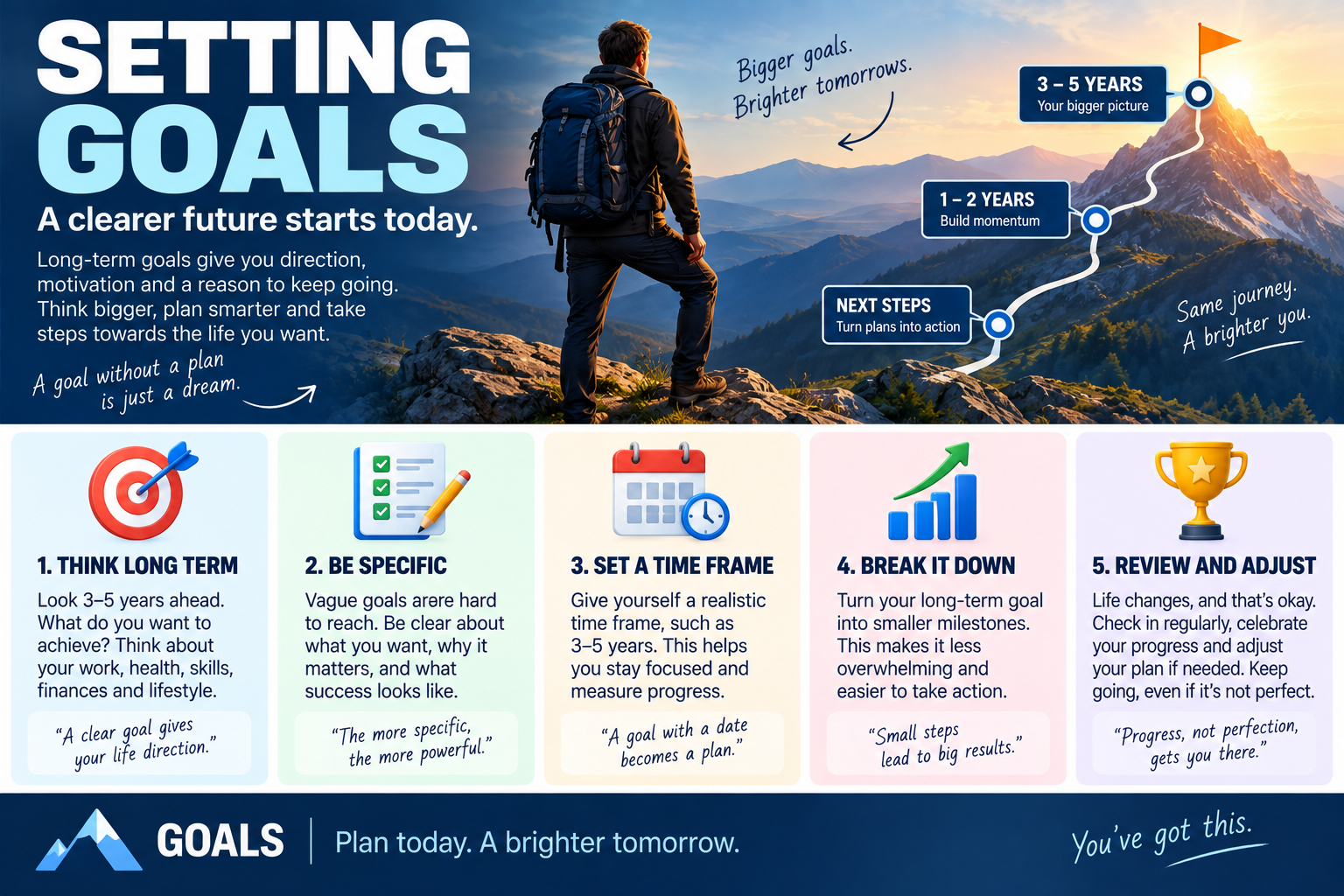
Most of us have things we'd genuinely like to change, a better job, more money, a qualification, a new skill, more independence, a healthier routine, a new business, a finished project, or simply a clearer sense of where we're actually heading. The trouble is that wanting something and actually planning for it are two entirely different things. A goal only becomes genuinely useful once it gives you real direction, moving you from "I would like this" to "this is what I'm working towards," and eventually to "this is what I'm doing next." Good goal setting was never about predicting the future perfectly. It's about choosing a direction, building a sensible route toward it, and checking regularly whether that route is still actually taking you somewhere you want to go.
Start by blue-skying it
Before worrying about what's realistic, start by asking plainly: what do I actually want? This is the blue-sky stage, and for a moment it's worth genuinely ignoring money, time, qualifications, other people's expectations, and whether the idea even sounds sensible. Let yourself think broadly: I want to run my own business, I want to earn significantly more, I want to completely change career, I want to write a book, I want to travel, I want to become genuinely expert at something, I want to live somewhere else entirely. At this stage, the point was never proving the goal is achievable. It's discovering what direction genuinely interests you in the first place. Impose practical limits too early, and you risk setting goals around whatever already exists rather than what you actually want.
Let yourself be genuinely unrealistic for a moment
There's nothing wrong with starting with an outrageous version of the goal. Someone saying "I want to make a million pounds in a week" probably isn't setting a useful immediate target, but don't dismiss it outright. Ask what's genuinely underneath it. Maybe what they really want is financial security, freedom from debt, more control over their own time, the ability to properly support their family, room to invest, or a business that produces a genuinely good income. The unrealistic goal often contains real information about the actual goal hiding underneath it, and blue-sky thinking is what lets you uncover that before practicality gets a chance to quietly shut the whole conversation down.
Then bring reality back in
Once you genuinely know what you'd ideally like, the next question is what's actually possible. This isn't about crushing ambition, it's about turning ambition into something you can genuinely work with. "A million pounds in a week" might become "I want to increase my income substantially over the next few years," or more specifically, "I want to earn £500 a week from a new source of income within twelve months." That's now something you can genuinely start planning around. The dream gives you direction. Reality gives you an actual route.
Realistic doesn't mean small
There's a real danger in goal setting of becoming so relentlessly realistic that the goal simply stops being interesting. A genuinely realistic goal should still stretch you, requiring real effort, real change, genuine learning, actual planning, and probably some discomfort along the way, while staying plausible enough that you can honestly imagine a route toward it. The question was never "what can I achieve without changing anything?" It's "what could I achieve if I worked deliberately toward it?"
Define the longer-term goal
Once the idea's genuinely grounded in reality, decide where you'd like to be roughly a year from now. A year works well here, long enough for genuinely meaningful change to actually happen, short enough that you can still hold it in your head. In one year, I want to have completed my qualification. In one year, I want to have moved into a new job. In one year, I want my business producing regular income. In one year, I want to have finished the first version of my project. The goal should be clear enough that when the review date actually arrives, you can honestly ask "did this happen," or at the very least, "how close did I get?"
Put a genuine date on it
Dates genuinely matter. Without one, a goal can drift indefinitely, "I want to complete this eventually" is a completely different thing from "by the 1st of September next year, I want this completed." The date doesn't guarantee success on its own. What it genuinely creates is a review point. When it arrives, you can look honestly at what actually happened, maybe you hit the goal, maybe you got halfway, maybe circumstances shifted, maybe the goal itself changed along the way. The date simply gives you somewhere concrete to stop and honestly assess.
Work backwards from there
Once you know where you want to be in a year, work backwards from it. If you want to be there in twelve months, where should you genuinely be in six? Then in three? Then next month? This turns one large, slightly intimidating ambition into a genuine sequence of milestones. A one-year goal of completing a qualification might mean completing the majority of the coursework by six months, the first several modules by three months, and finishing the very first module plus establishing a regular study routine within a single month. The goal starts feeling considerably less like "complete everything" and considerably more like "complete the next stage."
Turning the plan into something you'll actually do
This backwards-planning step matters more than it might look like on paper, and there's genuinely solid research behind exactly why. Psychologists studying what's called the intention-behaviour gap have found, repeatedly, that simply intending to do something is a remarkably weak predictor of actually doing it. A large meta-analysis pooling 94 separate studies and more than 8,000 participants found that people who paired a goal with a specific, concrete plan, phrased along the lines of "when X happens, I will do Y," were considerably more likely to actually follow through than people who held the exact same goal without that specific plan attached, a medium-to-large effect, genuinely one of the more reliable findings in this whole area of psychology. In other words, "I want to complete my qualification" is a goal. "When I get home from work on Monday, I will open the first module and read for thirty minutes" is a plan, and the second one is considerably more likely to actually happen. Working backwards into specific milestones and specific next actions isn't just tidy organisation, it's precisely the mechanism that seems to close the gap between wanting something and genuinely doing it.
Milestones tell you whether you're genuinely moving
A milestone isn't simply a smaller goal, it's also a measurement point. If your six-month target was completing six modules, and six months later you've genuinely completed two, that doesn't automatically mean failure. It gives you real information. Was the original plan simply unrealistic? Did something genuinely interfere? Are you working more slowly than expected? Do you need additional support? Has the goal itself changed? Do you genuinely need more time? A milestone lets you course-correct honestly before you're staring down the final deadline with nowhere left to adjust.
Course correction is genuinely part of the plan
People sometimes treat changing a plan as a form of failure. It isn't. Plans get built using whatever information's available at the time, and then reality happens anyway, circumstances shift, you learn new things along the way, unexpected opportunities show up, unexpected problems show up too. A genuinely good plan should be strong enough to provide real direction while staying flexible enough to change when it actually needs to. Think of it like navigation: if a road's closed, you don't keep driving straight into the barrier purely because that was the original route, you find another way round. The destination can genuinely stay the same. The journey's allowed to change.
Review deliberately, not accidentally
Build genuine review points directly into the goal, a three-month review, a six-month review, a nine-month review, a final review. At each point, ask honestly what's gone well, what genuinely hasn't worked, what you've actually learned, whether you're still moving toward the right goal, what needs to change, whether you need more support, and what the next milestone should actually be. This is what stops a goal from quietly fading into the background unnoticed.
Break the milestone down again if it's still too big
Even a three-month milestone can still feel too large on its own. So break it down further. A three-month goal of submitting three job applications and completing a training course might become: update the CV in week one, identify suitable roles in week two, complete the first application in week three, begin the course in week four, and so on. The smaller the next action genuinely becomes, the easier it is to actually act on.
What can you actually do right now?
Eventually, every goal needs to answer one specific question: what can I actually do now? Not next year, not in six months, not once everything's finally perfect. Now. Maybe the honest answer is sending one email, opening the application form, researching one course, writing the first paragraph, making one phone call, creating a budget, booking an appointment, downloading the information, or talking to someone who's genuinely already done this before. A genuinely useful goal should always eventually produce one specific, useful action you can take today.
Identify the resources you actually need
Goals generally require resources, some genuinely obvious, money, equipment, qualifications, transport, time, and some less obvious, knowledge, advice, confidence, support, contacts, practice, a genuinely quiet place to work, access to the right software. Before beginning, ask honestly what you already have, what's actually missing, what you can realistically obtain, and what you genuinely need help with. A goal becomes considerably easier to plan around once you properly understand the actual gap between where you're standing now and what you'll need to move forward.
People can be resources too
Support was never purely about equipment or money. Very often the most useful resource is genuinely another person, someone who already knows the subject, has done this exact thing before, can introduce you to someone useful, can review your work honestly, can explain a confusing process clearly, can keep you genuinely accountable, or can tell you plainly when your plan isn't realistic. We tend to imagine goals as purely individual achievements, when in reality, most genuinely worthwhile goals involve other people somewhere along the route.
Understand exactly what needs to change
A goal generally exists because something about your current situation genuinely needs to change. What's actually different between where you are now and where you want to be, knowledge, income, experience, qualifications, behaviour, confidence, connections, time management? Once you genuinely understand that gap, the plan gets considerably clearer. Knowledge gap, learn. Experience gap, practise. Qualifications gap, study. Contacts gap, network. Money gap, build a genuine financial plan. The goal tells you where you want to go. The gap tells you exactly what actually needs to change to get there.
Make the goal genuinely meaningful
A goal is considerably easier to sustain once you genuinely know why it matters. Ask why you want it, then ask again why that matters too. "I want a new qualification" leads to "because I want a better job," which leads further to "because I want more independence and more control over my own future." Now the qualification is connected to something genuinely deeper, and that connection becomes genuinely useful once the actual work gets difficult.
Be careful with goals that never genuinely end
Goals can turn unhealthy when they simply reproduce themselves endlessly, more, then more, then more again. There's nothing inherently wrong with ambition, but it's worth genuinely asking what would actually be enough. If the only honest answer is "more than I currently have," the goal may never actually provide real satisfaction, however much of it you eventually get. A genuinely good plan should include not just "what am I trying to achieve" but also "why is that genuinely enough for this particular stage of my life."
Review the actual cost
Every goal carries a real cost, time, money, energy, attention, opportunity, sometimes real stress. Ask honestly what you'll actually have to give up to achieve it, and whether that trade is genuinely worth making. A goal can be entirely achievable and still not be worthwhile, you might be technically capable of finishing a demanding qualification while working full-time, but if doing so genuinely wrecks your health, your relationships, and everything else in your life along the way, the goal itself may need redesigning. Achievement genuinely matters. So does the actual route you take to get there.
Don't confuse somebody else's goal with your own
People can spend years chasing goals they never genuinely chose for themselves, the family expectation, the career somebody else once called sensible, the qualification everybody around them already has, a definition of success quietly inherited from somewhere outside themselves. It's worth asking plainly: if nobody else ever knew I was doing this, would I still genuinely want it? That question can be genuinely revealing. Your goals were never obligated to impress anybody else. They only need to genuinely make sense within your own life.
Write it down
Writing a goal down makes it genuinely more concrete, and it doesn't need to be complicated. Record the goal itself, why it actually matters, your one-year position, your six-month milestone, your three-month milestone, your one-month milestone, your very next action, what resources you'll genuinely need, and your review dates. That's genuinely enough to turn a vague ambition into something you can actually work with.
A simple goal-planning structure, gathered together
Blue sky: what would I genuinely love to achieve? Reality check: what version of this is actually achievable? One year: where do I want to be? Six months: what should genuinely be true by then? Three months: what progress should I have made? One month: what should I complete first? Now: what's the next genuinely useful action? Then add what resources you'll need, who can genuinely help, when you'll actually review the plan, and what would make you honestly change direction.
The important part
Goal setting was never about predicting exactly what your life will look like in twelve months. It's about choosing a direction deliberately. Start by genuinely thinking bigger than seems immediately practical, ask what you actually want, then bring reality back into the picture. Turn the dream into an actual goal. Give the goal a real date. Work backwards from it. Build genuine milestones. Review them honestly. Adjust the route when it needs adjusting. Identify the resources you genuinely need. And eventually, reduce the entire plan down to one specific question: what can I do next? A good goal gives you somewhere real to aim. A good plan gives you an actual route, and turning that route into specific, concrete next steps, rather than vague good intentions, is precisely what the research on follow-through consistently shows makes the real difference. Regular review is what keeps making sure that route still genuinely leads somewhere you actually want to go.
Further reading
Drive, by Daniel H. Pink, is useful for thinking specifically about goals that are genuinely personally meaningful rather than simply externally imposed, tied to autonomy, mastery, and purpose.
The Joy of Work, by Bruce Daisley, is useful for thinking through the actual conditions needed to make real progress, energy, concentration, environment, and genuinely realistic working practices.
Influence, by Robert B. Cialdini, explores commitment and consistency, and helps explain why making a genuinely clear commitment and taking one initial action can make it considerably easier to keep moving in the same direction afterwards.
Goals are useful when they genuinely help you move. They become considerably less useful the moment they turn into something you simply admire from a distance. So think big. Make it genuinely real. Break it down. Put real dates against it. Then do the next thing.
📝 Article
Planning Your Support: What Do You Need to Make the Goal Possible?
By Dave Milliken

A goal can be genuinely exciting. It can give you real direction, and it can make you feel that something new is actually possible. But a goal on its own isn't always enough. You can hold the clearest ambition in the world and still genuinely struggle if you don't have the support, time, money, structure, energy, and practical arrangements needed to actually keep moving toward it. That's exactly where support planning comes in, asking one central question: what genuinely needs to be in place around me for this goal to have a realistic chance of succeeding? That support might come from people, money, time, routines, equipment, information, rest, encouragement, a genuine backup plan, or simply enough space to actually think. The important thing is to stop imagining that goals exist in isolation. They genuinely don't. They exist inside real, messy, already-full lives.
What is important to you?
Before planning the actual support, start with the person, you. What genuinely matters to you outside the goal itself? If the goal is writing a book, that doesn't mean the rest of your life quietly disappears while you do it. You might still genuinely value time with friends, family, social contact, rest, exercise, quiet time, paid work, hobbies, privacy, or simply having fun. That matters because a genuinely good support plan shouldn't achieve one goal by quietly destroying everything else that actually gives your life value. If being around people genuinely matters to you, a plan built around isolating yourself for six months may simply not be sustainable. If quiet time matters, a plan that expects you to write in a genuinely noisy environment probably won't work either. Support planning starts by honestly asking what you need to keep in your life while you pursue this.
Protect what already matters
People sometimes become so focused on a goal that everything else quietly slides to second place. That can genuinely work for a short burst. It's considerably harder to sustain over months. A plan that requires giving up every evening, every weekend, every social connection, and every opportunity to rest may eventually become the exact thing that causes you to stop altogether. A better approach is deciding in advance what you genuinely want to protect, Friday evening stays social, Sunday stays free, mornings are for writing, afternoons are for paid work. The support plan is what creates real boundaries around the goal. It should never let the goal quietly consume everything else.
What do you want to change or achieve?
The next question is genuinely straightforward: what are you actually trying to do? The support plan needs to connect directly to a clear goal, write a book, complete a qualification, change career, build a business, improve fitness, finish a major project, reduce debt. Without a clear outcome, support planning stays genuinely vague. You might know you need help, but help with exactly what? The clearer the goal, the considerably easier it becomes to work out what support is actually relevant to it.
Keep the goal genuinely visible
When life gets busy, it's remarkably easy to lose sight of the original purpose entirely. The support plan should therefore keep the actual goal visible throughout, "I want to complete a first draft of my book within twelve months" becomes the anchor everything else gets checked against. Whenever you're considering a new support arrangement, ask honestly whether it genuinely helps you move toward that. If yes, it probably belongs in the plan. If not, it's probably unnecessary.
How will you actually be supported?
Now for the genuinely practical part. What support will actually help you make real progress? Writing a book might mean setting aside one hour every morning, using a genuinely quiet room, carrying a voice recorder or using your phone to capture ideas as they arrive, asking someone to review chapters, using a calendar to protect writing time, joining a writing group, or using software that helps organise notes properly. The key throughout is being specific. "Get more support" isn't genuinely a plan. "Write between 7:00 and 8:00 every morning" is. "Ask Sarah to review one chapter each month" is. "Record ideas on my phone the moment they occur to me" is. Specific support can actually be used. Vague support just sits there looking encouraging.
Support doesn't always mean another person
When people hear the word support, they often picture somebody else physically helping them. That can genuinely be part of it. But support can just as easily be a routine, a tool, an environment, a reminder, a checklist, a calendar, a genuinely quiet space, a deadline, a piece of software, or a savings account. Good support planning simply asks what would genuinely make the desired behaviour easier to actually do.
Build support directly into the environment
The best support is very often something you don't need to remember every single day. If you want to write in the morning, leave the notebook genuinely ready the night before. If you need to capture ideas, keep the recording app genuinely easy to reach. If you need uninterrupted time, block it directly into the calendar. If you need a weekly review, schedule it in advance rather than hoping you'll remember. The less a plan relies on constantly remembering what you were supposed to do, the more reliably it actually holds up over time.
How will you support yourself financially?
Some goals genuinely cost money. Others cost time, and time can genuinely cost money too. Taking several months away from regular work to complete a project means genuinely asking how you'll actually pay for that time. Do you have savings? Will you keep working part-time alongside it? Can you reduce costs elsewhere? Do you need funding? Can the project be phased around your existing job instead? Financial support isn't separate from the goal itself. It can genuinely determine whether the whole thing is sustainable at all.
Be genuinely realistic about money
It's remarkably easy to build plans that quietly assume money will somehow appear later when it's actually needed. A better question is what resources you genuinely have right now, and what happens if those resources start running low. "I have enough savings for three months," "I'll work two days a week while writing," "I won't reduce paid work until I have six months of expenses saved," "I'll review my finances monthly," all turn financial support into an actual part of the structure rather than something quietly left to chance.
And this isn't purely about willpower or good intentions, either, there's genuinely strong evidence that structural commitments around money work considerably better than simply resolving to save more. Researchers ran a randomised field experiment with a bank in the Philippines, offering some customers a special savings account that voluntarily restricted their own access to the money until they'd hit a savings goal they'd set themselves, while a comparison group carried on with an ordinary account. After a year, the customers who'd voluntarily locked themselves out of easy access to their own savings had increased those savings by roughly 81 percent more than the group without that restriction. Nobody in that study became more disciplined overnight. They simply built a genuine structural barrier around the behaviour they wanted, and the structure did a considerable amount of the actual work that willpower alone tends to struggle with. That's precisely the same logic behind building financial support directly into a goal plan rather than simply hoping the money sorts itself out through sheer determination.
Plan for financial pressure before it genuinely arrives
If money becomes tight, decisions get considerably harder to make well in the moment. So decide in advance what you'll actually do: if savings fall below a certain level, increase paid work; if the project costs more than expected, pause non-essential spending; if funding doesn't arrive, extend the timeline instead of abandoning it. That gives you real choices to fall back on. A support plan shouldn't quietly assume everything goes perfectly. It should genuinely include what happens once things get difficult.
How will you manage working towards the goal?
Every plan eventually runs into real life. Work gets busy. Someone gets ill. Money gets tight. Energy drops. Another opportunity shows up out of nowhere. Something entirely unexpected happens. The genuinely useful question is what you'll actually do once progress gets harder. Writing a book might mean deciding in advance: if work gets extremely busy, reduce writing rather than stopping completely; if burnout genuinely sets in, take one full week off; if a target's missed, review the timetable rather than abandoning the whole project; if money runs low, temporarily increase paid work. None of that is a sign of weakness. Those are contingency plans, built calmly, before you actually need them.
Give yourself genuine permission to adjust
People often build plans as though changing them later would automatically mean failure. That tends to make a plan genuinely brittle. A better plan includes real flexibility from the very start: if you become exhausted, you're allowed to stop for a week; if your workload shifts, you can reduce the weekly target; if the project takes longer than expected, you can extend the deadline; if the goal genuinely stops making sense, you can review it properly. That permission matters enormously. Without it, people tend to keep pushing long after the original plan has quietly become unrealistic.
Plan for the bad days, not just the good ones
Don't build a support plan designed purely around your best possible day. Design it for the tired day too. A good day might mean writing 2,000 words. A genuinely bad day's minimum might simply be opening the document, reading the last page, and adding one single paragraph. That still keeps a real connection to the project alive rather than letting it go cold. A genuinely sustainable plan needs to allow for that kind of variation.
How will you stay in control?
A goal can quietly start controlling you rather than the other way round. Staying in control genuinely means tracking what's actually happening and honestly deciding whether the plan's still working, which usually needs real review points built in, weekly reviews, monthly reviews, a three-month milestone, a six-month milestone. At each one, ask whether you're genuinely on track, whether the plan's still realistic, what's actually changed, which support is genuinely working, which support is genuinely missing, and whether the target itself needs adjusting. The point of monitoring was never judging yourself harshly. It's simply giving yourself honest information to work with.
Targets help you stay genuinely oriented
Targets are useful precisely because they tell you whether real movement is actually happening. Plan to write 5,000 words a month, and after three months you've written 14,000, you're broadly on track. Written only 2,000 instead? That tells you something genuinely needs to change, maybe the target was unrealistic from the start, maybe the support's inadequate, maybe the available time was simply overestimated. Either way, the target gives you something concrete to actually review against, rather than just a vague feeling that things aren't quite going to plan.
Control also means genuinely saying no
Support planning isn't only about adding things in. Sometimes it's genuinely about taking things out. If you're serious about a major goal, you may need to say no to extra commitments, unnecessary meetings, work that can genuinely wait, distractions, and other projects competing for the exact same time. Staying in control means actively protecting the resources the goal genuinely needs, rather than letting them quietly get eaten up elsewhere.
What will you actually do next?
Eventually, every support plan needs to produce a genuine action. What's the very next thing you'll actually do to build the support structure itself? Not "write the whole book," but perhaps choose the writing time, set up the workspace, create a savings target, ask someone to review the first chapter, buy the notebook, or schedule the monthly review. That next step needs to be genuinely concrete. A support plan that only ever exists as a set of good intentions won't end up supporting very much at all.
The next step might be about support, not the goal itself
This distinction genuinely matters. If the goal is completing a qualification, the next useful action might not be studying at all, it might be arranging childcare, requesting flexible working, buying the required software, setting up a genuine study space, or speaking to the tutor directly. None of those actions directly complete the course. But they genuinely make completing the course considerably more possible, and that's precisely what support planning is actually for.
Think about the whole system around the goal
A goal was never really just one single action. It sits inside a genuine system: time, money, energy, people, environment, skills, resources, health, and existing responsibilities. Ignore any one of those areas, and it may eventually become the exact thing that quietly stops your progress. Support planning simply asks what the whole system genuinely needs, not just the goal in isolation.
Seven questions worth using
A genuinely useful support plan can be built around seven honest questions: what's important to you, what needs to remain part of your life while pursuing this goal; what do you actually want to change or achieve; how will you genuinely be supported, through people, routines, tools, environments, and structures; how will you support yourself financially, and what's the backup plan; how will you manage working toward the goal once life genuinely gets difficult; how will you stay in control, monitoring progress and making honest adjustments; and finally, what will you actually do next, the concrete action that starts building the support structure right now.
The important part
A goal gives you real direction. A support plan is what actually makes the journey possible. You can have a genuinely excellent goal and still fail if there's no time, no money, no structure, no recovery plan, no genuine support, and no honest review built in anywhere. The point of support planning was never removing every single difficulty, that's genuinely impossible. It's making sure that when difficulties inevitably show up, you're not starting entirely from nothing. You already know what genuinely matters to you, what you're actually trying to achieve, what support you'll need, how you'll fund it, what you'll do once things get difficult, how you'll honestly monitor progress, and what happens next. That's what turns a goal from something you merely hope will happen into something your actual life is genuinely organised to support.
Further reading
Drive, by Daniel H. Pink, is useful when designing support that genuinely helps you stay connected to goals you actually value, tied to autonomy, mastery, and purpose.
The Joy of Work, by Bruce Daisley, explores how environment, concentration, energy, social connection, and working conditions genuinely affect your ability to do meaningful work consistently over time.
Influence, by Robert B. Cialdini, explores commitment, consistency, and social influence, and helps explain why genuinely clear structures, visible commitments, and supportive environments can determine whether intentions actually become action.
The strongest goals aren't necessarily the most ambitious ones. They're genuinely the ones supported by a life that actually gives them room to happen.
📝 Article
When Motivation Disappears: What Do You Do Next?
By Dave Milliken
Motivation disappears. Sometimes suddenly, sometimes gradually, sometimes right after a burst of intense activity, sometimes simply because the easy or enjoyable parts are finished and all that's actually left is the awkward, boring, frustrating bit. There are genuinely many reasons motivation can leave us: we might be tired, bored, overwhelmed, we might have spent too much energy in too short a stretch of time, or we might simply no longer be sure why we're doing the thing in the first place. Sometimes the body's simply saying enough. None of that automatically means the goal itself was wrong. It does mean something has genuinely changed.
Don't assume the answer is pushing harder
One of the easiest mistakes here is treating low motivation as a straightforward character flaw, "I should be more disciplined, I should work harder, I should just force myself through it." Sometimes that's genuinely the right response. Sometimes it's exactly the wrong one. If motivation's gone because you're genuinely exhausted, pushing harder can make things worse. If it's gone because the work no longer feels like it matters, forcing yourself forward may just waste more time. If it's gone because what's left is simply unpleasant, the actual issue might not be motivation at all, it might be that this final stage genuinely needs a different approach. So before trying to manufacture more enthusiasm from nothing, the first question is worth asking honestly: why has it actually gone?
Fatigue is not failure
Sometimes motivation disappears because you're genuinely tired, not metaphorically, actually tired. Maybe you've been working intensely for days, juggling too many deadlines, concentrating for longer than usual, or dealing with difficult people, difficult decisions, or difficult circumstances. At some point the body genuinely starts asking for a break, and that's not necessarily a failure of motivation at all, it may simply be a recovery problem. Rest can be genuinely productive when it lets you come back with enough energy to actually think clearly. The real difficulty is telling apart "I need a break" from "I'm avoiding this," and that takes a bit of honest self-reflection to actually work out.
Sometimes the fun part is genuinely over
Another common reason motivation fades: you've already finished the enjoyable parts. This happens constantly in projects. The beginning is exciting, full of ideas, possibilities, new decisions, and genuinely visible progress. Then eventually you reach documentation, checking, editing, corrections, administration, tidying, submission. The novelty's gone. The job isn't. That can feel like a sudden, alarming drop in motivation, but the right response usually isn't abandoning the project, it's simply recognising "I'm in the less exciting phase now," which is still, genuinely, part of finishing.
Look at how far you've actually come
When the remaining work feels heavy, it genuinely helps to stop staring purely at what's left and look backwards instead. What have you already done? What's changed since you started? What problems have you actually solved? What parts are genuinely complete already? A project can feel exhausting when you're only looking at the remaining ten percent. It can feel entirely different once you remember ninety percent is already behind you. That shift in perspective genuinely matters, "I still have all this left to do" becomes "I only have this much left." Same project. Completely different frame.
This isn't purely a comforting mental trick, either, it's a genuinely well-documented psychological effect. Researchers studying coffee-shop loyalty cards found that customers bought coffee noticeably more often the closer they got to their free one, and in one particularly telling version of the study, customers given a twelve-stamp card with two stamps already filled in completed their remaining ten purchases considerably faster than customers given a plain ten-stamp card requiring the exact same ten purchases. Both groups genuinely needed to do the same amount of work. The only difference was how close to finished they perceived themselves to be. Perceived proximity to a goal, in other words, genuinely accelerates effort, even when the real distance left to travel hasn't actually changed at all. Which is exactly why deliberately reminding yourself how far you've come isn't just a nice feeling, it can genuinely change how much effort you're willing to put in right now.
Short steps still genuinely matter here
When motivation's low, the next action should usually get smaller, not larger. Not "finish the whole report," but "read the next paragraph." Not "complete the course," but "do the next exercise." Not "finish the application," but "answer the next question." The effort required for one small thing is usually considerably lower than the emotional reward you get from actually completing it, and then another small action becomes possible, then another. Progress genuinely restarts from there.
Make continuing easy on yourself
This applies just as much to how work gets presented as to how it gets done. Long, dense blocks of text feel demanding. Shorter sentences feel more approachable. One paragraph, then another. One idea, then the next. If you're already tired, distracted, or struggling with motivation, making the very next step feel genuinely manageable matters enormously, and the same logic applies to almost any task. When energy's low, lower the barrier to continuing. Don't ask yourself for a heroic effort. Ask only for the next useful action.
Reconnect with the actual reason
When motivation fades, it genuinely helps to return to why the work mattered in the first place. Why did you start? Why did this matter? What were you actually hoping would change? Sometimes the answer is entirely practical, you're studying for better job opportunities, filling in the application because the funding could genuinely help your organisation, finishing the qualification because you want to move into a different role, completing the project because it'll make somebody else's life easier. The reason doesn't need to sound noble. It only needs to be genuinely real.
Meaning can carry you through genuinely difficult work
People can tolerate a surprising amount of difficult, tedious work once they understand why it matters. This shows up especially clearly in caring professions. A social worker might be genuinely exhausted by paperwork, bureaucracy, caseloads, meetings, systems, and endless forms, and underneath all of that might still sit a very simple reason: I care about people. That reason doesn't remove the bureaucracy. It doesn't magically eliminate exhaustion either. But reconnecting with the underlying purpose can genuinely make it easier to remember why the work was worth doing at all. The administrative burden was never the actual purpose. It's simply part of the route to it.
Your reason is allowed to be entirely personal
Purpose doesn't need to mean changing the world. Wanting your own life to improve is a perfectly legitimate reason on its own, a better job, more confidence, more independence, more money, more options, a new skill, a genuine sense of achievement. Those are all real, legitimate reasons, and wanting your own life to improve isn't selfish by default. If anything, genuinely understanding your real motivation makes it considerably easier to decide whether the work in front of you is still actually worth doing.
Look at the direction, not just the task
Sometimes the actual problem isn't the task at all, it's the direction. If you started something six months ago that made genuine sense at the time, and you're now genuinely struggling to continue, you could simply try harder, or you could ask a more important question: does this still lead where I actually want to go? Motivation can disappear because the goal changed, you changed, the circumstances changed, or the original reason simply no longer applies. In that case, low motivation isn't a personal failing. It's genuinely useful information.
Stopping is not automatically failure
There's a real danger in treating persistence as automatically virtuous. Sometimes the genuinely courageous decision is continuing. Sometimes the genuinely intelligent decision is stopping. If you find yourself thinking "I don't want this anymore," that deserves honest investigation, is it temporary frustration, fatigue, fear, or has the underlying direction genuinely shifted? If the actual reason for doing the work no longer exists, forcing yourself forward purely because you already started may simply not be sensible. Persistence earns its keep only while the destination still genuinely matters.
But don't quit purely at the boring bit
There's an important distinction hiding here, though. Losing motivation because the direction no longer fits is genuinely one thing. Losing motivation because the final ten percent is tedious is something else entirely. Before abandoning anything, ask plainly: do I actually dislike the goal, or do I just dislike this particular stage? Those are genuinely not the same question. You might still care deeply about the outcome while finding proofreading, administration, submission, checking, and documentation thoroughly uninspiring. If that's genuinely the case, the answer might just be: finish the unpleasant stage, then be done with it.
Use your own progress as fuel
When enthusiasm is gone, progress itself can become the motivator. Look at what already genuinely exists, the pages written, the tasks completed, the modules finished, the calls made, the decisions taken, the work already done. That gives you real evidence the project is genuinely real and genuinely moving. Sometimes the best reason to continue really is simply "I've already come this far," not because you're trapped by previous effort, but because the remaining distance is now genuinely small enough to feel manageable.
Reward the final stretch specifically
The end of a project can be strangely difficult. The excitement of starting has gone. The work's nearly finished. The last tasks often feel purely administrative. This is precisely the moment to make completion genuinely visible: finish one section, tick it off; submit one form, close it; complete one task, remove it from the list. The closer you actually get to the finish, the more useful it becomes to make every completed piece obvious, and the finish line itself should become genuinely easier to see as you approach it, not harder, exactly the pattern the loyalty-card research above found: effort and motivation tend to rise, not fall, the closer people perceive themselves to actually being done.
Motivation isn't the only thing that moves us
We often place far too much responsibility on motivation specifically, assuming "if I don't feel motivated, I genuinely can't continue." But people continue for plenty of other reasons too, habit, commitment, routine, responsibility, purpose, curiosity, momentum, discipline. Sometimes motivation starts the work. Other things finish it entirely. That's genuinely normal, not a sign anything's gone wrong.
There are genuinely days when enough is enough
There are also days when the correct decision is simply "stop for today," which is genuinely different from abandoning the goal altogether. You may have reached the point where more effort actually produces worse work, concentration gone means errors increase, patience gone means decisions deteriorate, exhaustion means the work takes twice as long as it should. A deliberate pause can genuinely protect the quality of whatever comes next. The important part is making that pause deliberate, not "I'm disappearing indefinitely," but "I'm stopping now, and I'm returning at this specific time." That creates real recovery without genuinely losing your direction.
Three questions worth asking
When motivation disappears, three questions genuinely help separate out what's actually going on. First: am I tired? If yes, the answer's probably recovery. Second: is the remaining work simply unpleasant? If yes, the answer's probably shrinking the next step and just finishing it. Third: do I still genuinely want where this is taking me? If no, the answer's probably reconsidering the goal itself. Fatigue, avoidance, and a genuine loss of direction can feel remarkably similar from the inside. They need genuinely different responses.
Motivation can genuinely return after action, not before it
We often assume motivation has to arrive before we can do anything at all. Very often it's the reverse: take one small action, then another, watch progress become genuinely visible, and interest starts returning, motivation starts rebuilding itself from there. This is especially useful in the final stretch of something. You don't need to feel enthusiastic enough to finish everything in one go. You only need enough energy for the next useful thing. Then the thing after that gets easier.
The goal was never permanent enthusiasm
Nobody feels inspired all the time, that's simply not a realistic standard to hold yourself to. The aim was never "never lose motivation." The aim is knowing what to actually do when it happens: sometimes rest, sometimes continue in smaller steps, sometimes reconnect with the underlying reason, sometimes look honestly at the progress you've already made, sometimes change the plan, and occasionally, genuinely, change the destination itself. That's a considerably more useful skill than trying to stay permanently enthusiastic about everything, all the time.
The important part
Motivation can disappear for plenty of genuinely different reasons. You might be tired. The exciting part might genuinely be finished. What's left might simply be unpleasant. You might have lost sight of why it mattered, or the original reason might no longer fit who you are now or where you're actually heading. Don't immediately assume the answer is pushing harder. Ask instead why the motivation actually disappeared, then respond to the real problem underneath it. Exhausted, recover. The remaining task too large, shrink it. The final stage genuinely boring, recognise it for exactly what it is and finish it anyway. Forgotten why the work matters, reconnect with the actual reason. The direction genuinely no longer makes sense, give yourself real permission to reconsider it. And when you're close to the end, look honestly at how far you've already travelled, the same shift that made coffee-shop customers speed up near the end of their loyalty card works just as well here. Sometimes the final push never comes from excitement at all. It comes from perspective: realising there genuinely isn't that much left, doing the next thing, then the next, until the thing that once felt impossible has quietly become something you've actually finished.
Further reading
Drive, by Daniel H. Pink, is especially useful when motivation fades, since reconnecting with why the work genuinely matters can restore real direction even once enthusiasm itself has disappeared entirely.
The Joy of Work, by Bruce Daisley, explores the relationship between energy, environment, concentration, and meaningful work, and is particularly useful for recognising when what looks like a motivation problem is actually a fatigue or working-conditions problem in disguise.
Influence, by Robert B. Cialdini, explores commitment and consistency, and helps explain both why previous action genuinely shapes future action, and why it's worth staying alert to the risk of continuing with something purely because you once committed to it.
Motivation is genuinely useful. It was never meant to be permanent. The real skill is learning exactly what to do the moment it leaves.
📅 Event
Big Data Belfast 2026
Organiser:
About Blank Creative Ltd
Venue:
ICC Belfast Belfast, Northern Ireland
Date & Time:
15 October 2026 at 08:30

Overview
Ireland's largest tech conference returns to ICC Belfast on 15 Oct 2026 for a bold, practical day of AI, data and digital innovation.
AI is no longer a future trend - it is a present business reality. Big Data Belfast 2026 returns to ICC Belfast on Thursday 15 October 2026, bringing together the people, ideas and technologies shaping what comes next.
Presented by Analytics Engines, alongside Headline Partners Accenture and AWS, Big Data Belfast brings together leaders from industry, government, academia and the wider innovation ecosystem for a timely and high-impact day of conversation.
This year, the focus could not be more relevant.
There has never been a more important, or more opportune time to be talking about AI and the big issues surrounding it, on the big stage. From productivity, competitiveness and enterprise transformation to ethics, regulation, cyber security, infrastructure, workforce change and trust, AI is now influencing decision-making at every level.
As Ireland's largest tech conference, Big Data Belfast will once again provide a major platform for those conversations - combining keynote sessions, industry insights, practical case studies and cross-sector debate. Following our largest conference to date in 2025, which welcomed over 1,000 delegates, 80+ speakers and 25 exhibitors, the 2026 event promises another standout gathering for the technology community.
Expect a day built around the themes that matter now, including:
From AI experimentation to enterprise value
Agentic AI and the next wave of transformation
Trust, governance, ethics and responsible innovation
Sovereign compute, infrastructure and digital independence
Cyber security for an AI-first world
The future of work and the human-AI workforce
Edge AI and intelligent real-time systems
AI in action across health, manufacturing and financial services
Whether you are a business leader, technologist, founder, policymaker, investor, researcher or student, Big Data Belfast 2026 is where big ideas meet practical insight.
Supporting sponsors: AICC, Allstate, DailyPay, Dell, MCS Group, Momentum One Zero, Options Technology and E-Futures (Queen's University).
💼 Vacancy
Junior Implementation Consultant
Salary:
£35000.00 - £45000 per annum
Closing Date:
30 September 2026
As a Junior Implementation Consultant, you'll work alongside experienced consultants to help customers successfully implement and adopt the company's software.
You'll get involved across the implementation lifecycle, helping understand customer requirements, configure the platform, work with data, test solutions and support customers through training and go-live.
You'll take on responsibility early on for your own customers and implementation projects.
What You'll Be Doing
Supporting the delivery of software implementations for customers
Helping gather and document customer requirements
Configuring software and workflows around customer needs
Working with customer data, including mapping, checking and validating information
Supporting data migration and system configuration
Testing solutions ahead of customer go-live
Helping run customer workshops and implementation sessions
Supporting customer training and product adoption
Working alongside Product, Engineering and other internal teams
Using tools such as Excel, SQL, Power BI, Alteryx or Power Automate
Troubleshooting issues and helping customers resolve problems
Learning how to manage software implementations from discovery through to go-live
About You
You don't need to have years of implementation experience. This could suit someone coming from software, technology, data, professional services or another client-facing environment who wants to build a career in technology consulting.
Ideally, you'll bring:
Some experience working with software, technology or data
Strong Excel skills and confidence working with data
Exposure to SQL, Power BI, Alteryx, Power Automate or similar tools would be useful
Good analytical and problem-solving skills
Confidence communicating with customers and colleagues
The ability to understand business problems and think through solutions
Strong attention to detail and organisation
A genuine interest in technology and learning new systems